Live Home 3D Pro for Windows PC: Download Guide, Tips & Features
Download and buy Live Home 3D Pro on PC with this guide. Get tips, watch a beginner’s video, and use the app to design with instant pro tools.
Download and buy Live Home 3D Pro on PC with this guide. Get tips, watch a beginner’s video, and use the app to design with instant pro tools.

Download and use Reddit on PC with this guide. Get tips, watch a beginner’s video, and use the app to join chats on any topic instantly.

A complete guide to download and use LinkedIn on PC with this guide. Get tips, watch a beginner’s video, and use the app to boost your career with instant job alerts.

Snapchat for Windows is the official Snapchat app for PC from Snap Inc., free on the Microsoft Store or in your browser. It lets you chat, make voice and video calls, share your screen and send Snaps from your webcam. This guide covers the install, what works on PC versus the phone app, and fixes for camera, mic and notification problems.

Instagram for Windows is the free Instagram app from the Microsoft Store, a light web app that runs through Microsoft Edge. This guide covers the install, what works on a PC versus the phone app, how to post photos and reels up to 20 minutes from your computer, why stories still need your phone, and fixes for common problems.

Meta retired the Messenger desktop app for Windows and Mac on December 15, 2025. This guide explains what happened, how to keep using Messenger on a Windows PC through messenger.com, how to install it as an app in Edge or Chrome so it gets its own window again, and how to keep your encrypted chat history.
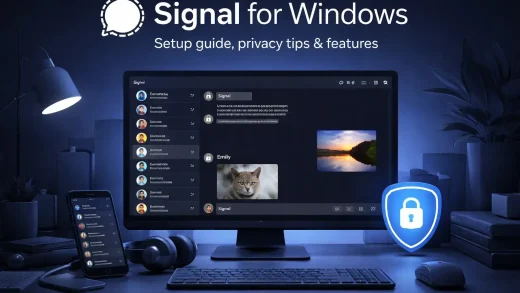
Signal is a free, encrypted messaging app from the nonprofit Signal Foundation. This guide shows how to install Signal Desktop on Windows, link it to your phone and bring your old chats over, which privacy settings to change, and how to fix the problems Windows users hit most.
WinRAR is a powerful file compression tool for Windows 11 and 10. This guide covers how to download and install WinRAR, create encrypted archives, split large files, and repair corrupted downloads. Includes a beginner video tutorial, interface screenshots, and FAQ. Learn the key differences between WinRAR and Windows’ built-in extraction tools.

Run your business from anywhere with QuickBooks Online. This guide compares the plans (Simple Start vs. Plus), explains how to run it on Windows, and helps you decide if it’s time to ditch the Desktop version.
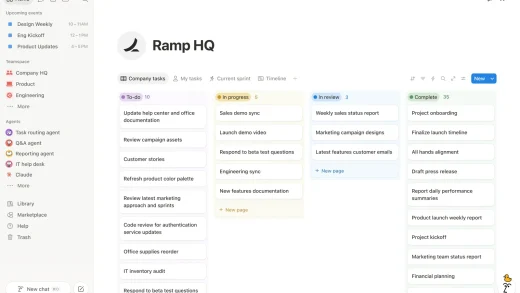
Notion is a free workspace for notes, docs, tasks and wikis, with a desktop app for Windows 10 and 11. This guide shows what each feature looks like, how to install it from notion.com or the Microsoft Store, the shortcuts worth learning, what the plans cost and how offline mode works.