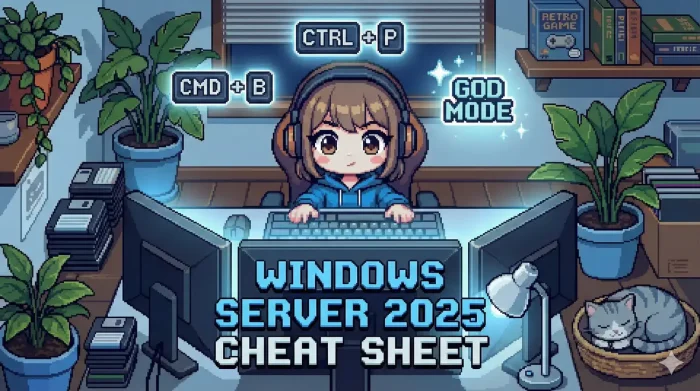
 This Windows Server 2025 Cheat Sheet packs the most useful commands, shortcuts, and configuration steps into one quick reference. Ideal for IT pros, sysadmins, and learners working with Microsoft’s latest server OS, this guide covers everything from initial setup to advanced network troubleshooting.
You can also download the complete cheat sheet in multiple formats to keep it handy offline.
📥 Download the Windows Server 2025 Cheat Sheet
Get this entire reference guide in your preferred format. Perfect for printing or keeping on your tablet.
Need the installation files first? See our guide on how to download Windows Server 2025.
✨ New in Windows Server 2025
These commands and features are exclusive to or significantly updated in Server 2025.
| Feature | Command / Key Benefit |
|---|---|
| Hotpatching | Updates apply instantly without rebooting (Requires Azure Arc/Datacenter). |
| SMB over QUIC | Now available in Standard & Datacenter (was Azure-only). Secure file access over the internet without VPN. |
| GPU Partitioning | Get-VMHostPartitionableGpuSplit a physical GPU across multiple Hyper-V VMs. |
| Next-Gen AD | 32k Database Page Size Boosts performance for massive Active Directory databases. |
Core System Info
Basic commands to identify your server environment.
| Command (CMD/PowerShell) | Description |
|---|---|
sconfig |
Essential. Launches the text-based setup menu (Network, Domain, Updates). Default in Server Core. |
winver |
Displays the detailed Windows Build number popup. |
hostname |
Quickly shows the computer name. |
systeminfo |
Dumps full OS configuration, boot time, and hotfixes. |
Get-ComputerInfo |
PowerShell equivalent of systeminfo; richer data objects. |
Get-WindowsFeature |
Lists all installed and available Roles/Features. |
Installation & Activation
| Action | Command |
|---|---|
| Install Product Key | slmgr /ipk <Product-Key> |
| Activate Windows | slmgr /ato |
| Check License Status | slmgr /dli |
| Rename Computer | Rename-Computer -NewName "FILE-SRV-01" -Restart |
| Join Domain | Add-Computer -DomainName "corp.contoso.com" -Restart |
| Convert Edition | DISM /Online /Set-Edition:ServerDatacenter /ProductKey:XXXXX...(Upgrades Standard to Datacenter without reinstall) |
Networking & DNS
Troubleshoot connectivity and configure adapters.
| Command | Purpose |
|---|---|
ipconfig /all |
View MAC address, DHCP status, and DNS servers. |
Test-NetConnection -Port 3389 |
Pro Tip. Tests if a specific port (like RDP) is open on a remote host. |
Get-NetAdapter |
Lists physical and virtual network interfaces. |
New-NetIPAddress |
Assigns a static IP via PowerShell. |
Set-DnsClientServerAddress |
Manually sets DNS resolvers (e.g., 1.1.1.1). |
nslookup <hostname> |
Verifies DNS resolution for a specific domain. |
Server Roles (PowerShell)
Save time by installing roles via command line instead of Server Manager.
# Install Active Directory Domain Services
Install-WindowsFeature AD-Domain-Services -IncludeManagementTools

# Install Hyper-V
Install-WindowsFeature Hyper-V -IncludeManagementTools -Restart

# Install DNS & DHCP
Install-WindowsFeature DNS, DHCP -IncludeManagementTools

# Install File Server Role
Install-WindowsFeature File-Services
Security & Updates
| Command | Description |
|---|---|
Get-WindowsUpdate |
Scans for available updates (requires PSWindowsUpdate module). |
gpupdate /force |
Forces Group Policy refresh immediately. |
Get-MpComputerStatus |
Checks Microsoft Defender Antivirus status. |
Enable-BitLocker -MountPoint "C:" |
Encrypts the system drive (TPM required for auto-unlock). |
netsh advfirewall show allprofiles |
Verifies if the Windows Firewall is active. |
Storage Management
| Command | Description |
|---|---|
Get-Disk |
Shows physical disks and their online status. |
Get-Volume |
Lists formatted volumes and free space. |
Optimize-Volume -DriveLetter C |
Runs Trim/Defrag (Optimizes SSDs). |
Get-SmbShare |
Lists all active file shares on this server. |
Discover more from Windows Mode
Subscribe to get the latest posts sent to your email.