Readers like you help support this site. When you make a purchase using links on our site, we may earn an affiliate commission. All opinions remain our own.
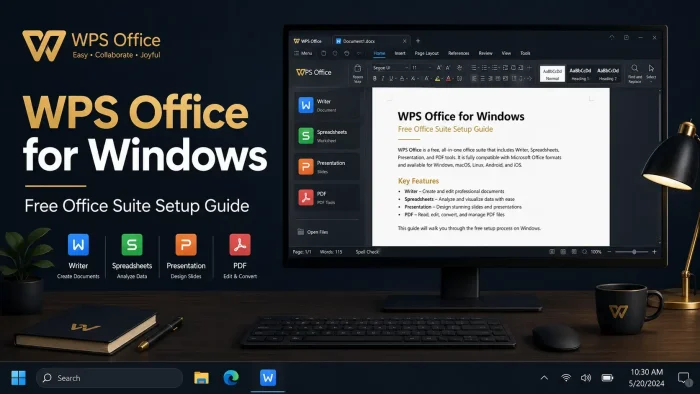
WPS Office is a free office suite for Windows from Kingsoft, available on the official website and Microsoft Store. It handles Word documents, spreadsheets, presentations, and PDFs all inside one app. You do not need a separate PDF reader or multiple programs open at once.
The compatibility is what most people care about first. WPS Office opens and saves .docx, .xlsx, and .pptx files without converting them to another format first. If you are switching from Microsoft Office, your existing files work from day one.
WPS Office has been around since 1988 under Kingsoft. The Windows version supports Windows 7, 8.1, 10, and 11. There is no subscription required to use the core apps.
Already using it? Share your setup in the comments. Questions before downloading? Reach out to us directly.
What You Need to Know
- The core suite is free with no time limit. Ads are shown in the free version.
- Works with all Word, Excel, and PowerPoint file formats out of the box.
- Lightweight installer at around 214MB. Runs on Windows 7 through Windows 11.
500M+
Active Users
214MB
Install Size
4-in-1
Apps in One
Free
Core Suite
| Developer | Kingsoft Office Software |
| Price | Free (Pro from $2.99/mo) |
| Windows Versions | Windows 11, 10, 8.1, 7 |
| Also On | Mac, Linux, Android, iOS |
| Get It From | Official website or Microsoft Store |
Also available on the Microsoft Store
Who Should Use WPS Office?
- Use it if you need a free, full-featured alternative to Microsoft Office that works with .docx, .xlsx, and .pptx files without compatibility headaches.
- Skip it if you rely heavily on Microsoft Office macros or VBA scripts. Complex automation may not transfer cleanly.
- Be careful if you work with highly confidential documents and plan to use cloud sync. Review WPS’s privacy policy first before connecting your account.
How to Get WPS Office on Windows
There are two ways to get WPS Office on Windows. The direct download from the official site gives you the most current version. The Microsoft Store version updates automatically and is sandboxed, which some users prefer for security reasons.
Two install options: Download the .exe installer directly from the WPS website, or install from the Microsoft Store. Both are free. The direct download includes more setup options at install time.
- Step 1. Click the Download button above or visit the WPS Office download page to grab the Windows installer.
- Step 2. Run the downloaded .exe file. The installer is around 214MB and takes under two minutes on most connections.
- Step 3. Follow the on-screen prompts. You can choose whether to create a desktop shortcut and whether to set WPS as your default app for Office file types.
- Step 4. Launch WPS Office. You can use it immediately without signing in. Create an account if you want cloud sync and template access across devices.
- Step 5. Open any existing Word, Excel, or PowerPoint file directly. WPS will detect the format and open it in the correct app automatically.
💡 Your PC is too weak for local use? Cloud access is an option. WPS Office also has a web version at wps.com that runs in your browser with no installation needed.
Is WPS Office Safe?
WPS Office does not modify Windows system files or inject itself into your browser. The installer puts the app in your Program Files folder like any standard software. It does not require admin privileges to run after installation.
The honest caveat: Kingsoft is a Chinese company, and the app does include telemetry and usage tracking. Some users on Reddit and privacy communities have raised concerns about what data is collected, particularly when cloud sync is enabled. For most home users writing essays or tracking budgets, this is not a practical concern. If you work in a regulated industry or handle sensitive data, stick to offline use and review the privacy policy before enabling cloud features.
What Is WPS Office?
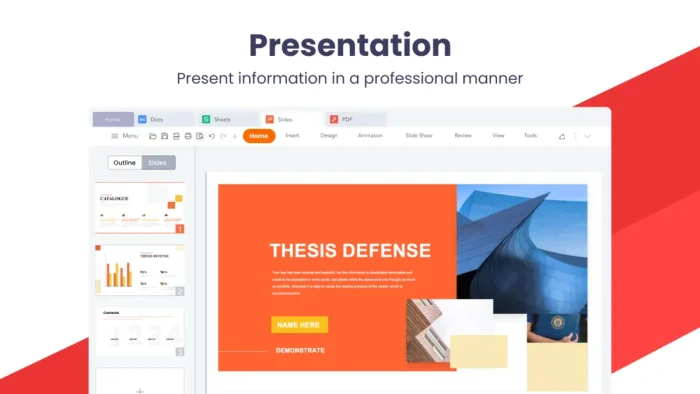
WPS Office is an all-in-one office suite that combines four apps under one roof: WPS Writer (word processing), WPS Spreadsheet (for Excel-style data work), WPS Presentation (for slides), and a PDF toolkit. All four open from the same launcher.
Kingsoft originally built WPS (which stood for “Word Processing System”) in 1988 for the Chinese market, where it was dominant before Microsoft Office arrived. Today WPS Office has over 500 million active users worldwide and is one of the most downloaded free office suites on Windows. The interface is designed to feel familiar to anyone coming from Microsoft Office, with a similar ribbon layout and keyboard shortcuts.
Key Features
Full Microsoft Office Compatibility
Opens and saves .doc, .docx, .xls, .xlsx, .ppt, .pptx, and .pdf without needing to convert files first. Formatting holds well on standard documents.
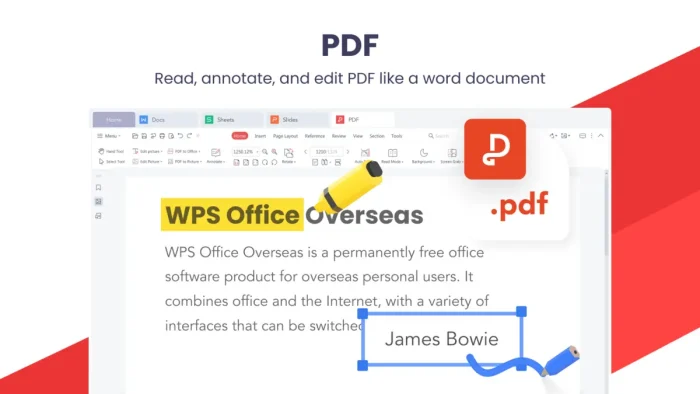
Built-in PDF Tools
Read, annotate, and do basic edits on PDFs without a separate app. Pro users get full PDF editing, merging, splitting, and OCR (text recognition from scanned pages).
100,000+ Templates
A large library of ready-made templates for resumes, reports, budgets, and presentations. Most are free with an account. Premium templates are available on paid plans.
Cloud Sync Across Devices
Sign in and access your documents on Windows, Mac, Android, and iOS. Free accounts get 1GB of WPS Cloud storage. Pro plans include 20GB.
WPS AI (Paid Add-on)
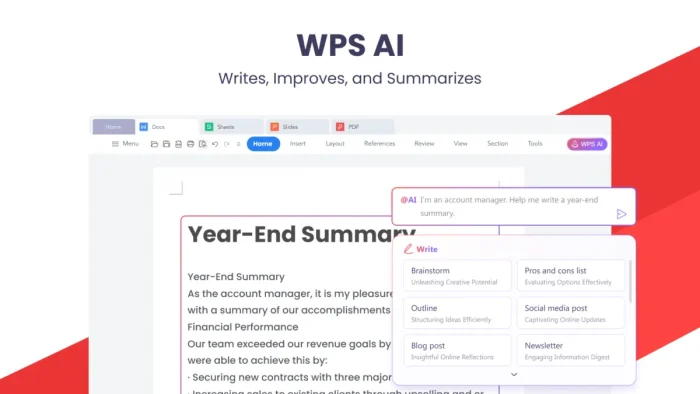
AI Writer for drafting content, Chat with PDF for asking questions about documents, AI slide generation, grammar correction, and parallel translation. Available as a separate subscription.
Lightweight Install
The installer is around 214MB and the app uses minimal RAM at idle. It runs well on budget laptops and older machines that struggle with Microsoft Office.
What You Get After Install
| Area | What Changes / What You Get |
|---|---|
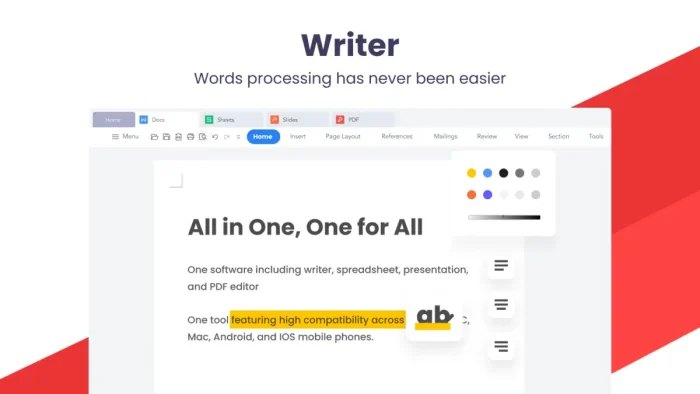
| WPS Writer | Full word processor. Opens .doc and .docx. Exports to PDF. Spell check, track changes, comments, and mail merge included. |
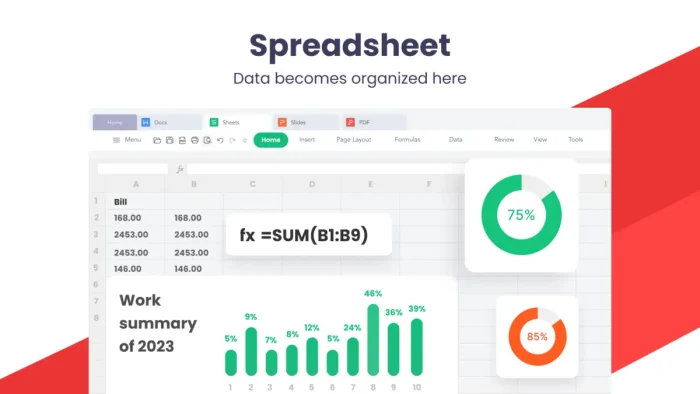
| WPS Spreadsheet | Excel-compatible spreadsheet app. Formulas, charts, pivot tables, and conditional formatting. Opens .xls and .xlsx. |
| WPS Presentation | Slide editor compatible with .ppt and .pptx. Animation, transitions, and speaker notes. Export to PDF or video. |
| PDF Toolkit | Free: read and annotate PDFs. Pro: edit text, merge, split, compress, and add watermarks. OCR available on Pro. |
| File Associations | WPS can set itself as the default app for Word, Excel, PowerPoint, and PDF files. You control this during install or in Windows Settings. |
| Cloud Storage | 1GB free on WPS Cloud. Also connects to Google Drive and Dropbox. Sign-in required to use cloud features. |
System Requirements
| Component | Minimum / Recommended |
|---|---|
| Operating System | Windows 7, 8.1, 10, or 11 (32-bit or 64-bit) |
| Processor | Dual-core or above recommended |
| RAM | 2GB or above recommended |
| Disk Space | 4GB free space recommended |
| Install Size | Approximately 214MB installer |
| Internet | Required for download, updates, and cloud features. Not required for offline document work. |
Plans and Pricing
Free
$0
- Writer, Spreadsheet, Presentation
- Basic PDF reader and annotations
- 1GB cloud storage
- Limited templates
- Ads shown
Most Popular
WPS Pro
$2.99/mo
Billed annually
- Everything in Free
- Ad-free experience
- Full PDF editing, merge, split, OCR
- E-signatures and watermarks
- 20GB cloud storage
- Unlimited premium templates
WPS AI
$9.99/mo
Billed annually
- AI Writer for drafting content
- Chat with PDF using AI
- AI slide generation
- Grammar correction and translation
- 1GB cloud storage
WPS Pro + AI Bundle: $10.83/month billed annually. Combines full PDF tools, ad-free, 20GB storage, and all AI features. All paid plans include a 30-day money-back guarantee.
WPS Office vs the Alternatives
| Feature | WPS Office Free | LibreOffice | Microsoft 365 | OnlyOffice |
|---|---|---|---|---|
| Price | Free | Free | From $6.99/mo | Free / paid |
| .docx / .xlsx / .pptx | Yes | Mostly | Yes | Yes |
| Built-in PDF tools | Basic (free) | Export only | Basic | Basic |
| Install size | ~214MB | ~350MB | 4GB+ | ~600MB |
| Works on Windows 7 | Yes | Older versions only | No | Limited |
| Cloud storage (free) | 1GB | None | 5GB OneDrive | None (self-host) |
| AI features | Paid add-on | No | Copilot (paid) | Limited |
Tips for Getting Started
1. Set WPS as your default for Office files
During install, WPS will ask if you want to set it as the default app for Word, Excel, and PowerPoint files. Say yes if you no longer have Microsoft Office. You can always change this later in Windows Settings under Default Apps.
2. Save in .docx, not .wps
WPS has its own .wps format but if you share documents with people using Microsoft Office or Google Docs, always save as .docx. Go to File, Save As, and pick the format. Set .docx as your default save format in Settings to avoid doing this every time.
3. Use the template gallery for a head start
WPS has over 100,000 templates for resumes, invoices, reports, and presentations. Open WPS, click New, and browse the template library before starting from scratch. A free account unlocks most of them.
4. Turn off ads with the free workaround
The free version shows ads in the sidebar. If the ads bother you, WPS Pro removes them for $2.99/month. Alternatively, some users keep WPS in offline mode which reduces ad loading. The full ad-free experience requires a paid plan.
5. Connect Google Drive for extra free cloud storage
WPS connects to Google Drive and Dropbox in addition to WPS Cloud. If you already have Google Drive storage, connect it inside WPS under File, Open, and add your Google account. This gives you much more than the 1GB WPS Cloud limit for free.
Common Issues and Compatibility Notes
Complex Word macros may not work
WPS supports basic VBA macros but not all Microsoft Office macros will run correctly. If your workflow depends on advanced Excel macros or Word automation scripts, test them before fully switching. Simple macros usually work fine.
Ads slow down the launch screen
The free version shows an ad splash screen on startup, which adds a couple of seconds before the app opens. This is the most common complaint about the free version. Upgrading to Pro removes it entirely.
Fonts may differ on other machines
WPS includes its own font set. If you send a document to someone using Microsoft Office and the font is not installed on their machine, the layout can shift. Stick to common fonts like Arial, Calibri, or Times New Roman for documents you share externally.
Antivirus false alarms
Some antivirus programs flag the WPS installer as suspicious. This is a known false alarm (sometimes called a heuristic warning). The official installer from wps.com is clean. Download only from the official site or Microsoft Store to be safe.
WPS Office Screenshots

Frequently Asked Questions
Is WPS Office completely free?
The core suite is free with no time limit. You get Writer, Spreadsheet, Presentation, and basic PDF tools at no cost. The free version shows ads and includes 1GB of cloud storage. Paid plans (WPS Pro from $2.99/month) remove ads, unlock advanced PDF tools, and increase cloud storage to 20GB.
Is WPS Office safe to use on Windows?
Yes. WPS Office is made by Kingsoft, a Chinese software company founded in 1988. It does not modify Windows system files. Some users on privacy forums flag its data collection practices, which is worth knowing. If you handle sensitive or confidential documents, review the privacy policy before using the cloud sync features. Offline use is fine for most home and work scenarios.
Does WPS Office work with Microsoft Office files?
Yes. WPS Office opens and saves .doc, .docx, .xls, .xlsx, .ppt, .pptx, and .pdf files. Formatting holds up well for standard documents. Very complex Word or Excel files with macros or advanced formatting may look slightly different, but day-to-day documents work without issues.
What are the system requirements for WPS Office on Windows?
WPS Office requires Windows 7, 8.1, 10, or 11 (32-bit or 64-bit). Recommended specs are a dual-core processor, 2GB of RAM, and 4GB of free disk space. The installer is around 214MB, which is much smaller than Microsoft Office.
What is the difference between WPS Free, WPS Pro, and WPS AI?
WPS Free gives you the full writing, spreadsheet, and presentation apps with ads and 1GB cloud storage. WPS Pro ($2.99/month billed annually) removes ads, adds advanced PDF editing, file conversion, e-signatures, and 20GB cloud storage. WPS AI ($9.99/month) adds AI writing tools, Chat with PDF, AI slide generation, and grammar correction. A bundle of both is $10.83/month.
Can I use WPS Office without signing in?
Yes. You can open, edit, and save files locally without an account. Signing in unlocks cloud sync, cross-device access, and template downloads. The app works fully offline once installed.
Does WPS Office run on older Windows versions?
Yes. WPS Office supports Windows 7 and Windows 8.1 in addition to Windows 10 and 11. This makes it one of the few modern office suites that still works on older hardware.
Support and Community
The WPS community is active and helpful for troubleshooting common issues and sharing templates.
- r/wps on Reddit: community tips, template sharing, and compatibility questions from real users.
- WPS Academy: official tutorials and how-to guides covering all apps in the suite.
- WPS Help Center: official documentation, release notes, and support articles.
More Windows software guides: LibreOffice for Windows · OnlyOffice for Windows · Best Microsoft Office Alternatives · Adobe Acrobat Reader for Windows
Discover more from Windows Mode
Subscribe to get the latest posts sent to your email.

















I use this on my phone all the time as well, great software.
I have to admit, I still use it on my phone as well as a backup!