Readers like you help support this site. When you make a purchase using links on our site, we may earn an affiliate commission. All opinions remain our own.
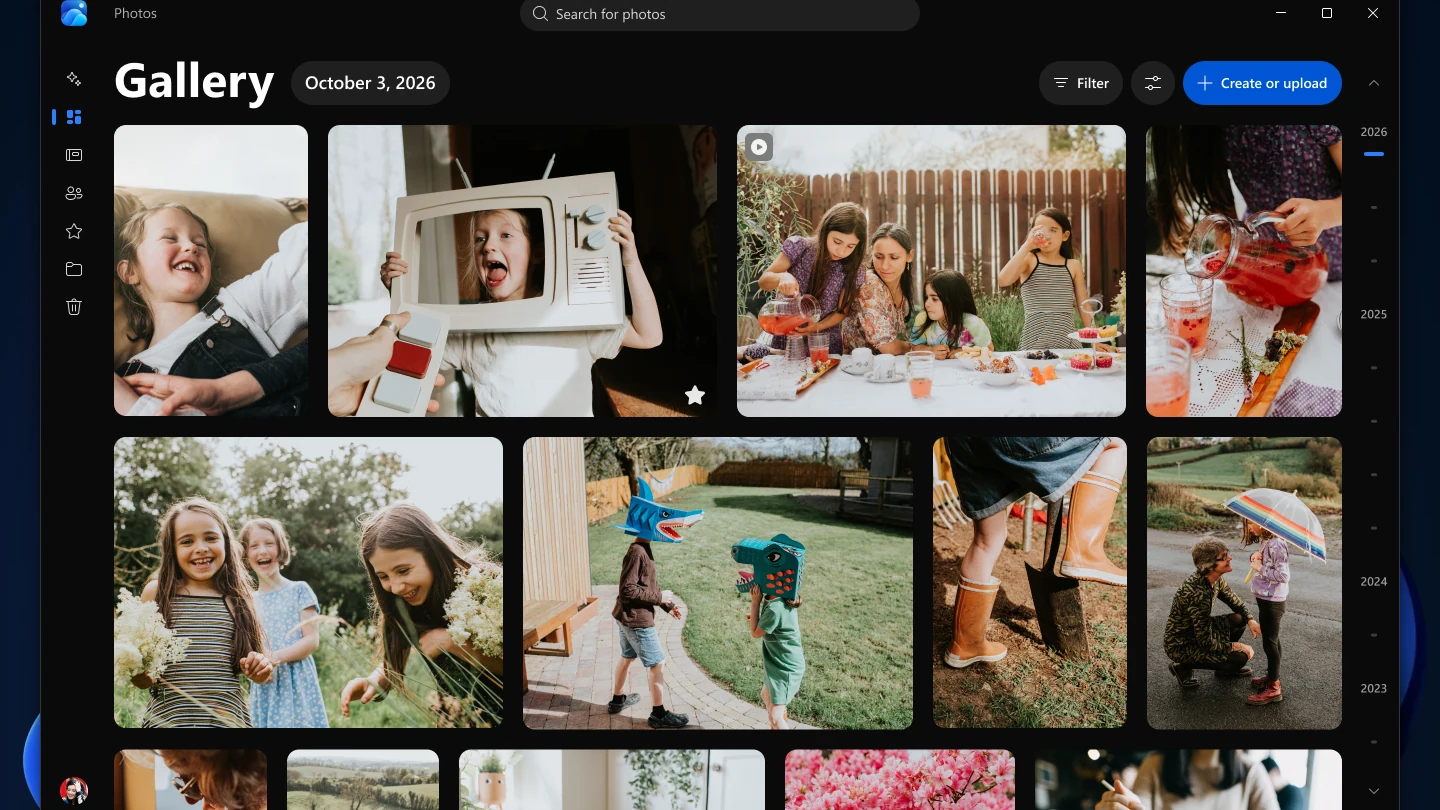
Microsoft Photos is the free photo app built into Windows, kept up to date through the Microsoft Store. It opens your pictures, gathers the ones on your PC, OneDrive and iCloud into one gallery, and lets you crop, fix and touch them up without buying anything.
The editor goes well past cropping now. Photos can remove objects, blur or replace a background, relight a scene and, on Copilot+ PCs, upscale or restyle a picture with AI. Some of those tools need newer hardware or a Microsoft account, and this page says which.
Microsoft started rolling out a rebuilt Photos app to Windows 11 in October 2026, with a new Gallery, Editor and Viewer. The old built-in Video Editor is gone, replaced by Clipchamp.
Below: what the new Photos changes, the main features with screenshots, which AI tools your PC can run, how to get Photos back if it is missing, and where the video editor went. Questions? Reach out to us directly.
What Is the Microsoft Photos App?
Microsoft Photos is the default picture viewer and editor on Windows 10 and Windows 11. Double-click a JPG or PNG in File Explorer and it opens in Photos. Open the app itself and you get a gallery of every picture and video it can find.
That gallery pulls from three places: folders on your PC, your OneDrive, and on Windows 11 your iCloud Photos. Signing in is optional. Photos works with local pictures without a Microsoft account, and the account only matters for OneDrive and the cloud AI tools.
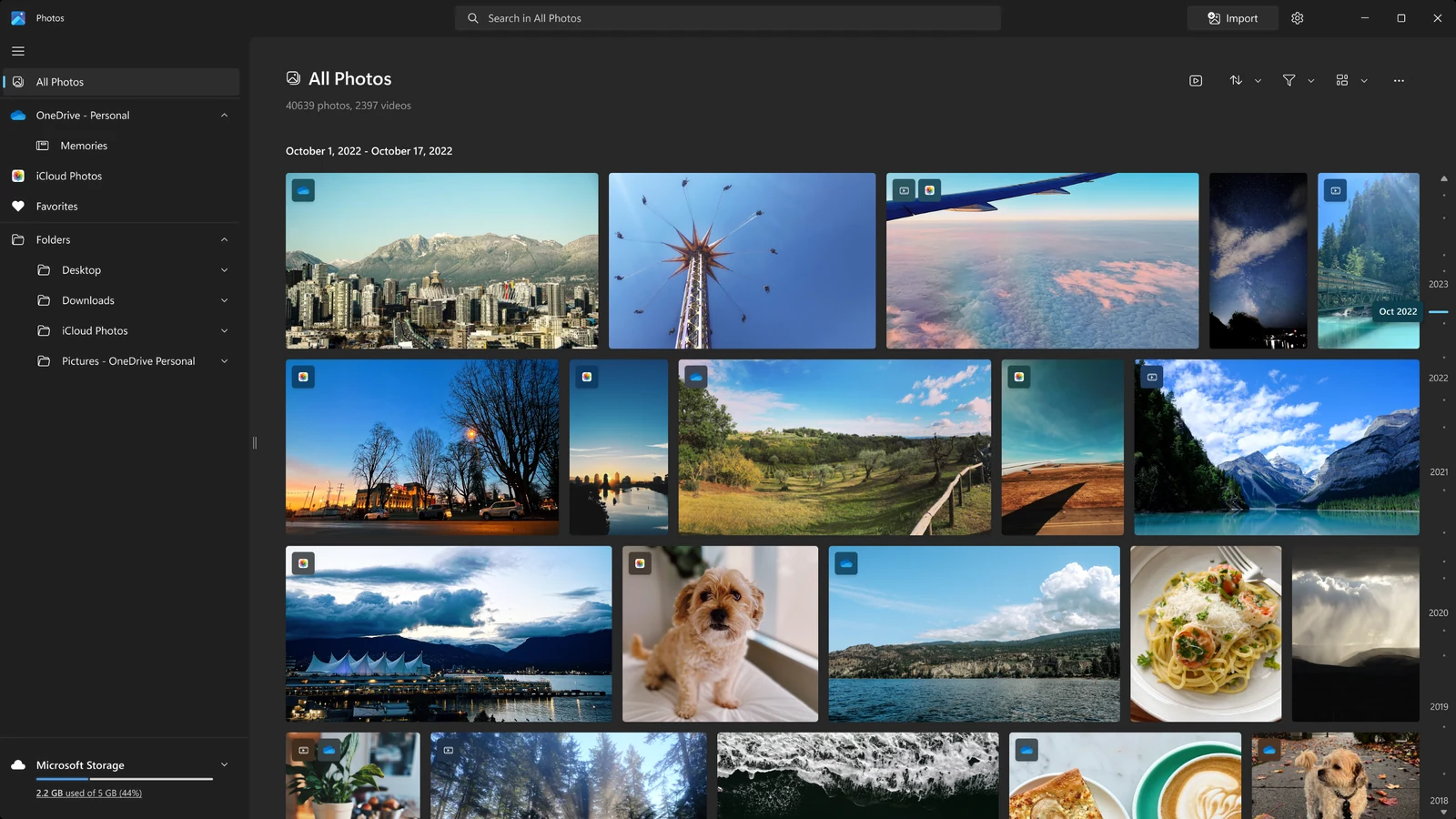
Microsoft updates Photos through the Microsoft Store, not through Windows Update, so the app changes more often than Windows does. If your Photos looks different from a guide you are following, you probably have a newer or older version of the app, not a broken one.
The New Photos App on Windows 11
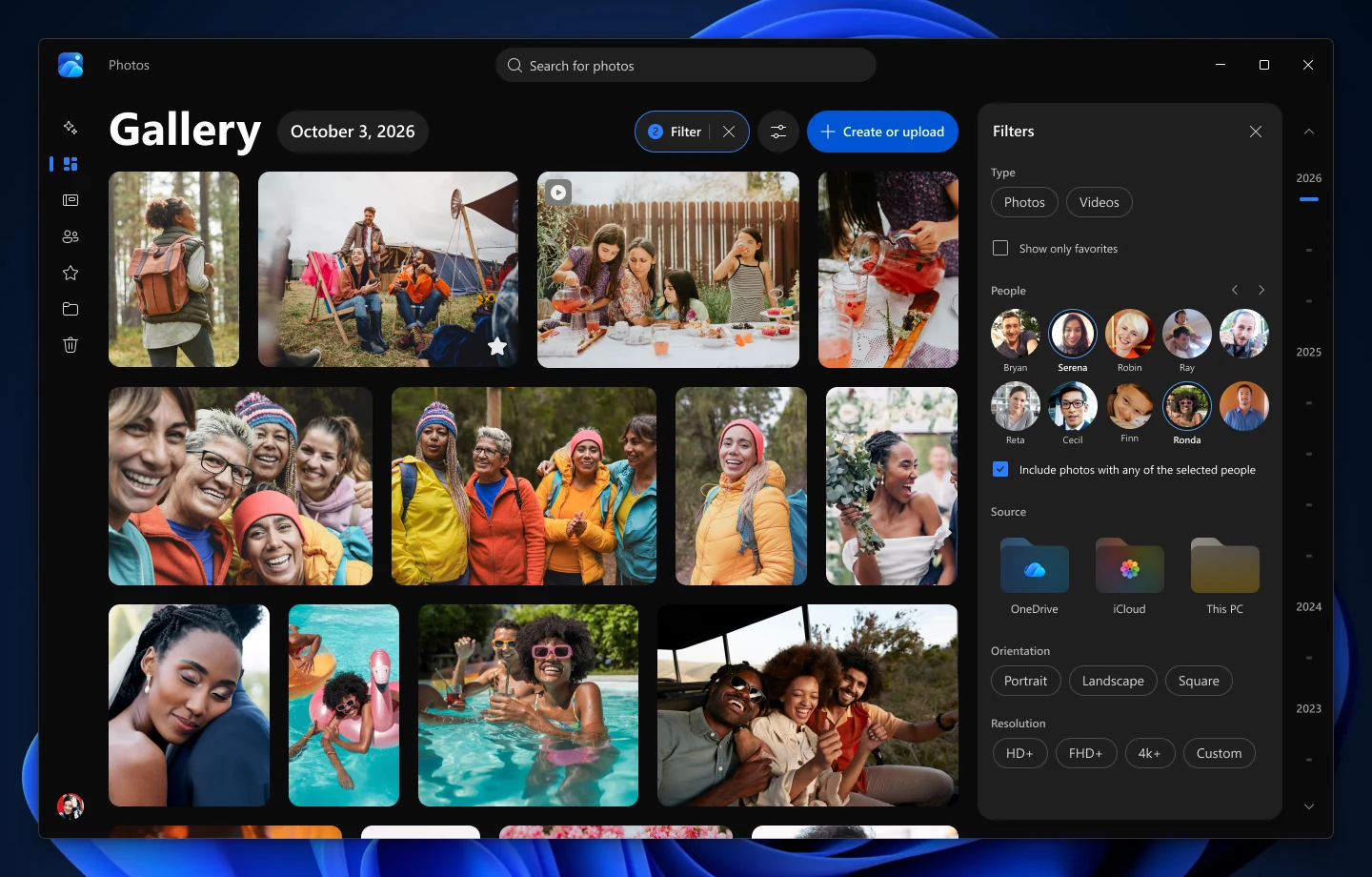
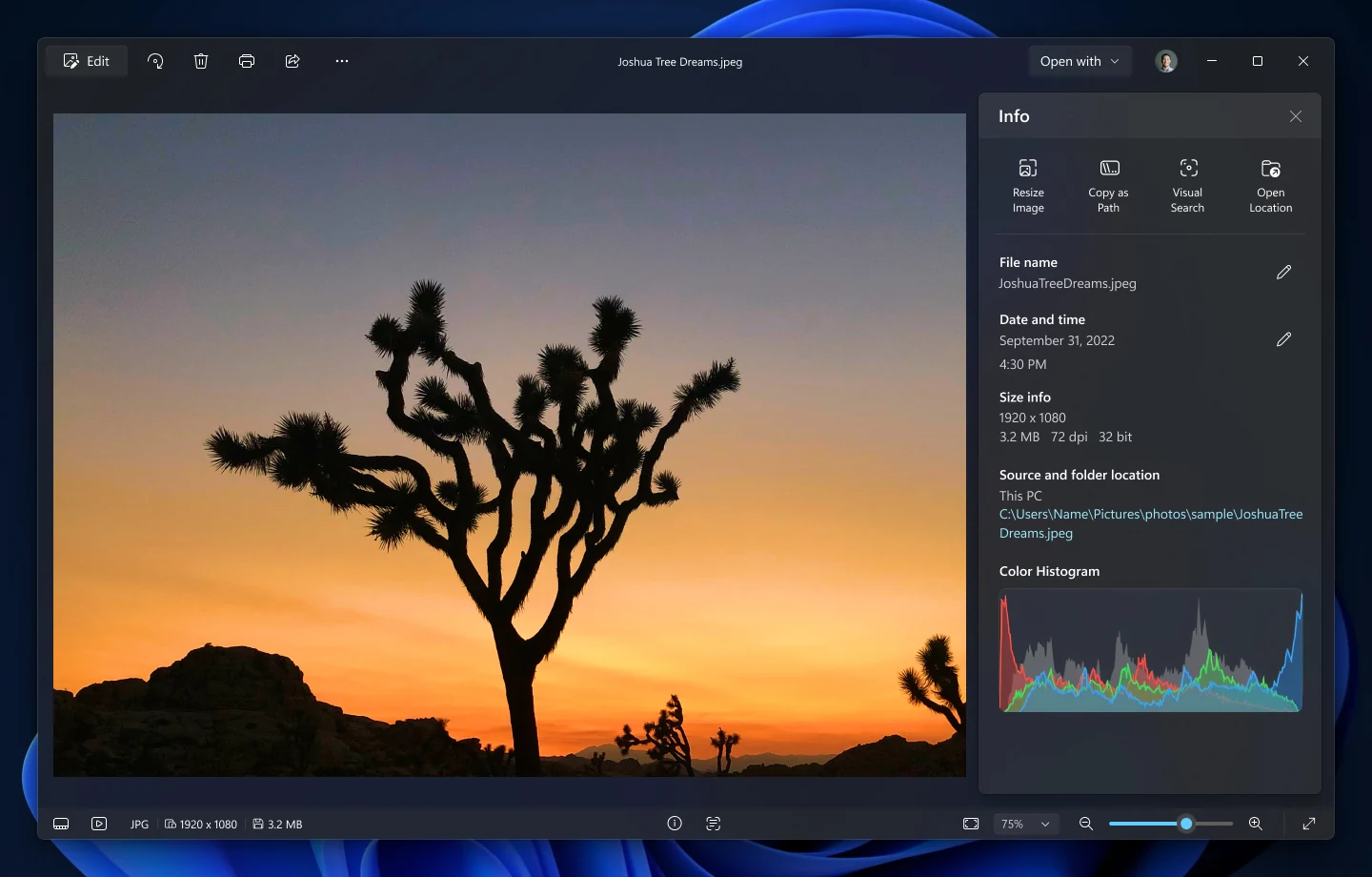
On October 15, 2026, Microsoft began rolling out a rebuilt Photos app to Windows Insiders on Windows 11, with all Windows 11 users getting it later in 2026. It has three new parts: a Gallery, a native Editor and a redesigned Viewer. At launch, Microsoft said the Editor opened 25% faster and the Viewer up to 30% faster for iPhone HEIC photos than the app before it.
People and search are back
The Gallery groups photos by the people in them and lets you search by describing a photo, such as sunset at the beach. People grouping had been missing since the 2022 redesign.
Moments and On this day
For photos in OneDrive, Moments builds themed memories and a seasonal recap you can play as a slideshow or save as a video. On this day brings back photos from the same date in past years.
Albums return
You can gather photos into albums, share them and mark favorites. The 2022 app had dropped albums in favor of folders.
HDR, HEIC and WebP editing
The new Editor keeps HDR color while you edit and saves HEIC and WebP files in their original format. The Viewer also opens SVG files now.
How to tell which version you have: the new app opens on a page called Gallery, and its editor has four tabs named Crop, Enhance, Repair and Stylize. Managed work PCs may get it later, since IT policies that block Store apps also block this update. Microsoft lists the full change set in its Meet the new Photos app post.
Key Features of Microsoft Photos
These screenshots come from Microsoft's Microsoft Store listing and its October 2026 Photos announcement. Labels show where a feature needs Windows 11 or a Copilot+ PC.
WINDOWS 11
iCloud Photos next to your PC photos
Install iCloud for Windows, sign in, and your iPhone photos show up in Photos in their own iCloud section and in the main gallery. You can edit an iPhone HEIC photo and save it as HEIC in the new Editor.
Our iCloud for Windows guide covers the setup on the Apple side.
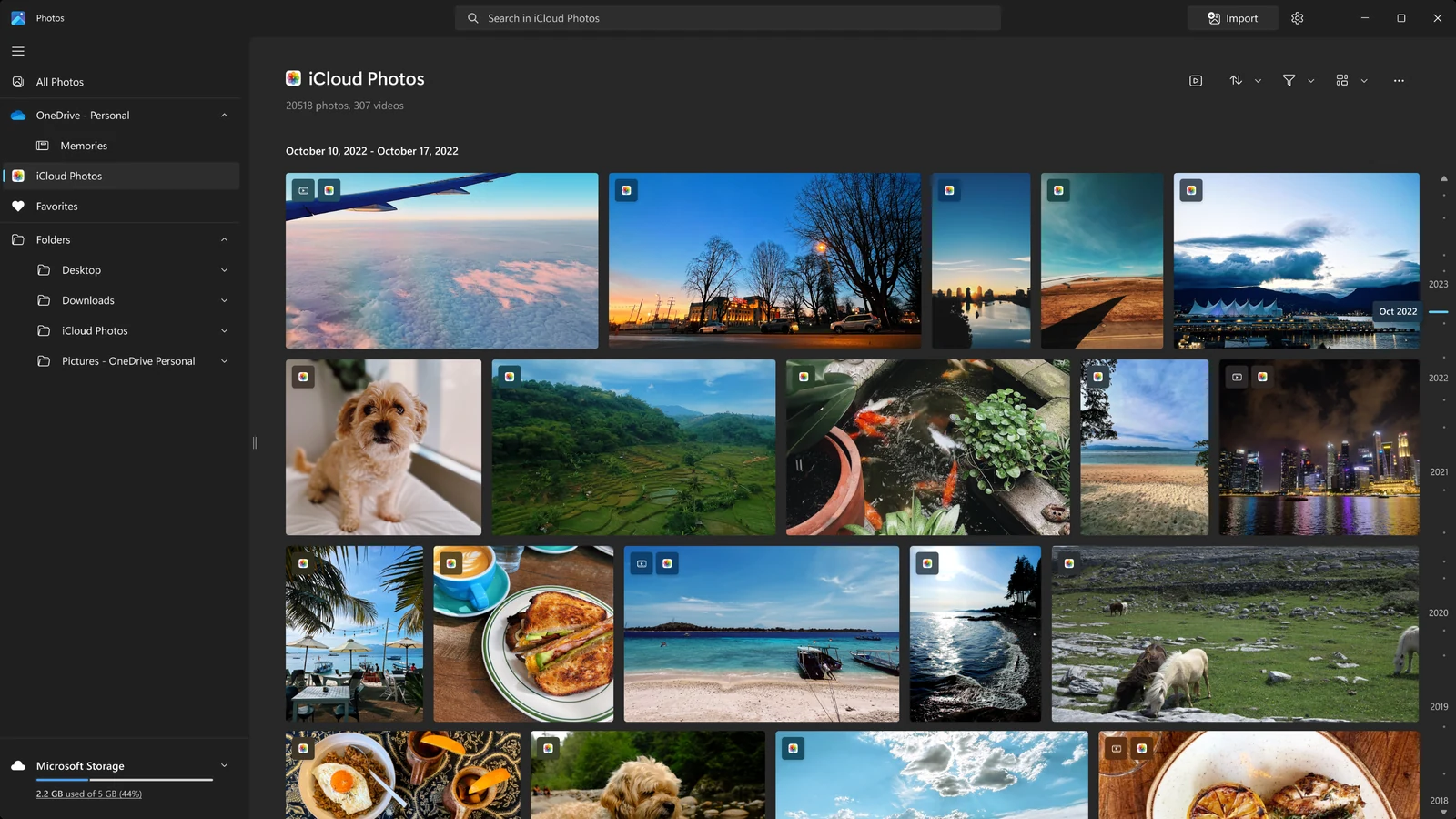
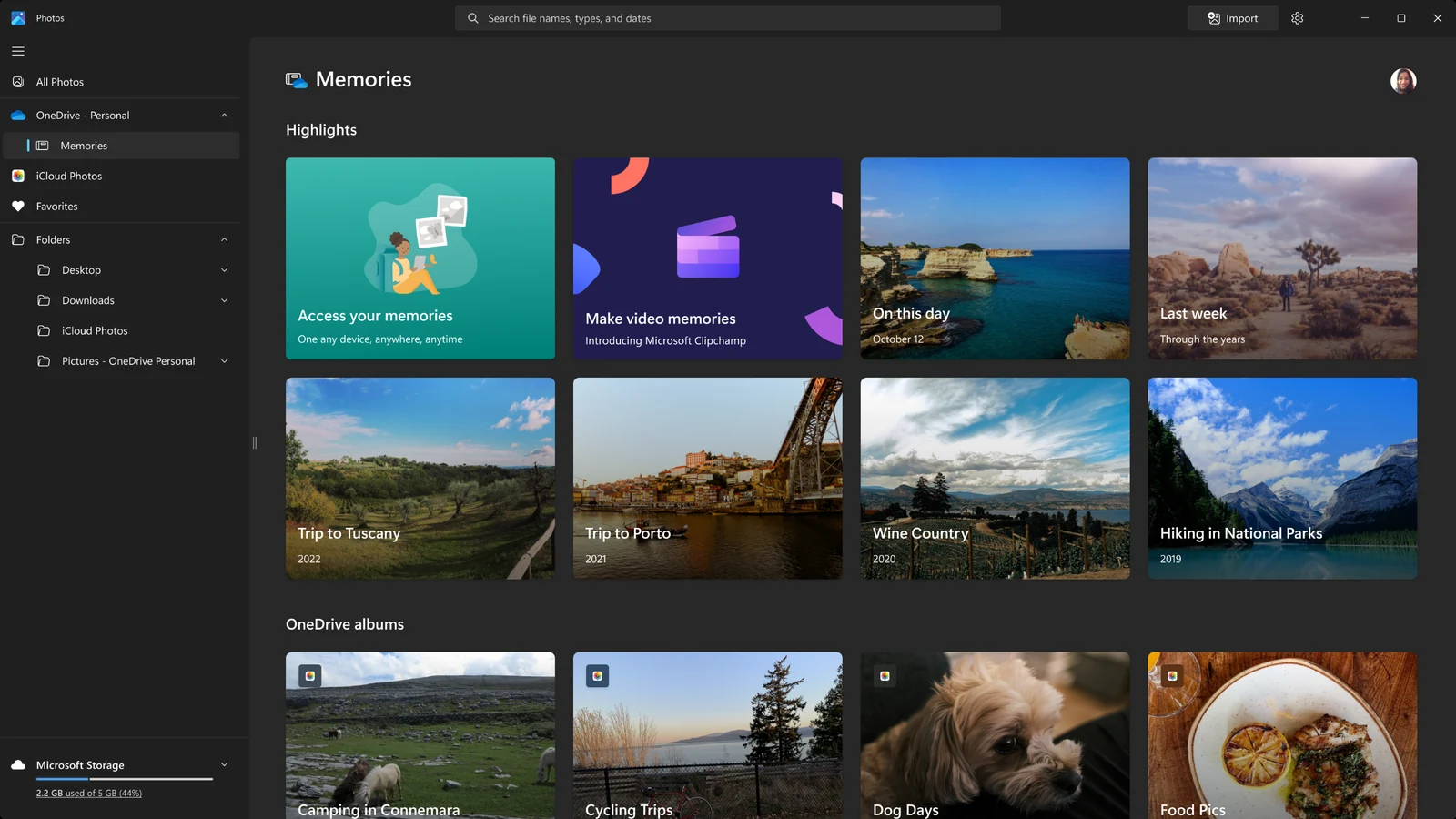
Memories, slideshows and On this day
Photos turns OneDrive pictures into highlight collections, such as a trip or Last week, and plays them as a slideshow with music. On this day shows what you shot on the same date in earlier years.
Memories only work for photos stored in OneDrive.
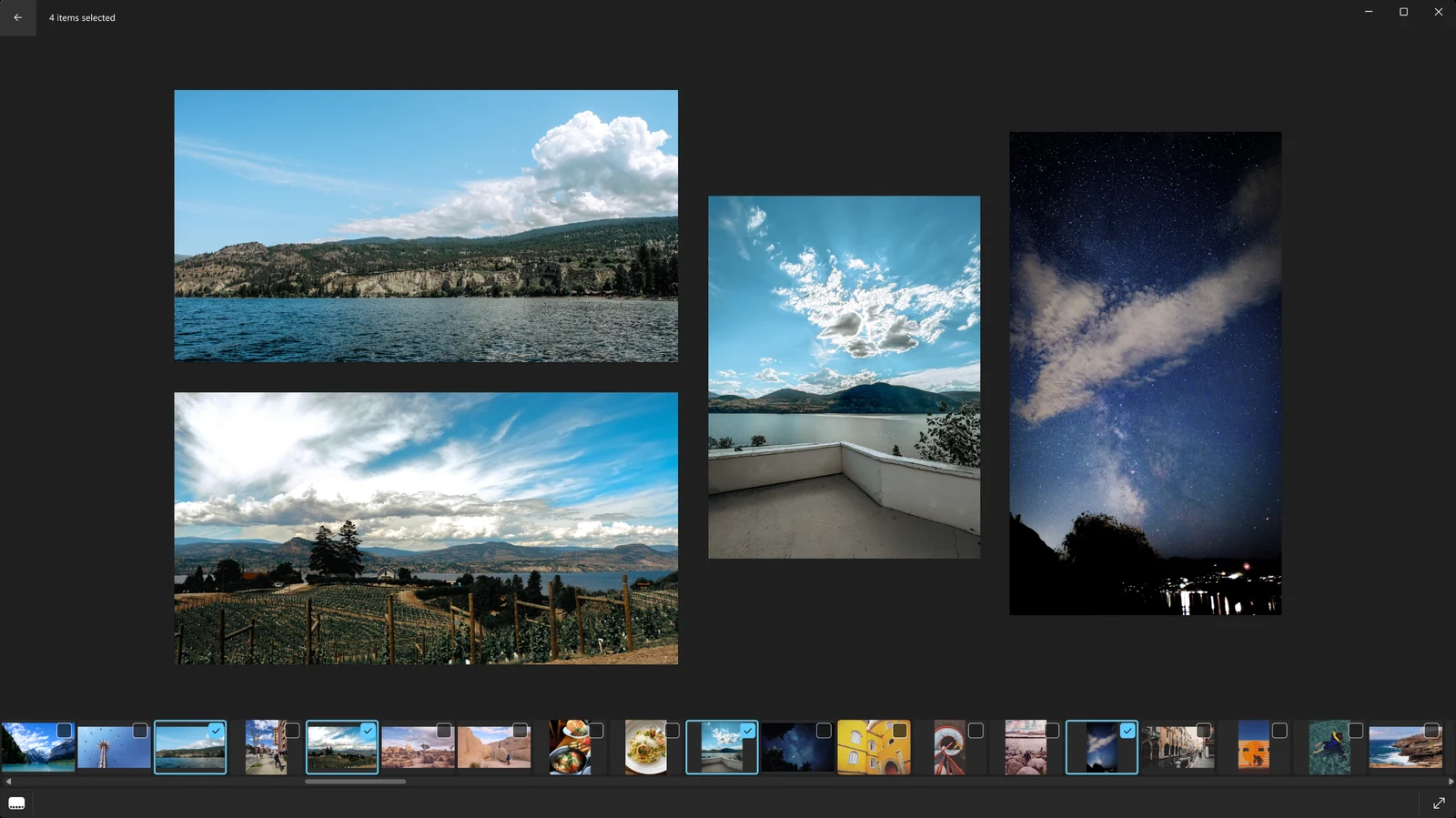
Compare photos side by side
Select several photos in the filmstrip and Photos shows them together in one window. It is the quickest way to pick the sharpest of five nearly identical shots.
The filmstrip along the bottom lets you jump to any photo in the folder without going back to the gallery.
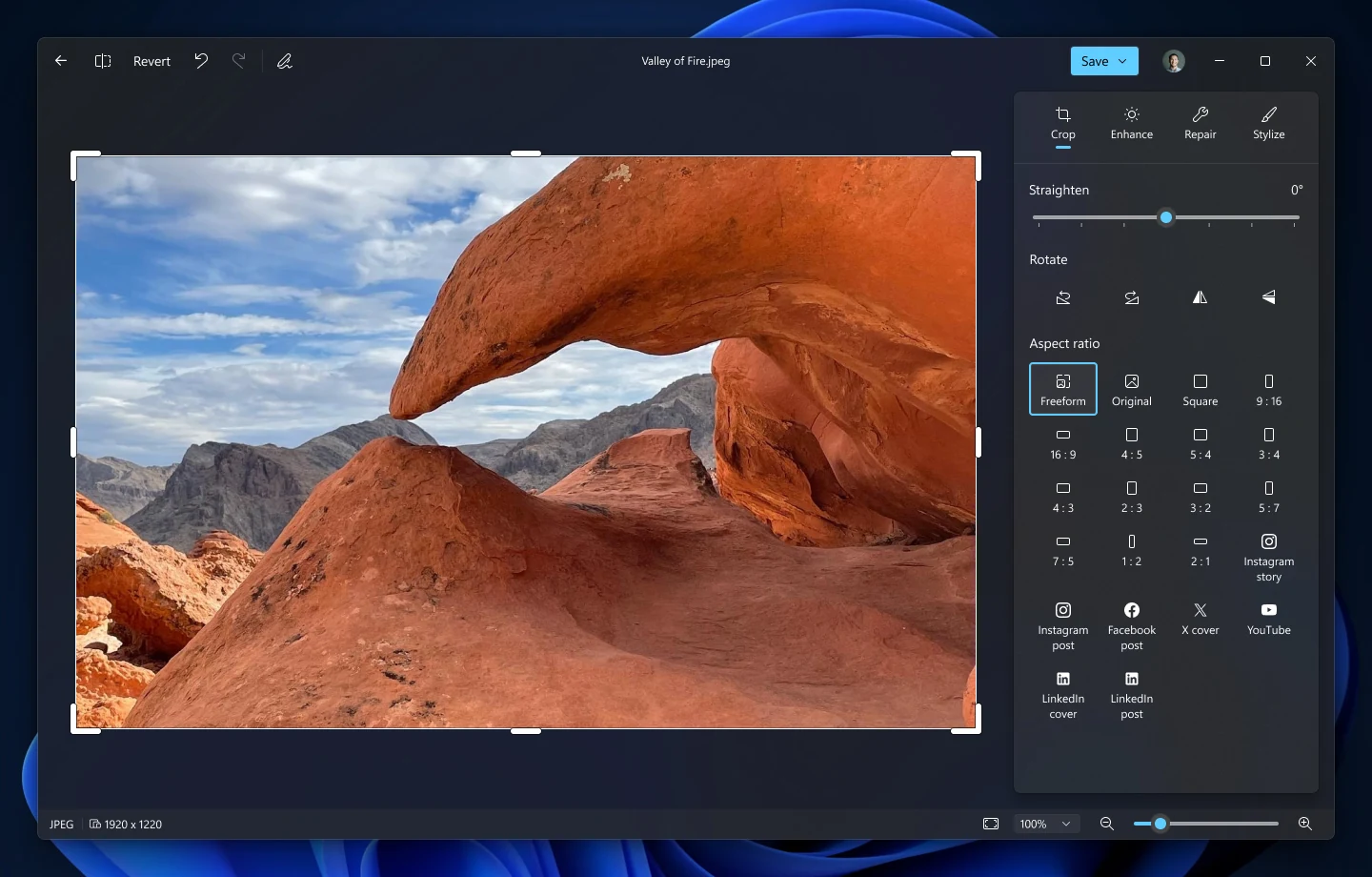
Crop, light, color and social crop sizes
The editor covers the everyday fixes: crop, straighten, rotate, light and color sliders, filters and markup for drawing on a photo. The new Editor adds crop templates for social networks, so a photo fits the post size in a couple of clicks.
Revert undoes everything if an edit goes wrong.
AI
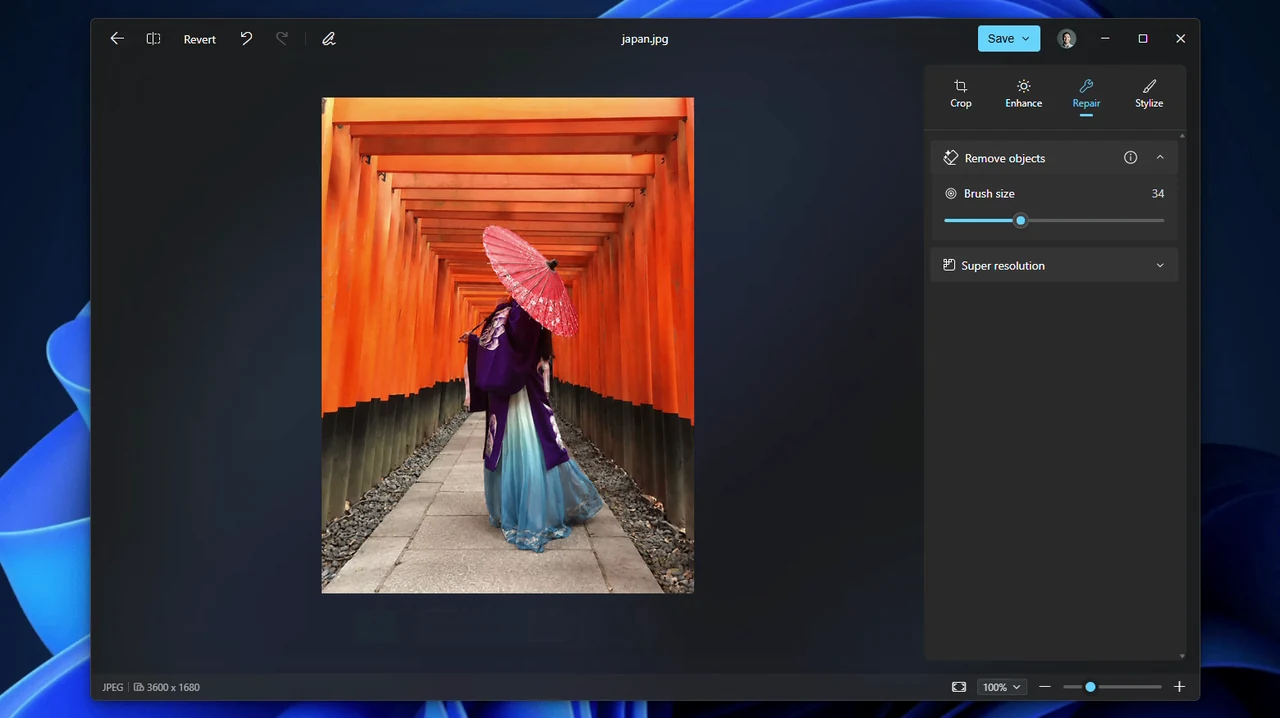
Remove objects from a photo
Brush over or circle a person, bag or sign you do not want, and Photos fills the gap with what should be behind it. Microsoft calls it Remove objects in the new Editor and Generative erase in the older one.
Works on Windows 10 and Windows 11 PCs, including Arm laptops.
AI
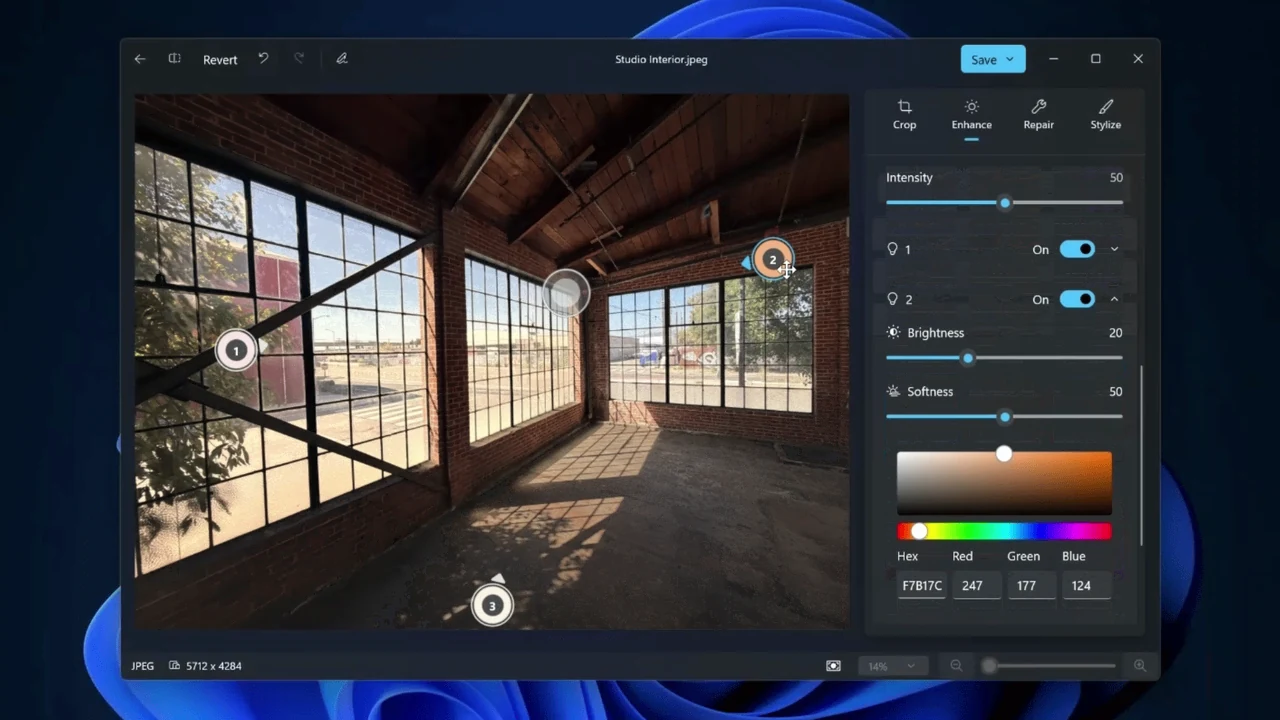
Relight a photo after you take it
Place up to three lights, pick their color, and aim them at a point in the photo. Presets such as golden hour apply a lighting style in one click.
Relight started on Copilot+ PCs with Snapdragon X chips. Microsoft says the new Photos brings it to all Windows 11 devices.
COPILOT+ PC
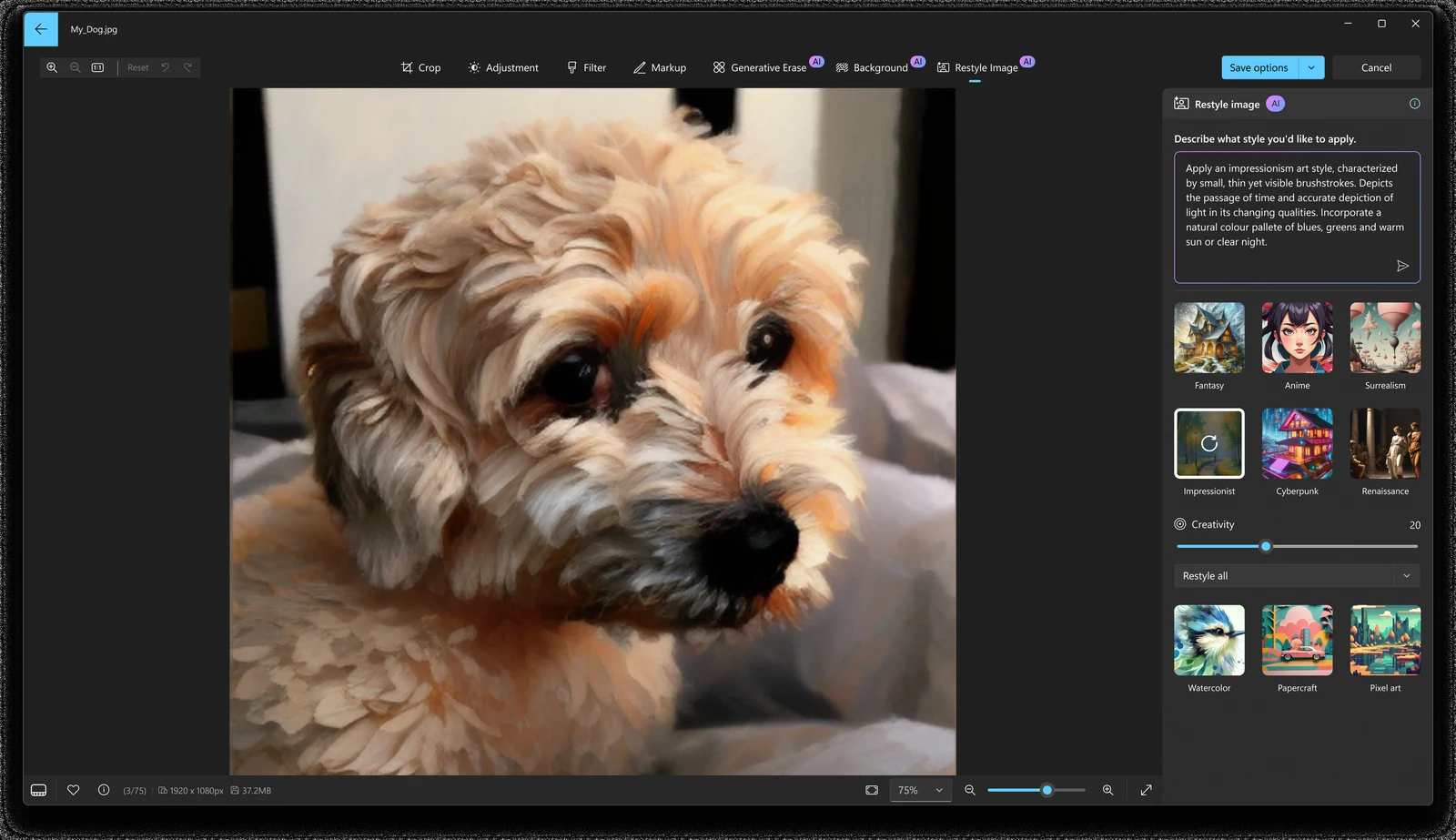
Restyle a photo
Restyle image redraws your photo in another style, such as a painting or an illustration. Pick a preset or describe the look you want in a sentence.
It needs a Copilot+ PC, a Microsoft account and an internet connection.
COPILOT+ PC
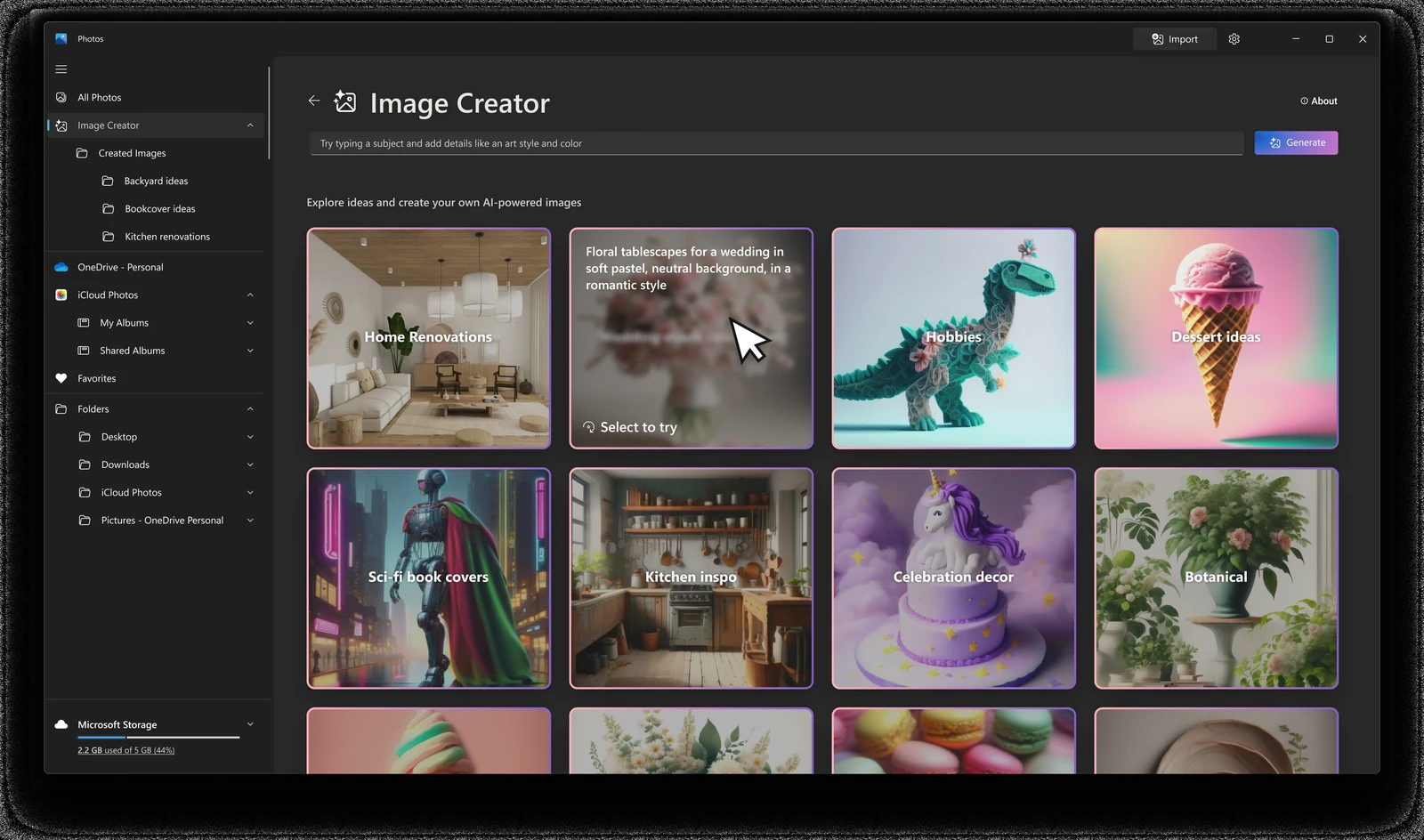
Image Creator
Type a description and Photos makes a new picture from it, without opening another app. Example tiles help when you do not know what to ask for.
Same requirements as Restyle: a Copilot+ PC, a Microsoft account and an internet connection.
Super resolution
Upscales a small or old photo by 1x, 2x, 4x or 8x and sharpens it. It runs on your PC, not in the cloud, works on still images only, and needs a Copilot+ PC.
Background blur, remove or replace
One click finds the background so you can blur it, cut it out, or swap it for a solid color. Microsoft brought these tools to Windows 10 and Arm PCs as well.
Edit with Designer
A Designer button in the viewer opens the photo in Microsoft Designer's online editor, inside Photos. It needs internet, a personal Microsoft account and a supported language.
Import from a phone or camera
Plug in a phone, camera or memory card and use Import to copy new photos to a folder on your PC.
Which Features Need Windows 11 or a Copilot+ PC?
Photos is free on every PC. What changes from one PC to the next is which AI tools appear. A Copilot+ PC is a newer Windows 11 laptop or desktop with a built-in AI chip (an NPU) rated at 40 trillion operations per second or more, 16 GB of RAM and a 256 GB SSD.
Not sure if you have a Copilot+ PC? If Super resolution does not appear in the editor, your PC is not one. Microsoft says features can also vary by region and language, and the new Photos only comes to Windows 11. See our Windows 11 26H2 guide for the other big Windows 11 changes.
How to Open or Get Microsoft Photos
Photos comes preinstalled on Windows 10 and Windows 11, so most people only need to open it. If it is missing, the Microsoft Store puts it back for free.
1 Press the Windows key and type Photos.
2 Select Photos in the results to open the gallery.
3 Missing from the list? Open the Microsoft Photos page in the Microsoft Store.
4 Click Get or Install and let it download. Microsoft lists up to about 1.1 GB.
5 Open Photos and add your folders, or sign in to OneDrive if you want your cloud photos too.
Want photos to open in Photos when you double-click them? Go to Settings > Apps > Default apps, search for Photos, and set it for each file type you use, such as .jpg, .png and .heic.
Photos Not Opening or Missing? Fix It
1. Update it first
Open the Microsoft Store, go to Library and install any Photos update. Many crashes are fixed by the next version.
2. Repair, then Reset
Settings > Apps > Installed apps, find Microsoft Photos, open Advanced options and select Repair. If that does not help, select Reset. Reset clears the app's own data and settings, not your photo files.
3. Reinstall from the Store
If Photos vanished after an update, reinstall it from its Microsoft Store page. Your pictures stay where they are on the PC and in OneDrive.
4. Photos looks different
The new Photos ships as a new package. If you liked the old layout or need its video editor, Microsoft offers Photos Legacy in the Store (more below).
Microsoft's guide to repairing Windows apps →
Where Did the Photos Video Editor Go?
The current Photos app has no video editor. Microsoft replaced it with Clipchamp, a free video editor you can install from the Microsoft Store or from Photos under Settings > Open Clipchamp. If you need the old editor, it lives on in Photos Legacy.
Our take
For viewing, sorting and fixing everyday photos, Photos is enough for most people, and the October 2026 rebuild closes the two gaps people complained about most: People grouping and albums. The free AI tools that run on any PC, like removing objects and blurring backgrounds, used to need a paid editor.
Keep Photos Legacy only if you rely on its video editor for quick slideshows and do not want to learn Clipchamp. For layers, RAW workflows or print work, step up to a full editor from our best photo editors for Windows list.
Tips for Getting More Out of Photos
1 Add your folders. Add every folder where you keep photos, such as one on an external drive, from the Folders section of the left menu, so the gallery shows everything in one place.
2 Use the arrow keys in the viewer. Left and right flip through the folder, which is faster than going back to the gallery each time.
3 Save a copy when you edit. Use the save menu to keep the original and write the edit as a new file, so you can always go back.
4 Back up your phone through OneDrive. Turn on Camera Backup in the OneDrive phone app and new phone photos appear in Photos on the PC, with Memories built from them.
5 Send feedback from the app. If a feature misbehaves, report it through Feedback Hub (Windows key + F, under Apps > Photos). It goes straight to the Photos team.
Microsoft Photos Editing Video
Watch this walkthrough from Microsoft ExpertZone to see the Photos editor, AI filters, generative erase and the background tools in action. It shows the editor from before the October 2026 rebuild, so the buttons sit in different places in the new Editor.
Frequently Asked Questions
What are the system requirements for Microsoft Photos?
Does Microsoft Photos work without a Microsoft account?
Can I still make videos in the Photos app?
Is the new Photos app coming to Windows 10?
Does resetting Photos delete my pictures?
What file types can Microsoft Photos open?
Support and Community
- Meet the new Photos app on Windows 11, Microsoft's own announcement on the Windows Experience Blog.
- Changes in the new Photos app, Microsoft's help page on Photos Legacy, albums and Clipchamp.
- Super resolution in Photos and Edit images with Designer, Microsoft's pages for two of the AI tools.
- Feedback Hub (Windows key + F, then Apps > Photos), to report a bug straight to the Photos team.
More Windows software guides: Microsoft Designer · iCloud for Windows · Adobe Express Photos · Canva · Microsoft Copilot · Best Photo Editors for Windows
Discover more from Windows Mode
Subscribe to get the latest posts sent to your email.














Add your first comment to this post