Readers like you help support this site. When you make a purchase using links on our site, we may earn an affiliate commission. All opinions remain our own.

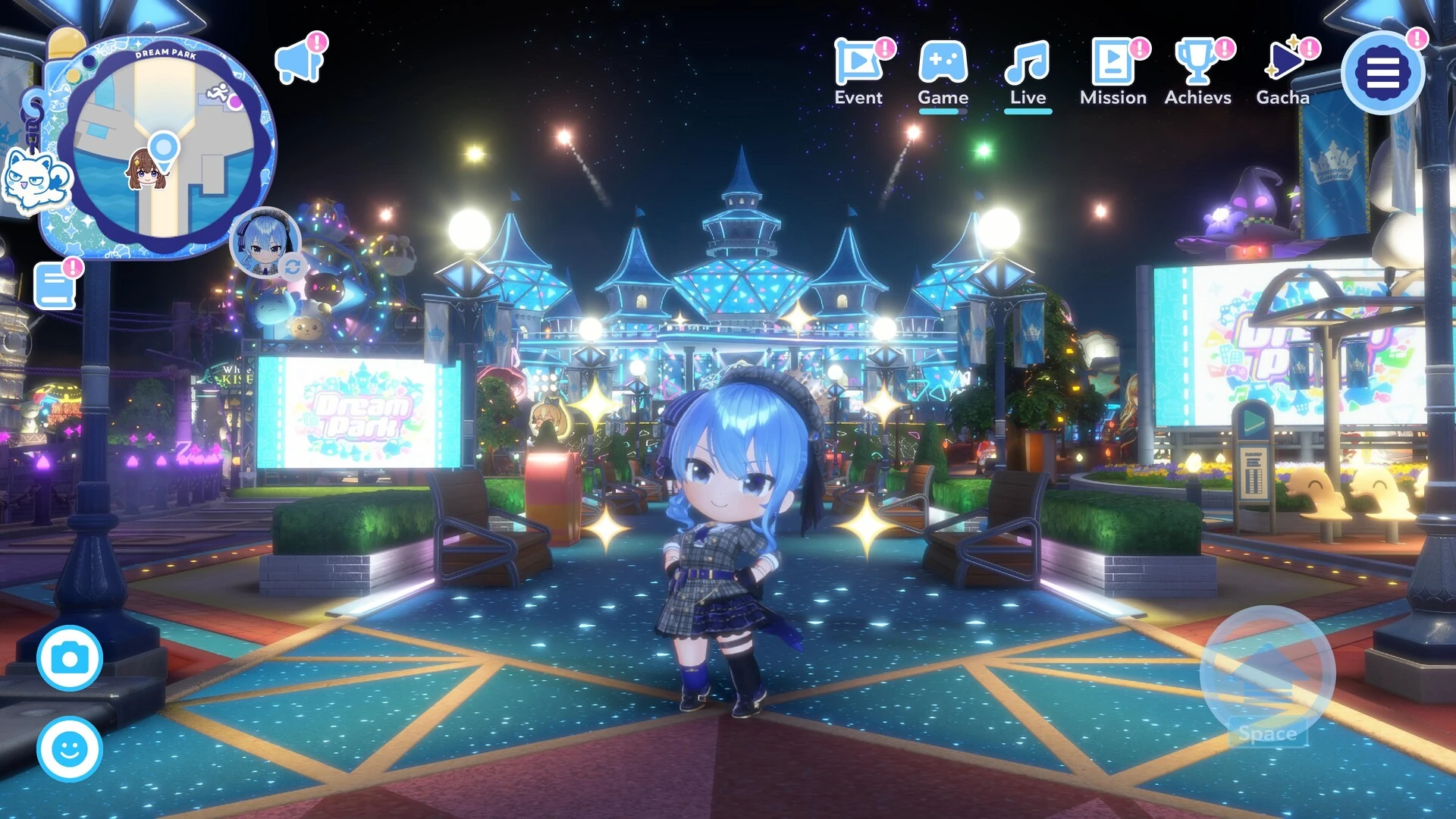
hololive Dreams on PC. Click to open it full size.
hololive Dreams is the official hololive rhythm game and RPG for PC from QualiArts, available on Steam. You play songs alongside hololive members, the VTubers (virtual YouTubers) from COVER’s agency. Between songs you build a theme park on an island and play minigames to grow it.
The song list is what most players come for. More than 50 members and over 150 songs were in the game at launch, from hololive originals to covers. You can also make your own note charts and play ones other players share.
It came out on July 22, 2026, and it is free to play with in-app purchases. On PC it needs Windows 11, and the same game runs on iOS and Android with a shared save.
Already playing? Tell us which member you picked first. Got questions before you install it? Reach out to us directly.
What You Need to Know
- It is free on Steam. Steam lists Windows 11 only, not Windows 10.
- You play with the keyboard. Steam does not list controller support.
- It is a 50 GB install, large for a game that also runs on phones.
- Your save can move between PC and phone through the Account Link menu.
- It is an online game with a gacha (paid random draws for members and items).
Quick Facts

How to Download hololive Dreams on Windows
Steam is the only PC store for it. You need Windows 11 and about 50 GB of free space.
- Step 1. Install Steam. Download it from the Steam website and sign in.
- Step 2. Open the store page. Go to hololive Dreams on Steam.
- Step 3. Click Play Game. It is free, so there is no checkout.
- Step 4. Install it. Pick a drive with 50 GB free and confirm.
- Step 5. Launch it from your library. Let it finish its first data download before you play.
Already playing on your phone? Set up the Account Link in the phone version first, then choose to sign in with it when the PC version starts. That way you keep your members and progress.
Is hololive Dreams Free?
There is no box price and no edition to choose. The game is free, and the money comes from optional in-app purchases.
At the start you get a Redraw Gacha: you can draw again until you land one top-rarity member you like, then keep that one. Gacha draws are random, so set a spending limit before you buy Diamonds.
📱 Your PC is too old, or still on Windows 10? Play it on your phone.
The same game is free on the App Store and Google Play, and your save can move to PC later through the Account Link menu.
What Is hololive Dreams?
hololive Dreams, or “holodori” for short, is the first official game built around the full hololive roster. QualiArts, the studio behind IDOLY PRIDE, made it together with COVER, the company that runs hololive. The brand writes the name with a lowercase h, so we do too. It is a rhythm game first, with a park builder and party games wrapped around it.
The story starts when hololive members arrive on an empty island in the middle of the ocean. You team up with them to build Dream Park, a theme park full of shops, stages and attractions themed on the talents. Songs and minigames earn the resources you spend on new buildings, and finishing holomem Quests (each member’s own quest line) invites more members to the island.

The story follows the members as they build up the island.
The rhythm game runs on official music videos and live concert footage. On PC, notes slide down six lanes that you hit with the S, D, F, J, K and L keys. You build a team of members, train them on a skill board, and pick a leader whose outfit boosts your score. If you are not good at rhythm games, an auto-play option lets you clear songs anyway.
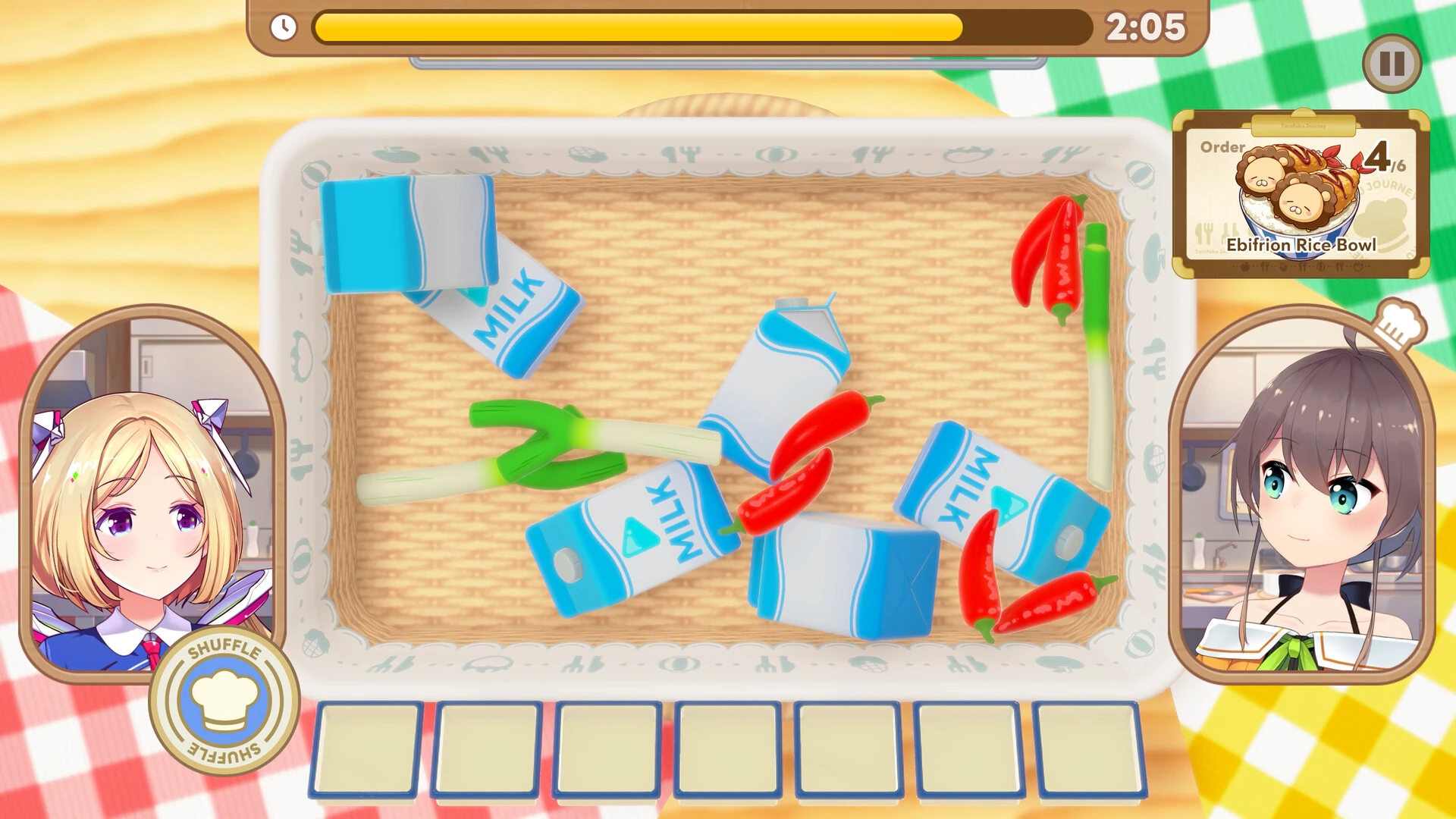
One of the solo minigames: fill the order before the timer runs out.
The minigames are the party side. There is a cooking game, a card game called Pokajan!, an obstacle race, a jumping game, and Splash Ball, a three-team boat match added in the Soda Pop Lagoon update with a sea area and fishing. You can play most of them solo, with friends in a private room, or against strangers online.
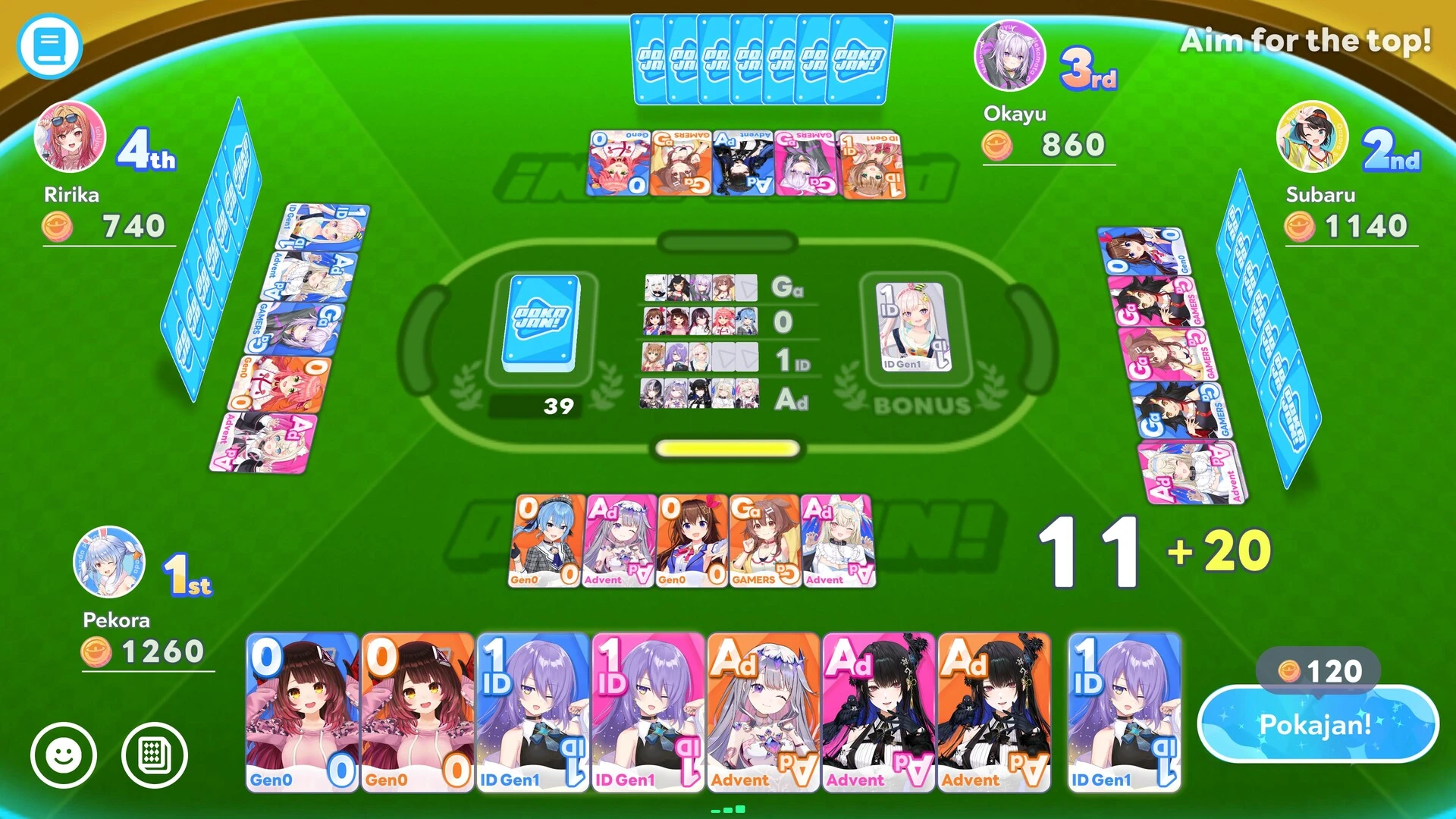
Pokajan! is a four-player card game with hololive member cards.
Official Trailer
Watch the official game trailer for hololive Dreams to see the rhythm game, the island theme park and the minigames with the hololive members.
Key Features
Songs play over official music videos and live footage, with charts from easy to very hard.
Create Chart lets you build your own note chart for a song and share it. You can also play charts from players around the world.
Spend what you earn on facilities, shops and attractions, and unlock new features as the park grows.
Cooking, cards, races and boat matches, playable alone, with friends in a private room or against others.
Play the rhythm game with other people at the same time, in ranked Grade Mode or a private room.
Level members on the holomem Board, slot cards into skill nodes and pick a leader to raise your score.
Is This Game for You?
Our Take
🎮 Our Take
hololive Dreams is a generous free game for hololive fans. The song list is large, the rhythm game is a real one with hard charts and a chart editor, and the park and minigames give you something to do between songs. Be clear about what it is, though: a phone game that also runs on PC. It is built around a gacha and an always-online account, it asks for Windows 11 and 50 GB, there is no controller support listed, and its anti-tamper driver can trip antivirus tools. None of that stops it working well on a keyboard, but it is not a PC-first rhythm game.
If you follow hololive, install it now; it costs nothing to try, and the starting Redraw Gacha gets you a top-rarity favorite. If you play rhythm games but not for the talents, it is still worth a look for the chart editor. If you have no interest in hololive and dislike gacha systems, skip it.
System Requirements
These are the specs QualiArts lists on Steam and on the official site. Both tiers ask for 64-bit Windows 11. QualiArts says the minimum covers starting the game and basic play, so aim for the recommended spec if you want smooth note timing.
Most PCs from the last few years clear these easily. The Windows 11 line is the one that catches people out. If you are shopping for a new machine, our Best Gaming Desktops guide is a good place to start.
Tips for Beginners
Take your time with the Redraw Gacha
The starting draw can be redone until you get a top-rarity member you want. Pick your favorite, not just the strongest card.
Link your account on day one
Set up the Account Link early, even if you only play on PC. It is how you get your save back after a reinstall or a new PC.
Tune the lanes in Live Config
You can change lane width, note size and where the timing text appears. Small changes make the six-key layout easier to read.
Clear holomem Quests every day
New members to invite show up daily. Finishing their quests adds them to your park and unlocks them as leaders.
Try other players’ charts
When the official charts feel too easy or too hard, browse player charts. You can filter out ones with obstacles or multi-finger notes.
hololive Dreams Screenshots
The rhythm game, minigames, story scenes and the chibi members from the Steam version. Click any image to open it full size.
-

- Hololive dreams rhythm game from
-

- Hololive dreams jump minigame from
-
- Hololive dreams race minigame from
-

- Hololive dreams story scene from
-

- Hololive dreams chibi members from
hololive Dreams FAQ
Does hololive Dreams run on Windows 10?
Can I move my phone progress to the Steam version?
Does hololive Dreams support a controller on PC?
Why does my antivirus flag hololive Dreams?
Is hololive Dreams in English?
What are the hololive Dreams system requirements?
Support and Community
- QualiArts, the developer’s official website.
- hololive production, COVER’s official site for the talents.
- The official hololive Dreams site, with news, the song list and the member list.
- Steam news for hololive Dreams, where update notes appear.
- @holo_dreams_en on X, the official English account for events and new songs.
- The official hololive Dreams YouTube channel, for trailers and song previews.
- r/Hololive on Reddit, the main hololive community, where players discuss the game.
- QualiArts support form, for account and payment problems.
- Doritrack on GitHub, an unofficial fan app that uses an Android phone as a touch controller.
Explore more Windows games: Best Anime Games on PC · Best Free-to-Play Games · Genshin Impact for Windows · Heartopia for Windows · Fall Guys for Windows · Best Party Games on PC
Discover more from Windows Mode
Subscribe to get the latest posts sent to your email.













Add your first comment to this post