Microsoft is testing a Windows 11 app that works like Recall but only saves what you pick. It is codenamed Project Pantheon and called Context Vault in the build found on the Microsoft Store. You can save web pages, files, screenshots, copied text, audio and video as “memories”, sort them into collections and ask AI about them. It does not record your screen.
Windows Latest found the app through an unlisted Microsoft Store listing and used it over the summer. Microsoft has not announced Pantheon, and Chinese outlet IT Home has since picked up the report. Treat everything below as an early test that could change a lot or never ship.
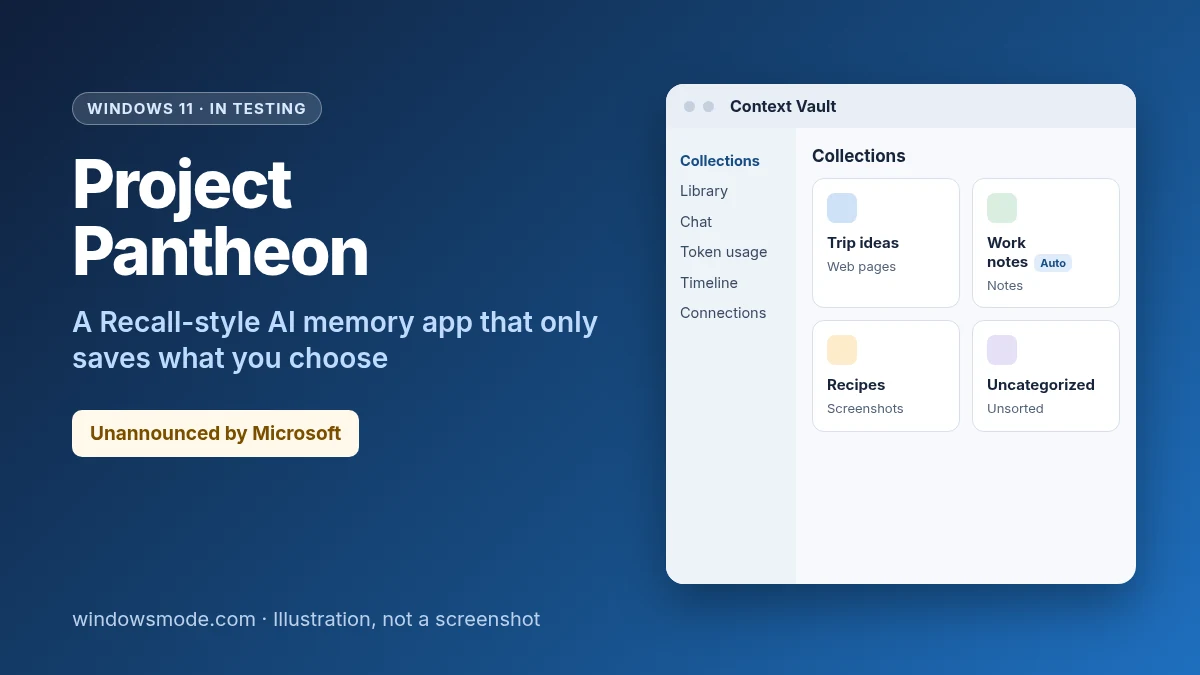
Not official yet: Microsoft hasn’t announced Project Pantheon or committed to releasing it. The features, names and privacy details here come from one hands-on test build and may change.
What Project Pantheon does
Windows Latest describes Pantheon as a second brain for your PC. You save useful material as you go, then come back later and ask AI about it instead of digging through folders, apps and browser tabs.
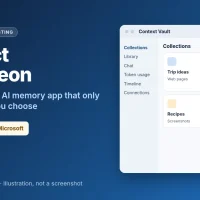
The app opens to a Collections page, with a sidebar for Library, Chat, Token usage, Timeline and Connections. Anything you save without choosing a collection goes to Uncategorized memories. The app can also create collections on its own, marked Auto, although two of the ones it made in Windows Latest’s test were named “None” and “null”.
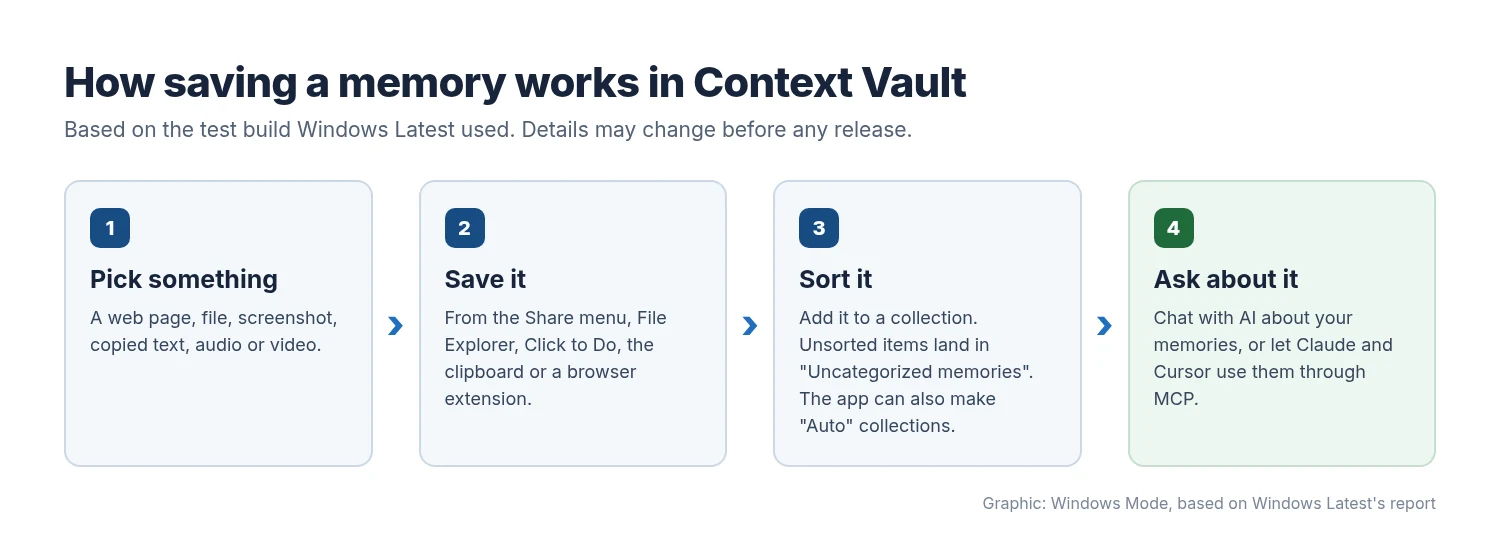
The Chat page suggests prompts such as “List my collections”, “Summarize a collection”, “What have I been working on?” and “Draft using a collection”, with a Remember this button next to the chat box. The tested build used cloud AI models, so it didn’t need an NPU. A Token usage page shows how much AI you have used, something Recall and other on-device Windows AI features don’t have.
Why it has so many names
Pantheon is the codename. The app Windows Latest tested is called Context Vault, the platform behind it is Context IO, and earlier versions were called Projects. That older name still shows up in Windows 11 Settings.
How is it different from Recall?
Recall runs on Copilot+ PCs. Once you opt in, it saves a snapshot of your active screen every few seconds so you can search a timeline of everything you have seen. Microsoft’s Recall support page says snapshots are encrypted on your PC and protected with Windows Hello. Even so, the automatic screenshots drew heavy privacy criticism.
Pantheon flips the model. Nothing is saved unless you save it, and nothing is captured in the background. It is also a separate download rather than a feature built into Windows.
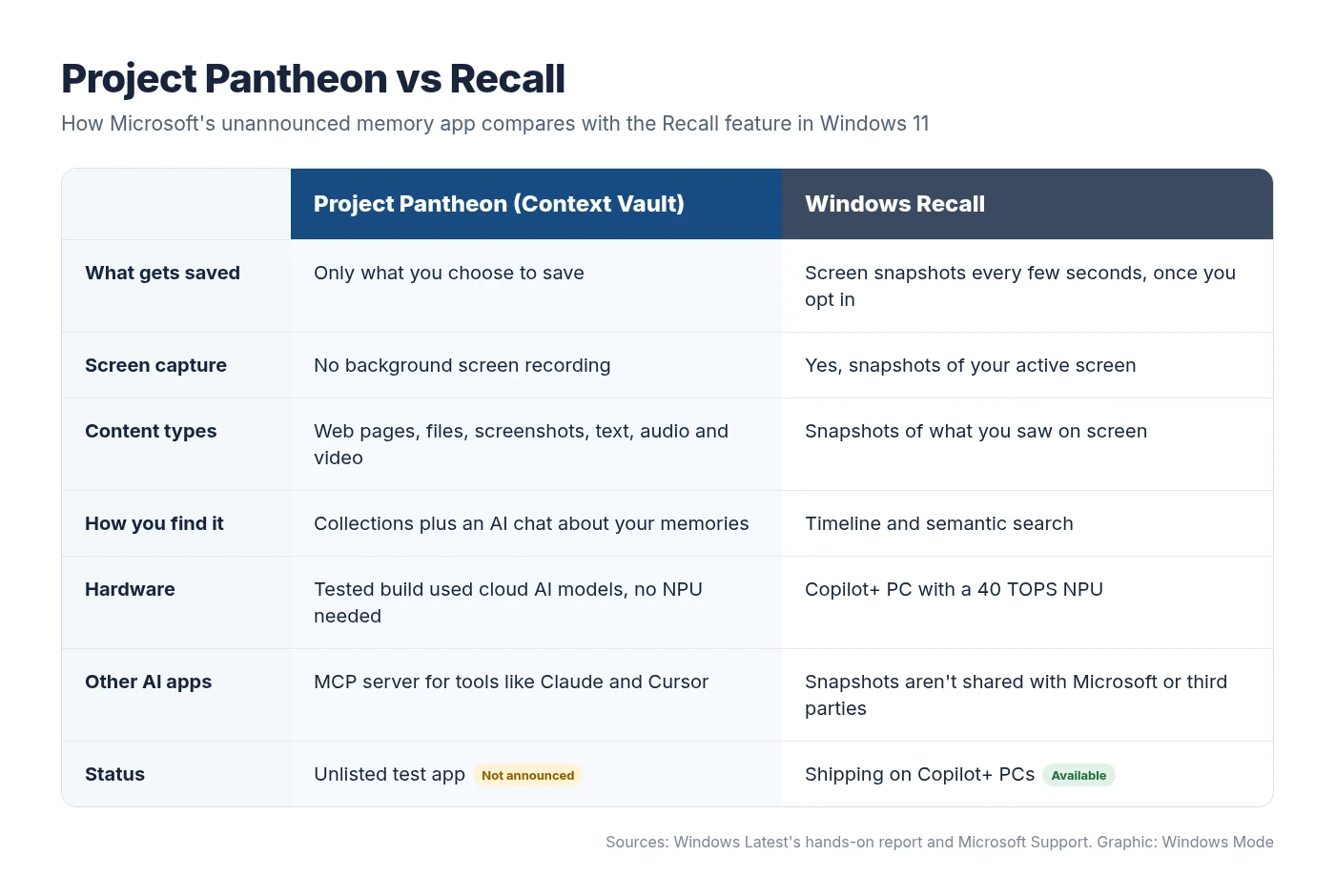
The trade-off is effort. Windows Latest said its main frustration was having to remember to save things by hand, and that Recall’s background capture was what it missed most. Larger collections were also harder to manage because the app lacked proper filtering, though that is reportedly being considered.
Where you can save memories from
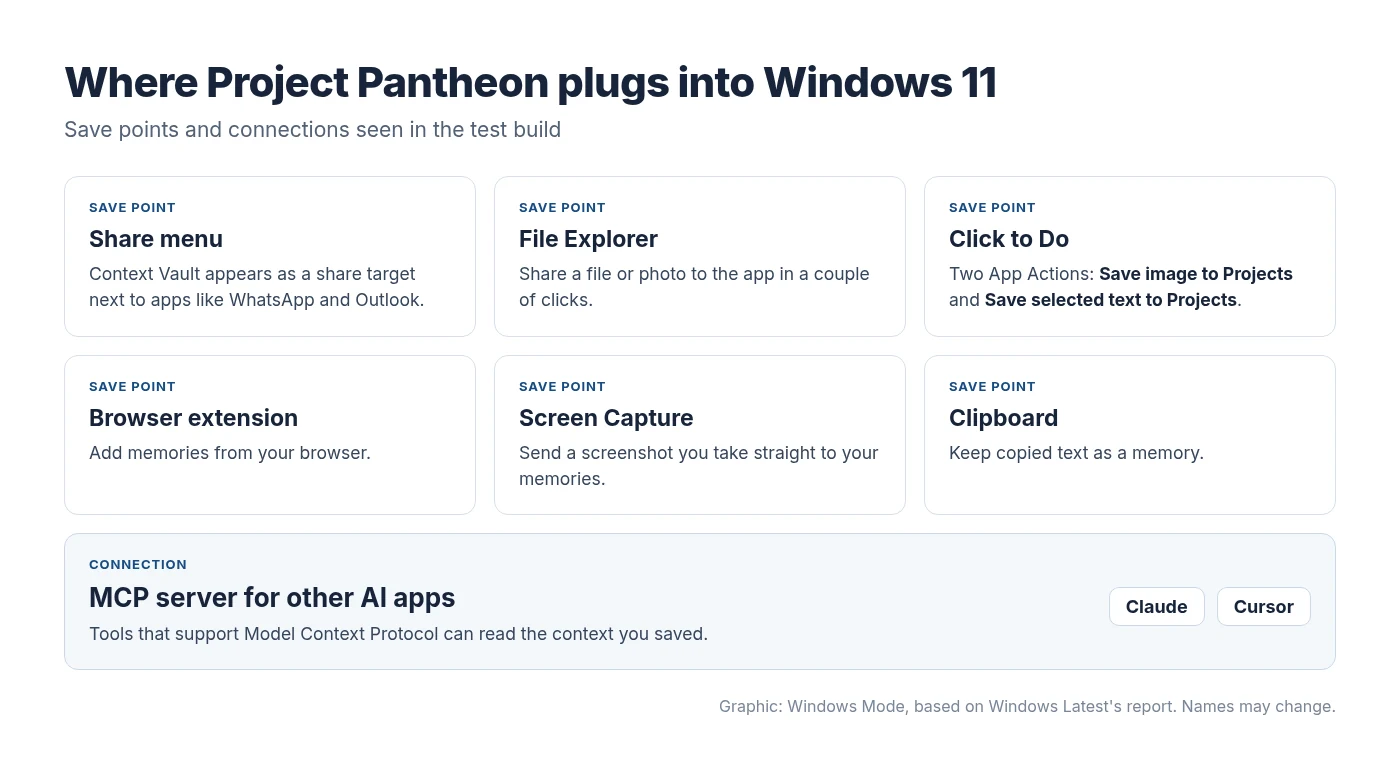
Pantheon hooks into Windows, so you don’t have to open the app to save something. Windows Latest could add memories from a browser extension, File Explorer, supported apps, the Share menu, Screen Capture, Click to Do and the clipboard.
In File Explorer, Context Vault appears in the Share menu next to apps like WhatsApp and Outlook. It also registers two App Actions in Settings > Apps > Actions, which is how it shows up in Click to Do: Save image to Projects and Save selected text to Projects.
Why the MCP server matters
The most unusual part is a built-in MCP server. Model Context Protocol is an open standard that lets AI apps pull data from other apps, and Microsoft has been building MCP support into Windows 11. Through Pantheon’s server, tools like Claude and Cursor could use the memories you saved, so your context isn’t locked inside one Microsoft app.
That openness cuts both ways. More apps reading your saved material means consent controls matter. Gamers raised similar concerns when an NVIDIA app update opened the door to AI agents.
Can you try Project Pantheon now?
Probably not. The app doesn’t appear in normal Microsoft Store searches, and Windows Latest got it only after the unlisted listing was discovered, without an invite from Microsoft. Microsoft hasn’t announced a preview, a sign-up or a release date.
What you can do today
- Copilot+ PC owners: Recall stays off until you opt in. You control it in Settings > Privacy & security > Recall & snapshots.
- See what plugs into Click to Do: open Settings > Apps > Actions to review or turn off actions that apps add.
- Skip unofficial downloads: installers shared outside the Microsoft Store that claim to be Pantheon aren’t worth the risk.
What privacy controls could Pantheon get?
Windows Latest understands that Microsoft has considered several additions if development continues. None of them are confirmed:
- Encryption at rest
- Per-app access controls
- Windows Hello protection, like Recall
- User consent controls
- IT policies to turn the app off
- Integration with Settings
- An API so other apps can use your memories
Microsoft would also need to explain where memories are stored, when cloud services are used and how you delete your data. Those answers will decide whether a memory app that other AI tools can read feels safer than Recall, or just different.
What else was rough in the test build?
- Saving everything by hand was easy to forget, which Windows Latest noticed while using the app to plan a beach trip.
- Big collections had no proper filtering yet.
- Auto-created collections sometimes got placeholder names such as “None” and “null”.
- The Click to Do actions and the Settings entry still use the older Projects name.
Will Microsoft release it?
There’s no commitment. Windows 11 already has Recall, Click to Do, Copilot and AI agents on the taskbar, so Pantheon would be one more AI feature asking for your data. Microsoft is also trimming some AI extras, such as the Copilot shortcuts leaving File Explorer’s right-click menu.
If it does ship, saving a memory will need to be as quick as copying text, with clear consent controls before any other AI app can read it. We will update this story if Microsoft confirms its plans.
Source: Windows Latest’s hands-on report, also covered by IT Home.
Discover more from Windows Mode
Subscribe to get the latest posts sent to your email.
















Add your first comment to this post