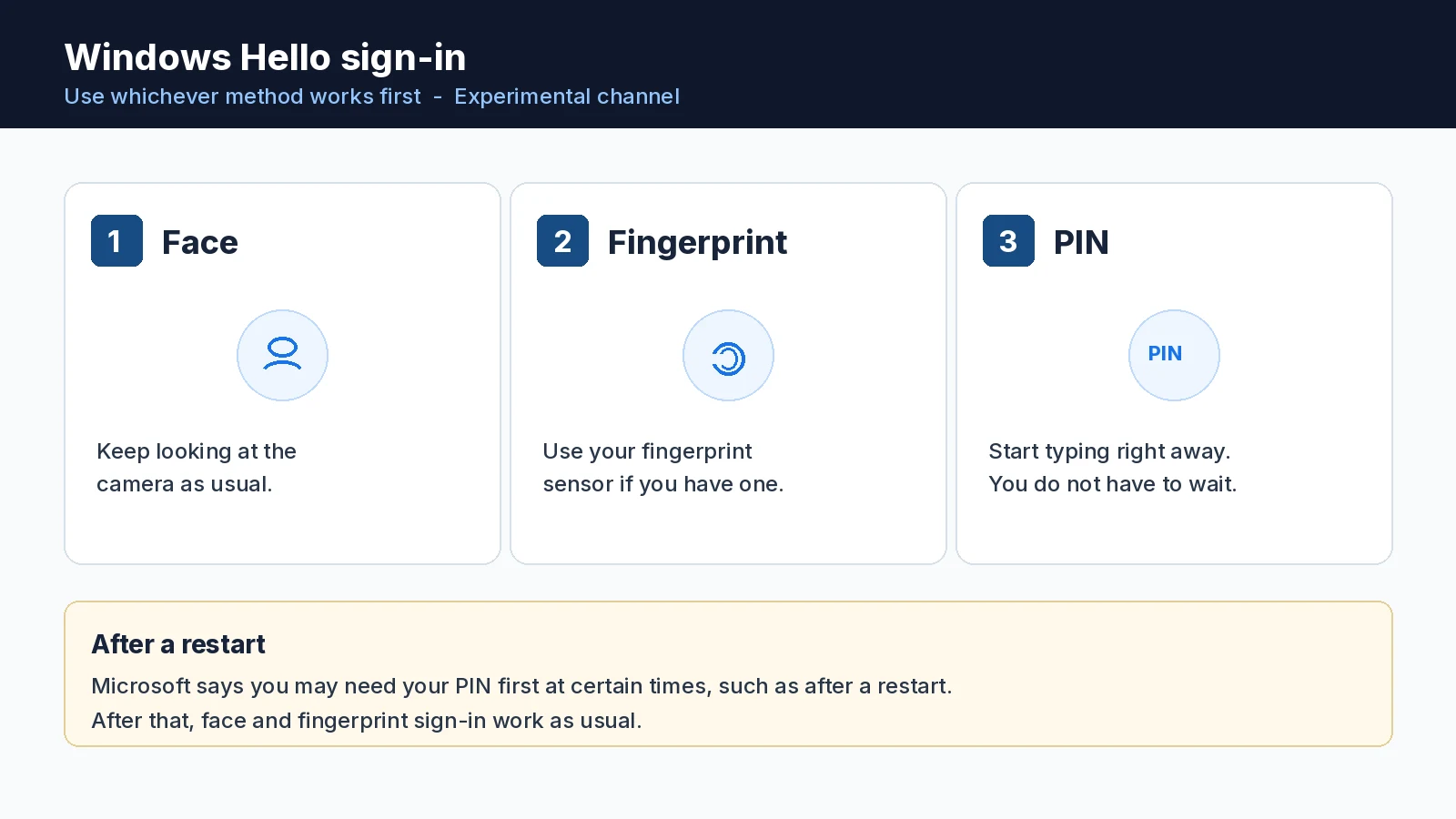
Windows 11 Insiders can now type their PIN without waiting for Windows Hello to finish scanning their face or fingerprint. Sign-in and unlock should feel more consistent, with clearer guidance, and you can use whichever method works first.
The change arrived on November 6, 2026, in new Windows 11 Insider Preview builds announced by Stephen Lines and the Windows Insider Program team. Microsoft lists the Windows Hello improvement for the Experimental channel. Separate Beta and Experimental builds also shipped for other Windows 11 tracks, including 26H1 and Future Platforms.
Windows Hello no longer makes you wait to type your PIN
Windows Hello is the face and fingerprint sign-in built into Windows. On many PCs, if Hello did not unlock you right away, you still had to wait for that scan to finish before you could enter a PIN instead.
That wait is gone in the new Experimental builds. You can start typing your PIN while the PC is still trying face or fingerprint recognition. Microsoft says sign-in and unlock now behave more consistently, give clearer guidance, and let you use whichever method works first.
There is one exception Microsoft calls out: at certain times, such as after a restart, you will need your PIN first. After that, face and fingerprint sign-in work as usual.
This is an Experimental-channel preview
Microsoft lists the Hello improvement for the Experimental channel, not Beta. If you are not a Windows Insider, you will not see it on regular Windows 11 yet. Microsoft has not said when, or whether, the change will reach a broader release.
The new builds, by channel
These are the Windows 11 Insider Preview builds Microsoft released on November 6, 2026:
| Channel | Build |
|---|---|
| Beta | 26320.9876 |
| Experimental | 26340.9882 |
| Beta (26H1) | 28020.3445 |
| Experimental (26H1) | 28120.3454 |
| Experimental (Future Platforms) | 29704.1000 |
Flight Hub lists the main Beta and Experimental builds under Windows 11 version 26H2. Those builds are delivered on top of Windows 11 version 25H2 (build 26200), with an enablement package that raises the build number to 26320 in Beta and 26340 in Experimental.
The 26H1 builds are a separate track. Microsoft says 26H1 is not a feature update for 25H2. It includes platform changes to support specific silicon, and most customers do not need to do anything about it.
Experimental (Future Platforms) builds are not tied to any retail release of Windows. For last month’s Insider changes, see our recap of the October 30 Windows 11 Insider builds.
Synthetic test updates are coming to Future Platforms
Insiders in the Experimental (Future Platforms) channel will start seeing an extra weekly build, in between the usual Insider preview builds, in the coming weeks.
Microsoft says those extra releases are synthetic latest cumulative updates (LCUs). An LCU is the usual cumulative package Windows Update installs. A synthetic one does not add new features or other payload. Microsoft is using them to test backend flighting and updating services, meaning how updates are selected and delivered, rather than to preview new Windows features.
Because of that, Microsoft will not publish weekly release notes or blog posts for the synthetic updates. It will keep track of the versions in Flight Hub. If a new Future Platforms build appears without a blog post, check Flight Hub before assuming new features arrived.
What Insiders should take from this week
The practical change is on Experimental devices that use Windows Hello: you can type your PIN right away instead of waiting for face or fingerprint recognition to give up. The other builds are the regular weekly preview drops, and the synthetic LCUs are a delivery-system test for Future Platforms, not a feature preview.
Source: Microsoft.
Discover more from Windows Mode
Subscribe to get the latest posts sent to your email.














Add your first comment to this post