Readers like you help support this site. When you make a purchase using links on our site, we may earn an affiliate commission. All opinions remain our own.

The best browsers for Windows in 2026 include Brave for built-in ad blocking and privacy, Vivaldi for deep customization, and Zen Browser for a modern Firefox experience with vertical tabs. For maximum privacy, LibreWolf and Tor go further than anything else on the market.
Chrome, Edge, and Firefox are still the most popular choices, but there are now a dozen strong alternatives that do things they cannot. We installed and tested all 15 on Windows 11 and Windows 10, looked at speed, memory usage, privacy, and how easy they are to set up.
Each browser below includes a screenshot, a quick summary of what it does well, and download links so you can try it right away. If you want the full breakdown, every entry links to our detailed review with installation steps, keyboard shortcuts, and troubleshooting tips.
If you have any comments or questions, or you want to recommend another browser, contact us or leave a comment below, don’t be shy!
🔍 What We Looked For
How fast does it load pages and start up?
Does it collect your data or let you browse without being tracked?
Can you change how the browser looks and works?
Can you add the tools and features you need?
Quick Verdict: Our Top Picks
What Are the Best Browsers on PC?
🌐 Mainstream Browsers
These are the browsers most people already know. They are fast, well-supported, and work with almost every website. If you just want a browser that works without thinking about it, start here.
1. Google Chrome
Chromium · Free · Closed Source
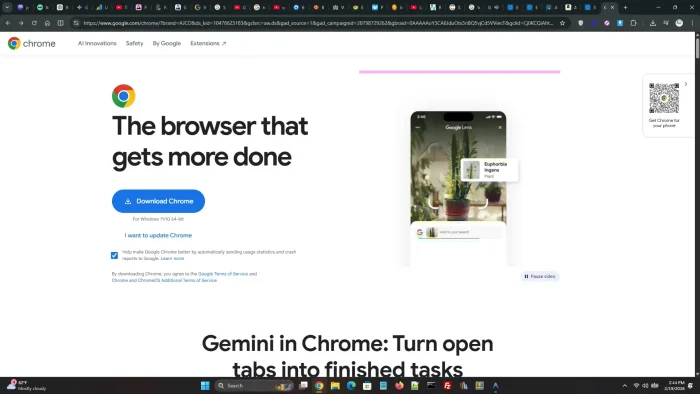
Best for: People who want the widest extension library and tightest Google integration.
Key features:
- Largest extension library of any browser (200,000+)
- Syncs bookmarks, passwords, and tabs across all your devices
- Built-in AI features through Google Gemini
- Automatic security updates every two weeks
Worth knowing: Chrome uses more memory than most browsers on this list and collects usage data for Google. If privacy matters to you, look at the options further down.
2. Microsoft Edge
Chromium · Free · Closed Source
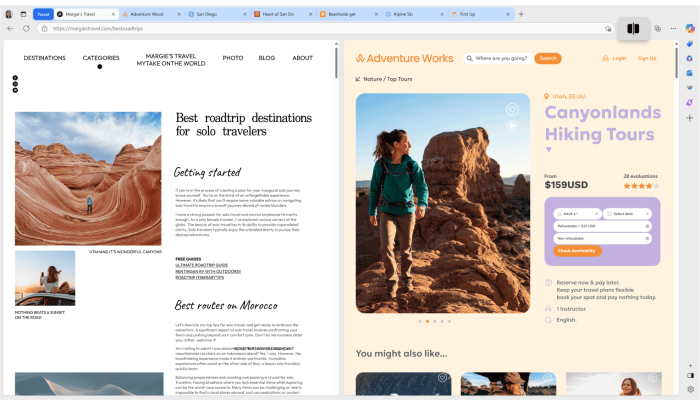
Best for: Windows users who want a fast browser with AI built in and do not want to install anything extra.
Key features:
- Already installed on every Windows PC
- Microsoft Copilot AI built into the sidebar
- Sleeping Tabs save memory by pausing tabs you are not using
- Supports Chrome Web Store extensions
Worth knowing: Edge has a lot of features turned on by default that you might not want, like news feeds and shopping tools. You can turn these off in settings, but it takes some digging.
3. Mozilla Firefox
Gecko · Free · Open Source
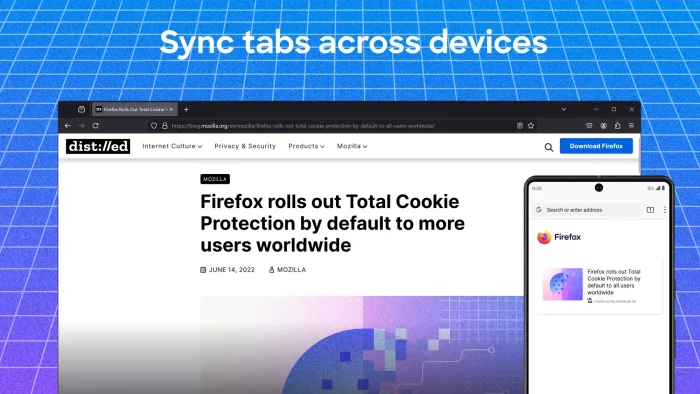
Best for: People who want a non-Chromium browser with strong privacy defaults and a huge extension library.
Key features:
- The only major browser not built on Google’s engine
- Enhanced Tracking Protection blocks trackers by default
- Container Tabs let you isolate your browsing (work vs. personal)
- Large add-on library with a strong developer community
Worth knowing: Firefox is the foundation that LibreWolf, Waterfox, Zen, and Floorp are all built on. If you like Firefox but want more privacy or customization, check out those browsers below.
🔒 Privacy-First Browsers
These browsers are built for people who do not want to be tracked online. They block ads, stop data collection, and some even hide your identity completely. The trade-off is that some websites may not work perfectly because the browser is blocking things in the background.
4. Brave
Chromium · Free · Open Source
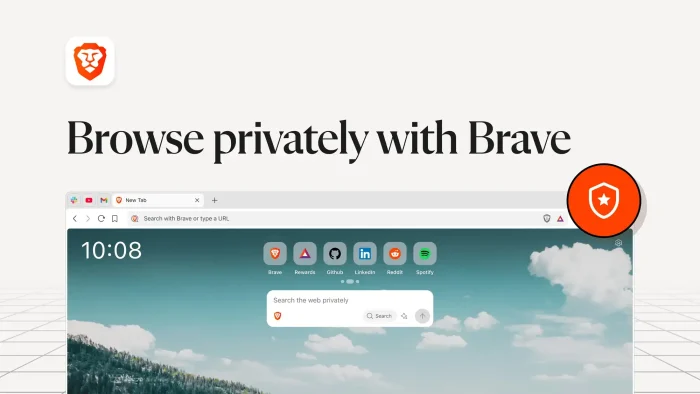
Best for: People who want Chrome’s speed with built-in ad blocking and privacy, without installing extensions.
Key features:
- Blocks ads and trackers out of the box, so pages load faster because of it
- Built-in Leo AI assistant for chat and summaries
- Supports all Chrome Web Store extensions
- Optional Tor mode for anonymous browsing in private windows
Worth knowing: Brave has its own crypto wallet and rewards program. You do not have to use them, but they are there. Some people prefer browsers without any crypto features at all.
5. Tor Browser
Gecko (Firefox) · Free · Open Source
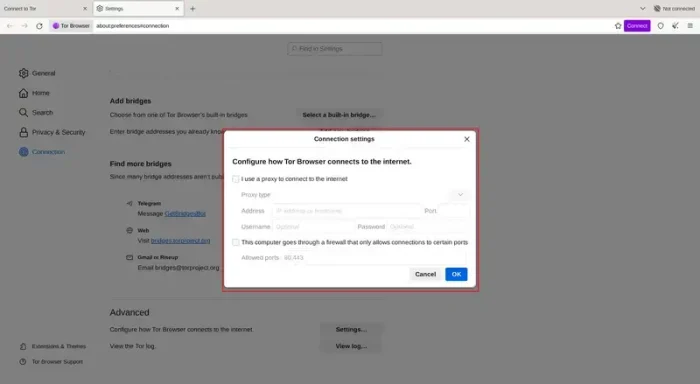
Best for: People who need real anonymity, including journalists, activists, or anyone in a country with internet censorship.
Key features:
- Routes your traffic through three layers of encryption so no one can see what you are browsing
- Access .onion websites that are not available on other browsers
- Helps bypass internet censorship in restricted countries
- Does not save any browsing history or cookies
Worth knowing: Tor is slower than other browsers because your traffic is being routed through multiple servers around the world. It is not designed for everyday browsing. Use it when you need privacy, not speed.
6. DuckDuckGo
Chromium · Free · Partially Open Source
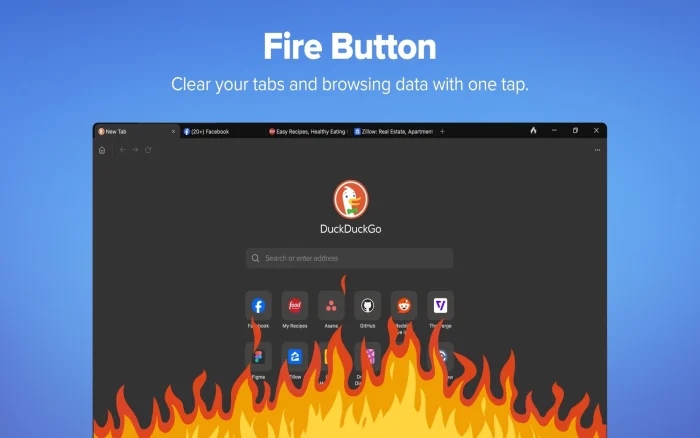
Best for: People who want simple, no-setup privacy. Install it and it works.
Key features:
- Blocks trackers automatically on every website
- Shows you a privacy grade for each site you visit
- “Fire Button” clears all your tabs and data with one click
- Duck Player plays YouTube videos without ads or tracking
Worth knowing: DuckDuckGo has fewer customization options than other browsers. It is designed to be simple on purpose. If you want to tweak settings and add extensions, a different browser might be a better fit.
7. LibreWolf
Gecko (Firefox) · Free · Open Source
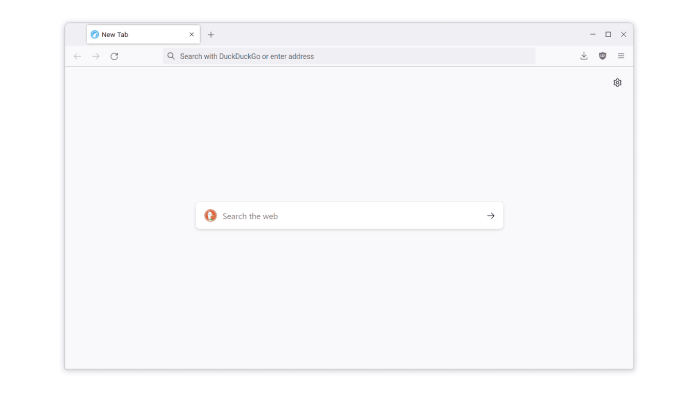
Best for: Firefox users who want all tracking and data collection removed without configuring anything themselves.
Key features:
- Firefox with all data collection turned off at the code level
- uBlock Origin ad blocker comes pre-installed
- Cookies delete themselves every time you close the browser
- DuckDuckGo is the default search engine
Worth knowing: LibreWolf does not auto-update on Windows. You can install it from the Microsoft Store for automatic updates or use the community WinUpdater tool. Streaming services like Netflix will not work until you enable DRM in settings.
8. Waterfox
Gecko (Firefox) · Free · Open Source
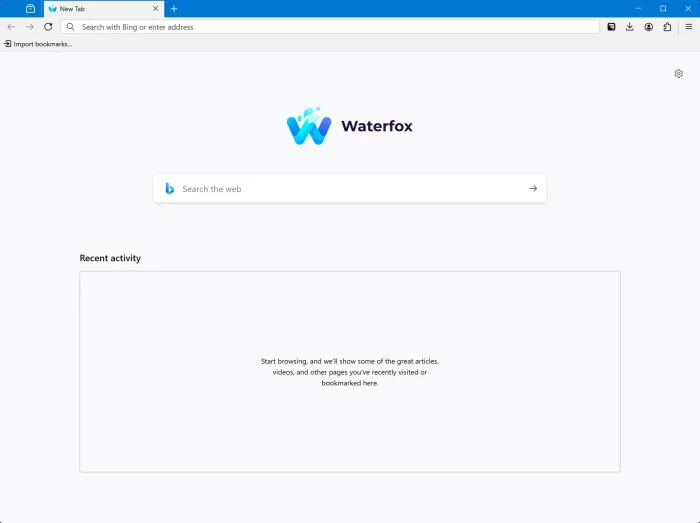
Best for: People who like Firefox but want a cleaner version with no data collection and no AI features.
Key features:
- Removes all of Mozilla’s data collection and sponsored content
- The developer has publicly refused to add AI chatbots
- Supports all Firefox extensions
- Experimental support for Chrome extensions
Worth knowing: Waterfox is more of a “clean Firefox” than a privacy-hardened one. It removes tracking but does not change privacy settings as aggressively as LibreWolf does. If you want Firefox without the extras, Waterfox is a good pick.
9. Helium
Chromium · Free · Open Source
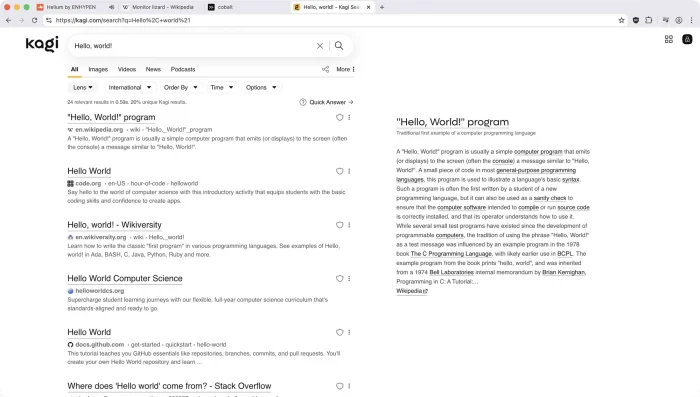
Best for: People who want Chrome’s speed and extension support without any Google services running in the background.
Key features:
- Chromium with every Google service removed
- uBlock Origin ad blocker comes pre-installed
- Anonymous Chrome Web Store access, so Google cannot track your extension installs
- Over 10,000 “bangs” for instant address bar navigation
Worth knowing: Helium is still in beta. It works well for everyday browsing, but you cannot sign into a Google Account to sync your data. Use a password manager like Bitwarden instead.
🎨 Customization Browsers
These browsers give you real control over how the interface looks and works. Vertical tabs, split screen, workspaces, custom themes. If you like tweaking your tools, these are for you.
10. Vivaldi
Chromium · Free · Partially Open Source
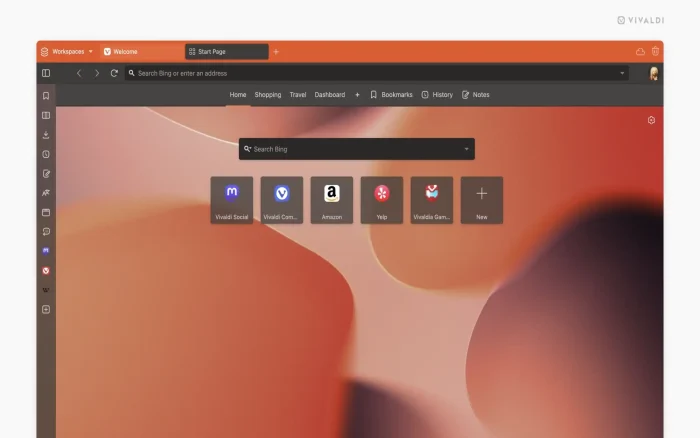
Best for: Power users who want to customize every detail of their browser and keep everything organized.
Key features:
- Tab stacking, tiling, and split view for multitasking
- Built-in email client, calendar, RSS reader, and note-taking tool
- Web panels that pin websites to the sidebar
- Custom keyboard shortcuts, mouse gestures, and command chains
Worth knowing: Vivaldi has a lot of features. If you want a simple browser, it might feel overwhelming. But if you want one app to replace your browser, email client, and note-taking tool, Vivaldi does it all.
11. Zen Browser
Gecko (Firefox) · Free · Open Source
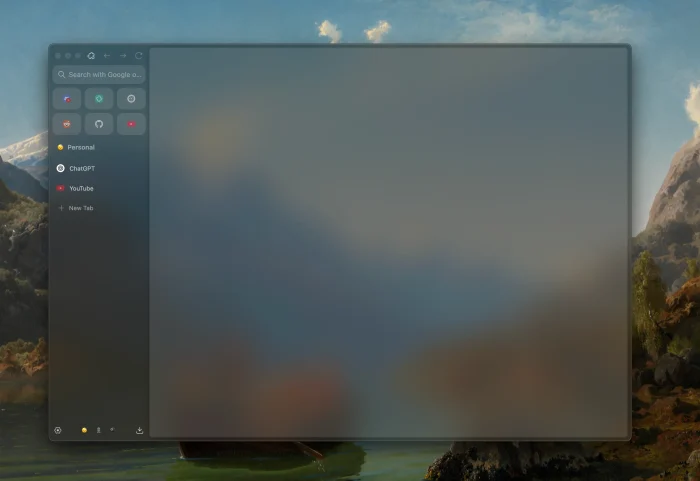
Best for: People who like Arc Browser’s design but want something open source and built on Firefox.
Key features:
- Vertical tab sidebar with a clean, minimal design
- Workspaces to organize tabs by project or task
- Compact Mode hides all toolbars for a distraction-free view
- Community Mod Store with custom themes and layout tweaks
Worth knowing: Zen is still in alpha/beta. It does not support Netflix or other streaming services because it does not have a DRM license yet. It is best for people who are comfortable with a browser that is still being actively developed.
12. Floorp
Gecko (Firefox) · Free · Open Source
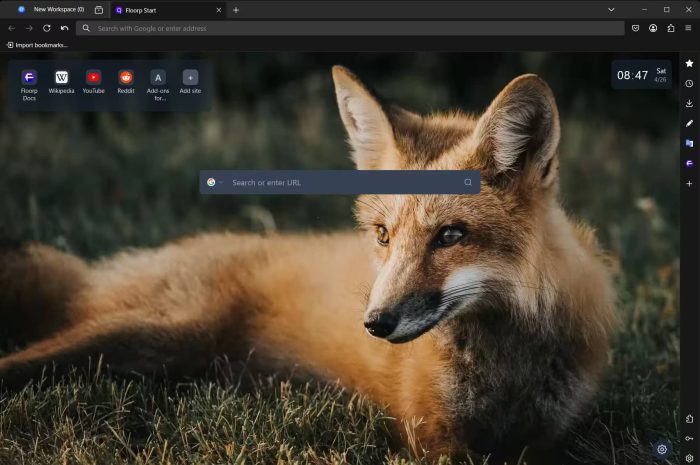
Best for: Firefox users who want vertical tabs, split screen, and web app support without switching to Chromium.
Key features:
- Multiple UI presets that let you switch the entire browser layout with one click
- Vertical tabs, multi-row tabs, and a customizable side panel
- Split view to show two tabs side by side
- Progressive Web App (PWA) support that Firefox dropped
Worth knowing: Floorp is built by a Japanese development team called Ablaze. It is based on Firefox ESR (Extended Support Release), so it gets Firefox updates but on a slightly slower schedule.
13. Arc
Chromium · Free · Closed Source
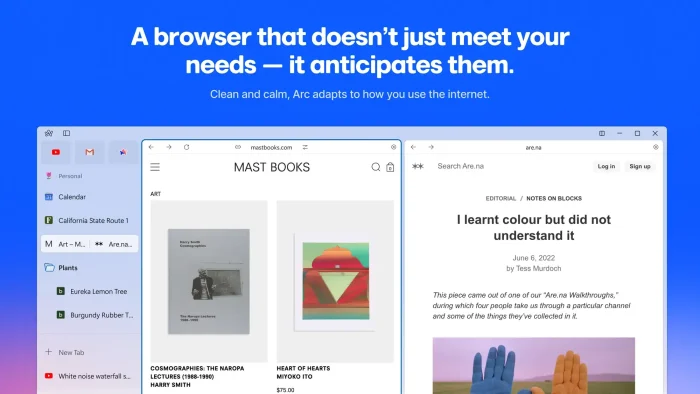
Best for: People who want a completely different take on what a browser should look like.
Key features:
- Sidebar-based navigation that replaces the traditional tab bar
- Spaces let you create separate browsing environments with their own tabs and themes
- Split View to show two pages side by side
- Built-in AI features for summaries and page previews
Worth knowing: Arc is made by The Browser Company. The team recently announced they are shifting focus to a new project, so long-term support is uncertain. The browser still works and gets updates, but keep that in mind.
⚡ Performance Browsers
These browsers focus on speed, efficiency, or getting more done with features like built-in VPNs and AI tools. If page load time and resource usage matter to you, check these out.
14. Thorium
Chromium · Free · Open Source
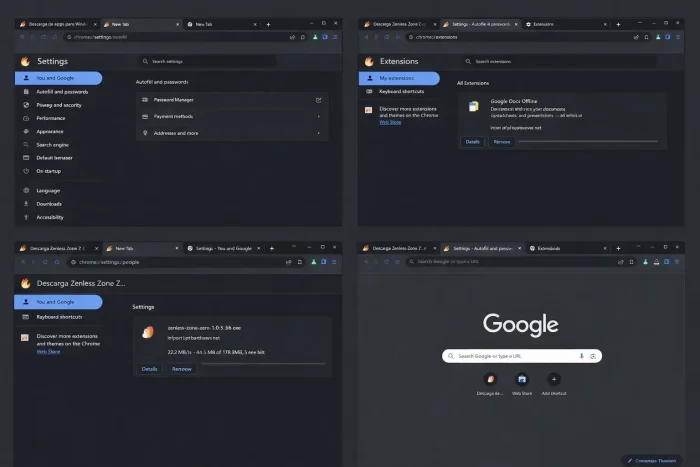
Best for: People who want the fastest possible Chromium browser with lower memory usage.
Key features:
- Compiled with speed optimizations that Chrome does not use
- Uses less memory than Chrome while loading pages faster
- Supports all Chrome Web Store extensions
- Available in multiple variants including an AVX2 build for modern CPUs
Worth knowing: Thorium is maintained by one developer. Updates come out regularly but not as fast as Chrome. It is best for people who value speed above everything and are comfortable with a community-driven project.
15. Opera
Chromium · Free · Closed Source
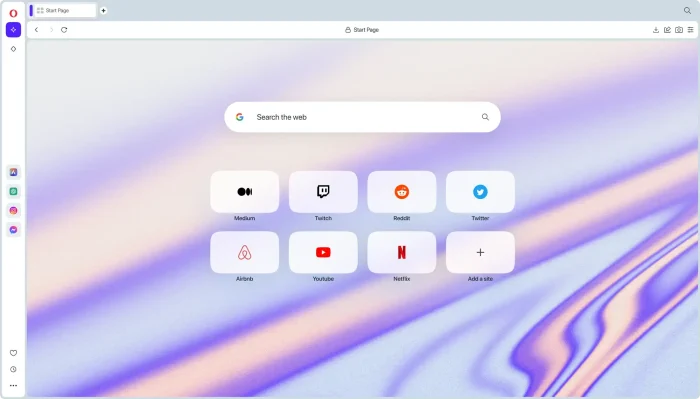
Best for: People who want a feature-packed browser with a free VPN, ad blocker, and AI, all built in.
Key features:
- Free built-in VPN with no data limits
- Built-in ad blocker
- Aria AI assistant for chat, search, and summaries
- Opera GX variant with resource limiters designed for gamers
Worth knowing: The free VPN is convenient for basic use, but it is not a replacement for a dedicated VPN service if you need full privacy coverage. Opera GX is a separate download aimed at gamers, with CPU and RAM limiters to keep the browser from using too many resources while gaming.
All 15 Browsers at a Glance
| Browser | Engine | Privacy | Extensions | Best For |
|---|---|---|---|---|
| Chrome | Chromium | Low | Chrome Store | Widest compatibility |
| Edge | Chromium | Low | Chrome Store | Windows integration + AI |
| Firefox | Gecko | Medium | Mozilla Add-ons | Non-Chromium alternative |
| Brave | Chromium | High | Chrome Store | Privacy + speed daily driver |
| Tor | Gecko | Very High | Limited | Full anonymity |
| DuckDuckGo | Chromium | High | Limited | Simple, no-setup privacy |
| LibreWolf | Gecko | Very High | Mozilla Add-ons | Firefox without tracking |
| Waterfox | Gecko | High | Mozilla Add-ons | Clean Firefox, no AI |
| Helium | Chromium | Very High | Chrome Store | Chrome without Google |
| Vivaldi | Chromium | Medium | Chrome Store | Power user customization |
| Zen | Gecko | High | Mozilla Add-ons | Arc-style on Firefox |
| Floorp | Gecko | Medium | Mozilla Add-ons | Firefox + deep UI control |
| Arc | Chromium | Medium | Chrome Store | Rethinking browser design |
| Thorium | Chromium | Low | Chrome Store | Raw speed |
| Opera | Chromium | Low | Chrome Store + Own | Built-in VPN + AI |
Common Problems and Fixes
A website does not work correctly in my browser
Some privacy browsers block scripts and trackers that websites need to function. Try turning off the ad blocker or shield for that specific site. In Brave, click the shield icon in the address bar and turn it off. In LibreWolf, try adding the site to your exceptions list. If the site only works in Chrome, it may be using a feature that only works in Chromium-based browsers.
I cannot watch Netflix or Disney+ on this browser
Streaming services need DRM (Digital Rights Management) to play protected content. Tor Browser and Zen Browser do not support DRM. LibreWolf has it turned off by default but you can enable it in Settings > General > Digital Rights Management. All Chromium-based browsers on this list support DRM out of the box.
My browser is using too much memory
Close tabs you are not using. In Edge, enable Sleeping Tabs to automatically pause inactive tabs. In Vivaldi, use tab hibernation. If memory is a constant issue, try Thorium or Brave. They tend to use less memory than Chrome. Firefox-based browsers (LibreWolf, Waterfox, Zen, Floorp) also tend to use less memory than Chromium ones.
I switched browsers and lost all my bookmarks and passwords
Most browsers let you import bookmarks and passwords from your old browser during setup. If you missed that step, go to your new browser’s settings and look for “Import” or “Import data from another browser.” For passwords, we recommend using a dedicated password manager like Bitwarden so your passwords work in any browser.
Frequently Asked Questions
What is the best browser for Windows in 2026?
It depends on what matters to you. Chrome is the most popular and has the widest extension library. For privacy, LibreWolf or Tor Browser are the strongest options. For customization, Vivaldi or Zen Browser give you the most control. For speed, Thorium and Brave are the fastest.
What is the most private browser for Windows?
Tor Browser is the most private because it routes your traffic through three layers of encryption. LibreWolf is the best option for everyday private browsing with all tracking removed. DuckDuckGo is the easiest private browser to set up. Just install it and it works.
Can I use Chrome extensions in other browsers?
Yes, in most Chromium-based browsers. Brave, Opera, Thorium, Helium, Arc, and Edge can all install extensions from the Chrome Web Store. Firefox-based browsers (LibreWolf, Waterfox, Zen, Floorp) use Mozilla Add-ons instead. They have their own large extension library.
What is the difference between Chromium and Gecko?
Chromium is the open-source engine behind Google Chrome. Most browsers on this list are built on it. Gecko is Firefox’s engine, built by Mozilla. Browsers built on Gecko (Firefox, LibreWolf, Waterfox, Zen, Floorp, Tor) keep the web from being controlled by a single company. Both engines are fast and capable.
Are all these browsers free?
Yes. Every browser on this list is completely free to download and use on Windows. Several are also open source, meaning their code is publicly available for anyone to inspect. No browser on this list requires a subscription or payment.
Our Recommendations
Just want a browser that works: Google Chrome or Microsoft Edge. Chrome has the widest extension support, Edge is already on your PC.
Want privacy without the hassle: Brave blocks ads and trackers by default while still working like Chrome. DuckDuckGo is even simpler if you want one-click privacy.
Want maximum privacy: LibreWolf for daily use with all tracking removed, or Tor Browser when you need true anonymity.
Want to customize everything: Vivaldi if you want the most features in one app. Zen Browser if you want a modern, clean design with vertical tabs.
Want raw speed: Thorium is the fastest Chromium browser we tested. Brave is also fast because blocking ads means fewer things to load.
Discover more from Windows Mode
Subscribe to get the latest posts sent to your email.