 The best VS Code extensions for Python developers in 2026 include Ruff for instant formatting, Pylance for type safety, and Indent-Rainbow to fix invisible errors. For AI and data science, the modern stack relies on Qodo Gen for automated testing and Data Wrangler for cleaning datasets without code.
Python is famous for being readable, but it is also famous for breaking because you missed a single whitespace. If you are still manually formatting your code or writing unit tests by hand, you are doing it the hard way.
The “2026 Python Stack” has changed. Old tools like Flake8 and Black are being replaced by faster, Rust-based alternatives. We tested the latest ecosystem to give you the 15 tools that actually matter.
Feel free to leave a comment below or contact us if you want to recommend an extension on this post.
What are the best Visual Studio Code extensions for Python development?
1. Python (by Microsoft)
Required

What it does: The foundation. It installs the Pylance language server and the basic runtime support. You physically cannot code Python in VS Code without this.
Why you need it: It manages your environments (Conda, venv) and allows you to switch between Python versions with one click in the status bar. It’s the gateway to everything else.
ext install ms-python.python2. Ruff
Top Trend 2026

What it does: The new king of Python tooling. Written in Rust, it replaces “Black” (formatting), “Flake8” (linting), and “Isort” (import sorting) with a single, lightning-fast extension.
Why you need it: Speed. “Black” can take seconds to format a large file; Ruff does it in milliseconds. If you are still installing 3 different extensions for code quality, delete them and install this instead.
ext install charliermarsh.ruff3. Indent-Rainbow
Essential UI
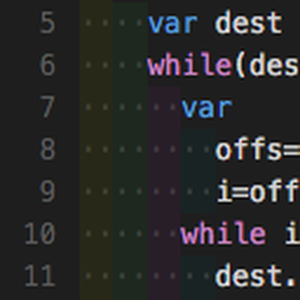
What it does: It colors the indentation steps in your code with alternating soft colors. It turns invisible whitespace into a visible guide.
Why you need it: Python relies entirely on indentation. A single “Tab” instead of “Space” can crash your app. This tool makes those invisible errors impossible to miss.
ext install oderwat.indent-rainbow4. Error Lens
Productivity

What it does: It takes the red squiggly line errors and prints the actual error message right next to the code line in the editor.
Why you need it: You don’t have to hover your mouse over the red line to see what’s wrong. You see “SyntaxError: Unexpected token” instantly as you type.
ext install usernamehw.errorlens5. autoDocstring
Utility
What it does: Type triple quotes (""") under a function, and it instantly generates a pre-formatted documentation template (Docstring) based on the function’s arguments.
Why you need it: Documentation is boring but necessary. This automates the structure so you just have to fill in the blanks. Essential for professional codebases.
ext install njpwerner.autodocstringData Science & AI Power Tools
6. Python Debugger
Essential Update
What it does: This is the official debugger from Microsoft, now split into its own extension for better performance. It allows you to set breakpoints, inspect variables, and step through your code line-by-line.
Why you need it: Microsoft recently separated this from the main Python extension. If you want to hit F5 and debug your Flask or Django app, you must have this installed.
ext install ms-python.debugpy7. Jupyter
Data Science

What it does: It brings full Jupyter Notebook support (`.ipynb` files) directly inside VS Code. You can run data cells, view graphs, and export results without needing a browser.
Why you need it: It is the industry standard for Data Science. VS Code’s implementation is arguably better than the browser version because you get full IntelliSense and GitHub Copilot support inside your notebooks.
ext install ms-toolsai.jupyter8. Data Wrangler
New Hit

What it does: A game-changing tool that lets you view data (CSV/Pandas) in a visual spreadsheet interface. You can filter, sort, and clean data using a GUI, and it automatically generates the Python code for those changes.
Why you need it: It bridges the gap between Excel and Python. You don’t need to remember the complex Pandas syntax to drop empty rows—just click “Drop Missing Values” and let the tool write the code for you.
ext install ms-toolsai.datawrangler9. Qodo Gen
AI Testing

What it does: An AI agent that analyzes your Python functions and automatically generates comprehensive test suites (PyTest/Unittest). It hunts for edge cases you might have missed.
Why you need it: It turns the most tedious part of Python development (writing tests) into a one-click process. It helps you catch bugs in your logic before you even run the code.
ext install Codium.codium10. Pylance
Essential

What it does: This is the “brain” behind Python in VS Code. It provides super-fast autocomplete, parameter suggestions, and code navigation. It also includes a built-in type checker (Pyright) to catch errors before you run your code.
Why you need it: While the standard Python extension provides the basics, Pylance makes the editor feel instant. If you want VS Code to understand your imports and custom classes as fast as PyCharm does, you need this enabled.
ext install ms-python.vscode-pylanceWeb, Utilities & Quality of Life
11. AREPL for Python
Scratchpad

What it does: Real-time Python evaluation. As you type, AREPL evaluates your code and shows you the result in a side panel instantly, without you needing to save or run the file.
Why you need it: It is the “Quokka.js” for Python. If you are learning a new library or testing a regex pattern, this gives you instant feedback.
ext install almenon.arepl12. Django
Web Framework

What it does: Provides syntax highlighting and snippets for Django templates and code. It understands the specific template tags like {% block %} and {{ variable }}.
Why you need it: If you are building web apps with Django, VS Code treats template files as plain HTML by default. This extension makes them readable and easier to edit.
ext install batisteo.vscode-django13. Code Spell Checker
Quality

What it does: A universal tool that checks for spelling errors in your variable names and comments. It is context-aware and handles snake_case_naming perfectly.
Why you need it: Python is sensitive. A typo in a function definition vs a function call will break your script. This catches those embarrassing “naming” bugs instantly.
ext install streetsidesoftware.code-spell-checker14. Todo Tree
Organization

What it does: It searches your workspace for comments starting with # TODO or # FIXME and displays them in a dedicated sidebar tree view.
Why you need it: Python scripts can get long. This helps you keep track of unfinished tasks without getting lost in the code. It makes sure you don’t forget to fix that “temporary hack” you wrote.
ext install Gruntfuggly.todo-tree15. Version Lens
Updates
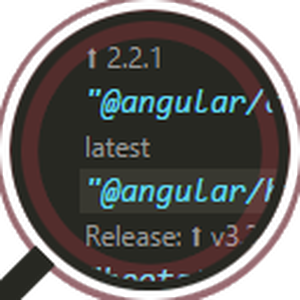
What it does: Supports `requirements.txt` (and other package managers). It shows the latest available version of your Python packages right inside the file.
Why you need it: Keeping `pip` dependencies updated is critical for security. This tool visualizes which packages are outdated so you can upgrade them with a click.
ext install pflannery.vscode-versionlensUpgrading Your Python Workflow
The days of relying solely on standard IDLE or manual formatting are over. By combining Ruff for speed, Data Wrangler for data tasks, and Qodo Gen for testing, you are not just writing code faster; you are writing better code.
Start by installing the “Essentials” (extensions 1-5), then slowly add the AI tools as your projects grow, and good luck!
More VS Code Resources:
- Getting Started: The Ultimate VS Code Setup Guide
- ⚡ Speed: VS Code Cheat Sheet: Shortcuts, God Mode & PDF
- 🎨 Aesthetics: 20 Best VS Code Themes: Dark, Light & Aesthetic
- Universal List: Best VS Code Extensions for All Developers
- AI & Vibe Coding: Best AI Coding Extensions for VS Code
- Flutter: Extensions for Flutter Developers
- JavaScript: Extensions for JavaScript Developers
- Web Design: Extensions for Frontend Developers
- React: Extensions for React Native Developers
- C++: Extensions for C++ Developers
- WordPress: Extensions for WordPress Developers
Discover more from Windows Mode
Subscribe to get the latest posts sent to your email.