Readers like you help support this site. When you make a purchase using links on our site, we may earn an affiliate commission. All opinions remain our own.
 Dragon Ball: The Breakers on Windows
Ready for a Dragon Ball twist in 2025? Imagine outsmarting Cell or Broly in a frantic survival match. You’ll be able to download Dragon Ball: The Breakers on your Windows 10 or 11 PC for a unique asymmetrical showdown.
Released by Bandai Namco on October 13, 2022, this multiplayer gem hit Season 5 by March 2025, adding raiders like Broly and keeping the action fresh, per official updates.
This guide covers installing Dragon Ball: The Breakers on Windows, its key features, and tips for PC beginners.
Share your best escape in the comments, or contact us for help.
How to Install Dragon Ball: The Breakers on Windows 11 and 10
To play Dragon Ball: The Breakers on your Windows PC, download it via Steam or Microsoft Store (Xbox App). Follow the steps below:
- Method 1: Steam
- Visit the Steam page: Steam.
- Click Add to Cart (price is $19.99 as of March 2025).
- Sign into your Steam account (or create one if needed).
- Complete the purchase and click Install in your Steam Library.
- Wait for the download to finish (up to 10 GB).
- Launch the game from your Steam Library or desktop shortcut.
- Method 2: Microsoft Store (Xbox App)
- Visit the Microsoft Store page: Microsoft Store.
- Click Buy ($19.99 as of March 2025).
- Sign into your Microsoft account (or create one).
- Open the Xbox App, find Dragon Ball: The Breakers in your Library, and click Install.
- Wait for the download to finish (up to 10 GB).
- Launch the game from the Xbox App.
Quick Tip: 💡 Season 5’s Broly is live, grab the Season Pass for extra raiders!
Get Dragon Ball: The Breakers via Steam | Get via Microsoft Store
What is Dragon Ball: The Breakers About?
Dragon Ball: The Breakers, released in 2022 by Bandai Namco, is an asymmetrical multiplayer game for Windows 10 and 11, set in a Dragon Ball temporal rift.
Core Gameplay: Seven survivors team up to escape a powerful raider (e.g., Cell, Broly) using stealth, tools, and Dragon Ball summons in tense matches.
Key Features
- 7v1 asymmetrical action
- Iconic raiders (Cell, Frieza, Broly)
- Survivor teamwork and summons
- Randomized maps and objectives
- Deep customization options
Why Play Dragon Ball: The Breakers on Windows?
It’s a fresh Dragon Ball spin. Windows 10 and 11 users get casual chaos, evolving seasons, and a unique survival twist in 2025.
Tips for PC Beginners in Dragon Ball: The Breakers
New to The Breakers on PC? Here are five tips to survive:
- Adjust Keybinds: Remap controls in Settings > Key Config (e.g., dodge to Shift) for smoother escapes.
- Boost FPS: Lower resolution scale to 75% in Options > Graphics if you lag, raider chases need speed.
- Learn the Basics: Play Practice Mode first to nail survivor moves before facing Frieza.
- Stick Together: Queue with friends or matchmake, solo survivors get picked off fast.
- Use Dragon Balls: Grab them early and summon Shenron via the radial menu (default Q) to fight back.
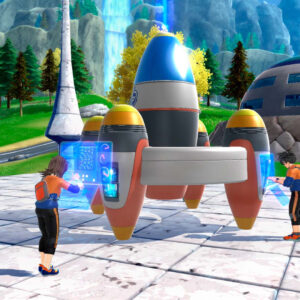
Dragon Ball: The Breakers Screenshots
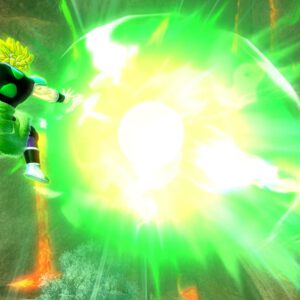
-

- Broly is a new raider in season 4



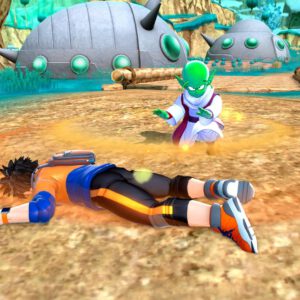

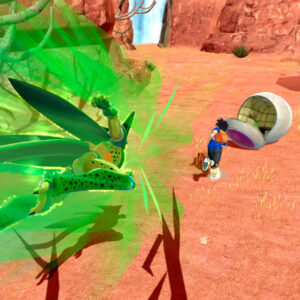

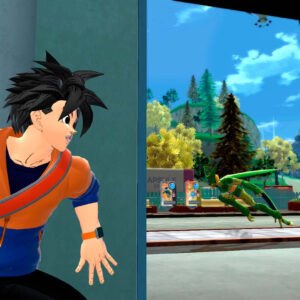


Dragon Ball: The Breakers Gameplay Video
Dragon Ball: The Breakers PC Requirements for Windows
Minimum:
- OS: Windows 10 64-bit (version 1903 or later)
- CPU: Intel Core i5-7600 or AMD Ryzen 3 3100
- RAM: 8 GB
- Storage: 10 GB free
- GPU: NVIDIA GTX 770 or AMD RX 470
- VRAM: 4 GB
- DirectX: Version 11
- Internet: Broadband required
Recommended:
- OS: Windows 11 64-bit
- CPU: Intel Core i7-8700 or AMD Ryzen 5 3600
- RAM: 8 GB
- Storage: 10 GB SSD
- GPU: NVIDIA GTX 970 or AMD RX 570
- VRAM: 4 GB
- DirectX: Version 11
Dragon Ball: The Breakers on Windows FAQ
- Is it free? No, it’s $19.99.
- Can I play offline? Only Practice Mode; main game needs internet.
- Does it run on Windows 11? Yes, fully optimized for Windows 11.
- What’s the download size? Around 10 GB.
Support and Community
Explore More Windows Games: One Piece: Burning Blood, Dragon Ball Z: Kakarot, Black Myth: Wukong, Bleach Rebirth of Souls on PC
Discover more from Windows Mode
Subscribe to get the latest posts sent to your email.

















Add your first comment to this post