Readers like you help support this site. When you make a purchase using links on our site, we may earn an affiliate commission. All opinions remain our own.
Kiro is a free AI-powered code editor from Amazon (AWS) that does something most other editors do not: it helps you plan your code before you write it. You give it a simple prompt like “add a login page,” and instead of jumping straight into code, Kiro creates a full set of requirements, a design plan, and a task list. Then it builds the code to match.
On top of that, Kiro has a feature called Hooks that automatically runs tests, updates documentation, and checks for security issues every time you save or commit code. It is like having a project manager and a QA tester built right into your editor.
This guide covers everything you need to know about using Kiro on Windows 10/11 in 2026: the latest features, updated pricing, how to install it, and how it compares to Cursor, Google Antigravity, and Visual Studio 2026.
Key Takeaways
- Plan Before You Code: Kiro creates requirements, design docs, and task lists from a single prompt before writing a single line of code.
- Automated Hooks: Tests, docs, and security checks run automatically whenever you save or commit, so you never forget them.
- Free to Start: The free tier has no time limit. Pro plans start at $19/month with a credit-based system.
What Is Kiro?
Kiro is Amazon’s AI code editor that focuses on what they call spec-driven development. Instead of just helping you type code faster (like most AI tools), Kiro structures your entire workflow from idea to finished feature.
You start with a plain-English prompt. Kiro turns that into structured files like requirements.md, design.md, and tasks.md. These act as blueprints for your project. Once those files exist, Kiro’s AI agents and automated hooks handle the rest: writing code, running tests, updating documentation, and flagging security issues.
It is built on Code OSS (the same open-source base as VS Code), so the interface feels familiar. But the workflow is fundamentally different. You are not just coding; you are planning, building, and maintaining all within one tool.
Key Features
Here is what makes Kiro different from a regular code editor or AI assistant.
Spec-Driven Development
Give Kiro a prompt like “add login functionality” and it creates a full spec: user stories, a design document, and a task checklist. Each piece is stored in its own Markdown file so you can review and edit before any code is written.
Agent Hooks
Hooks automatically run linters, tests, documentation updates, and security checks every time you save or commit code. You set them up once and never have to remember to run them manually again.
Autopilot & Supervised Modes
Choose how much control you want. Autopilot lets the AI make changes on its own. Supervised mode lets you review every file change before it is applied. Switch between them anytime.
Subagents & Powers (New 2026)
Subagents let you run tasks in parallel. Powers are plug-in bundles from partners like Postman, Figma, Netlify, and Stripe that add specialized expertise to your AI workflow.
Kiro IDE Pricing (2026)
Kiro uses a credit-based system. Simple prompts use less than one credit, and you can buy extra credits at $0.04 each if you run out.
Free
Free Forever
Limited AI requests per month with a welcome bonus. Great for trying out spec-driven development.
Pro
$19 / month
More credits, full access to all AI features, and flexible overage at $0.04 per additional credit.
Pro+
$39 / month
Higher credit allowance for developers who use AI agents and hooks heavily every day.
Power
$200 / month
Maximum credits and priority access. Built for agencies, teams, and power users running multiple Subagents.
How to Download and Install Kiro on Windows
Getting Kiro running on Windows takes just a few minutes. Make sure you are connected to the internet.
- Step 1: Go to the official Kiro website and click the Download for Windows button.
- Step 2: Run the downloaded installer file (around 150 MB).
- Step 3: Follow the setup prompts and allow the app to make changes.
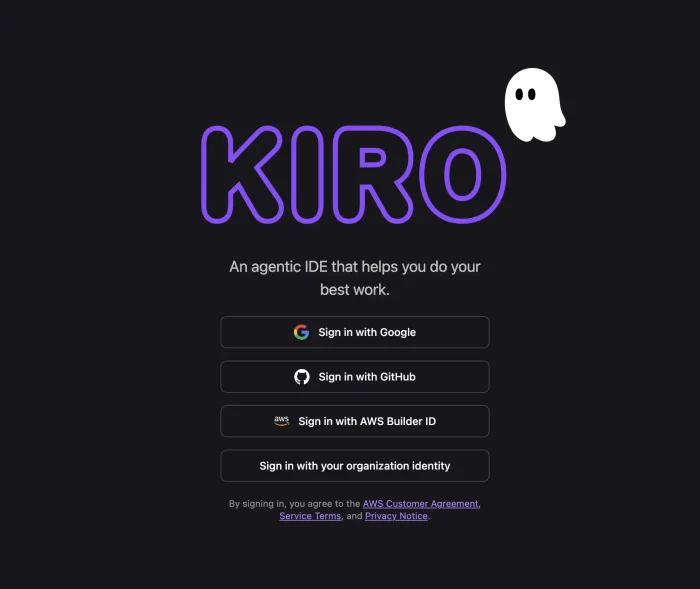
- Step 4: Sign in using Google, GitHub, email, or AWS Builder ID. An AWS account is not required.
- Step 5: Choose a project folder (ideally already tracked by Git) or create a new workspace.
Coming from VS Code?
Kiro is built on Code OSS, so your existing extensions and settings carry over. The interface will feel familiar, but the spec-driven workflow is completely new.
Kiro vs The Competition
How does Kiro compare to the other major AI coding tools in 2026?
| IDE | Approach | AI Engine | Price | Best For |
|---|---|---|---|---|
| Kiro | Spec-First + Hooks | Amazon Bedrock | Free / $19+ | Structured planning |
| Cursor | Editor + Agent | GPT / Claude | Free / $20+ | All-rounders |
| Google Antigravity | Fully Autonomous | Gemini Pro | Free (Preview) | Hands-off AI coding |
| Visual Studio 2026 | Traditional + Copilot | GitHub Copilot | Free / Paid | .NET / Enterprise |
What Does Kiro Look Like?
Here are screenshots from my own experience using Kiro on Windows.
Main Menu & Project Selector
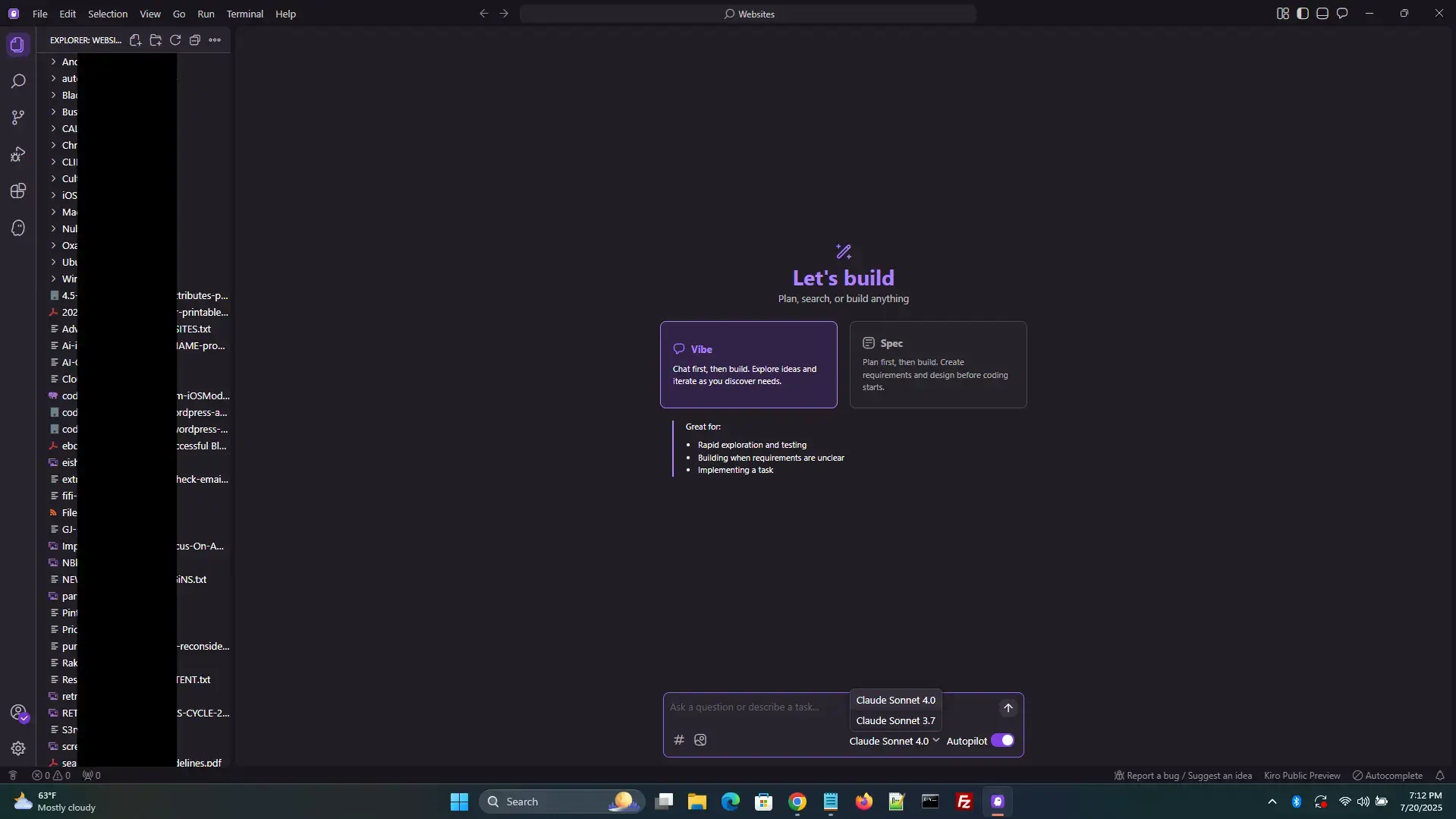
This is Kiro’s startup screen. You can open recent folders, start a new feature prompt, or adjust workspace settings.
Spec Generator Panel
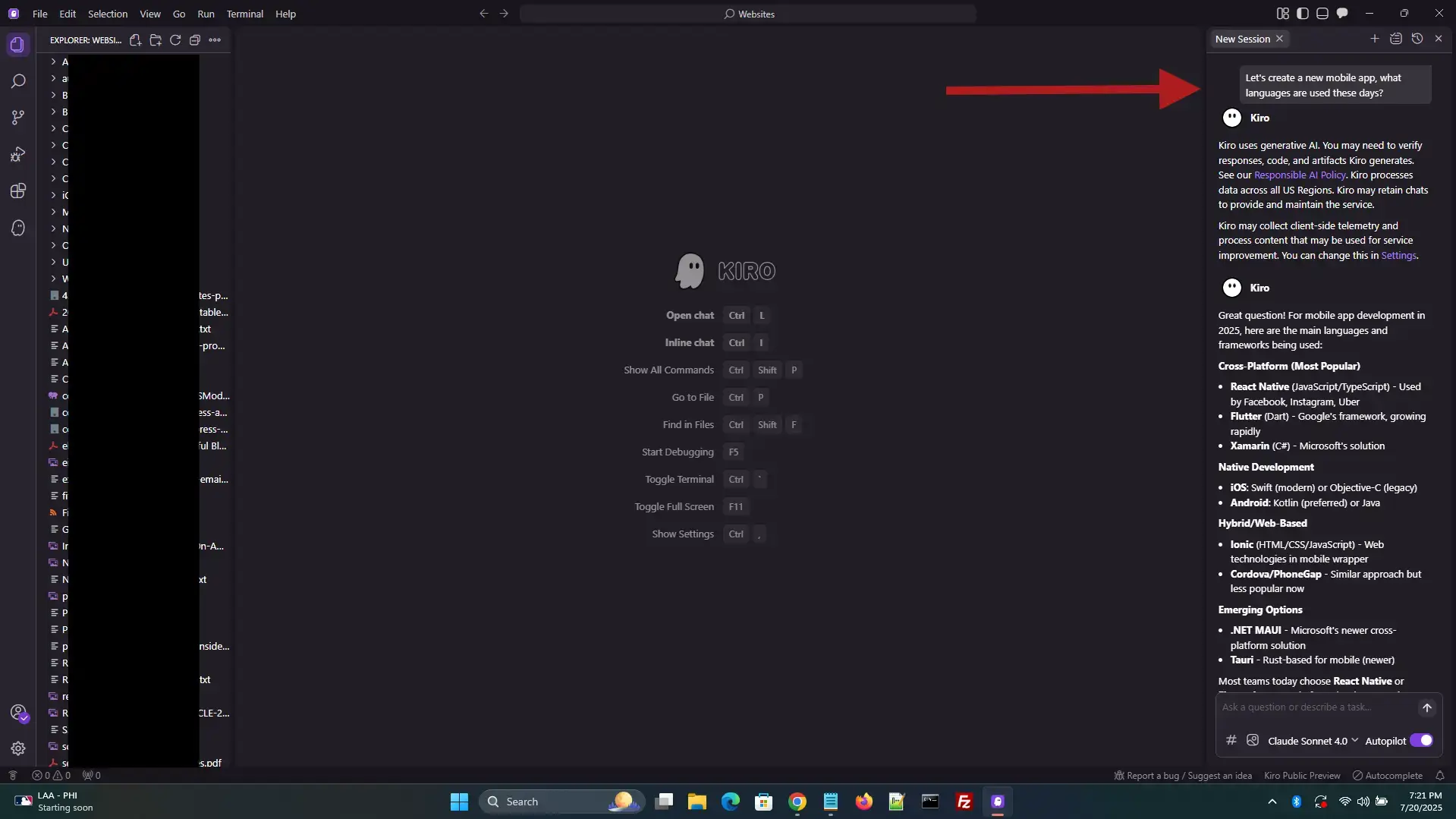
The spec entry field with a prompt typed in. After pressing enter, Kiro generates structured documents with stories and design plans.
Kiro Creating My App
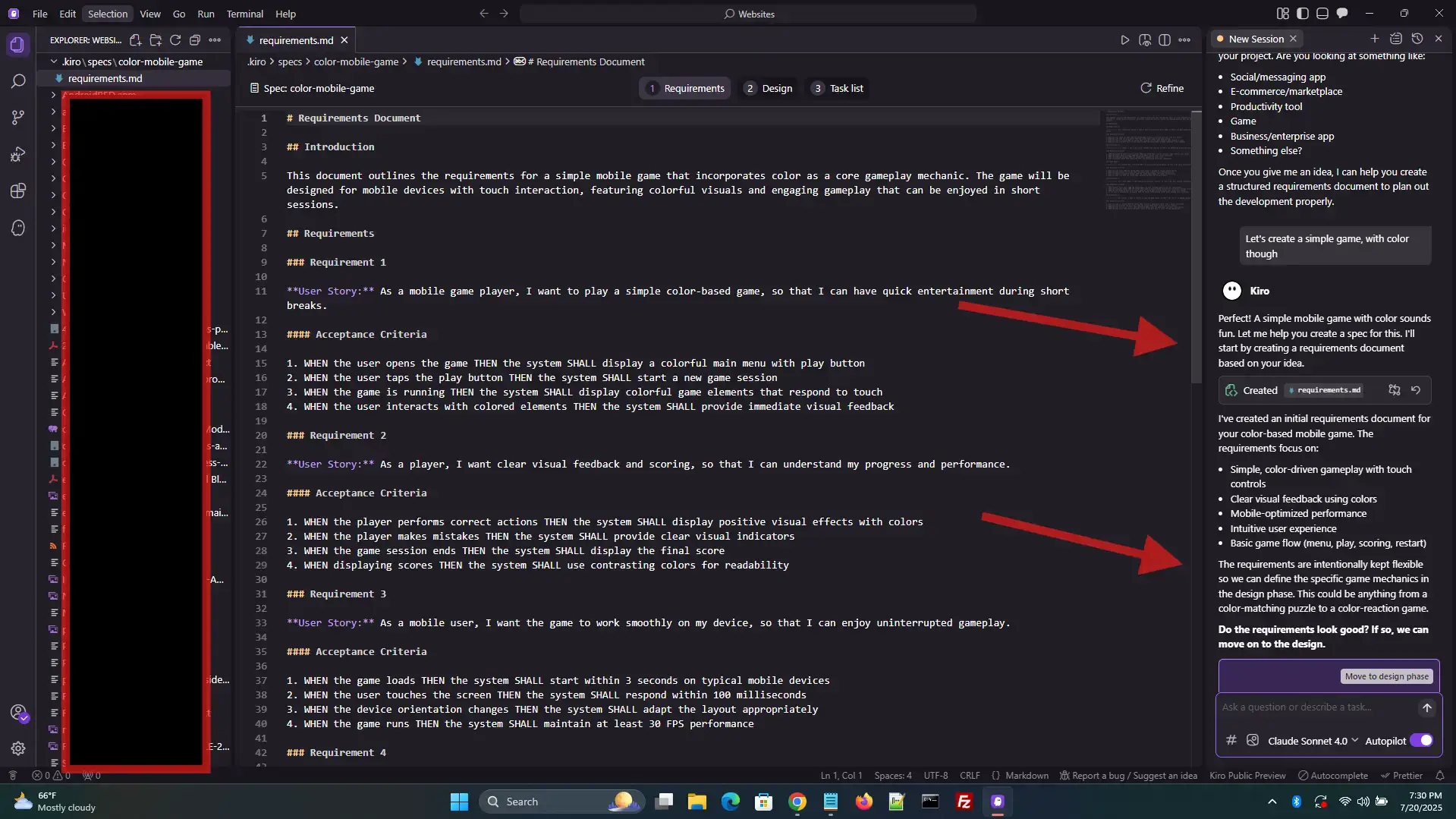
I told Kiro to brainstorm a random and simple mobile app game. Within a few seconds it was ready to go!
Creating Design Plans
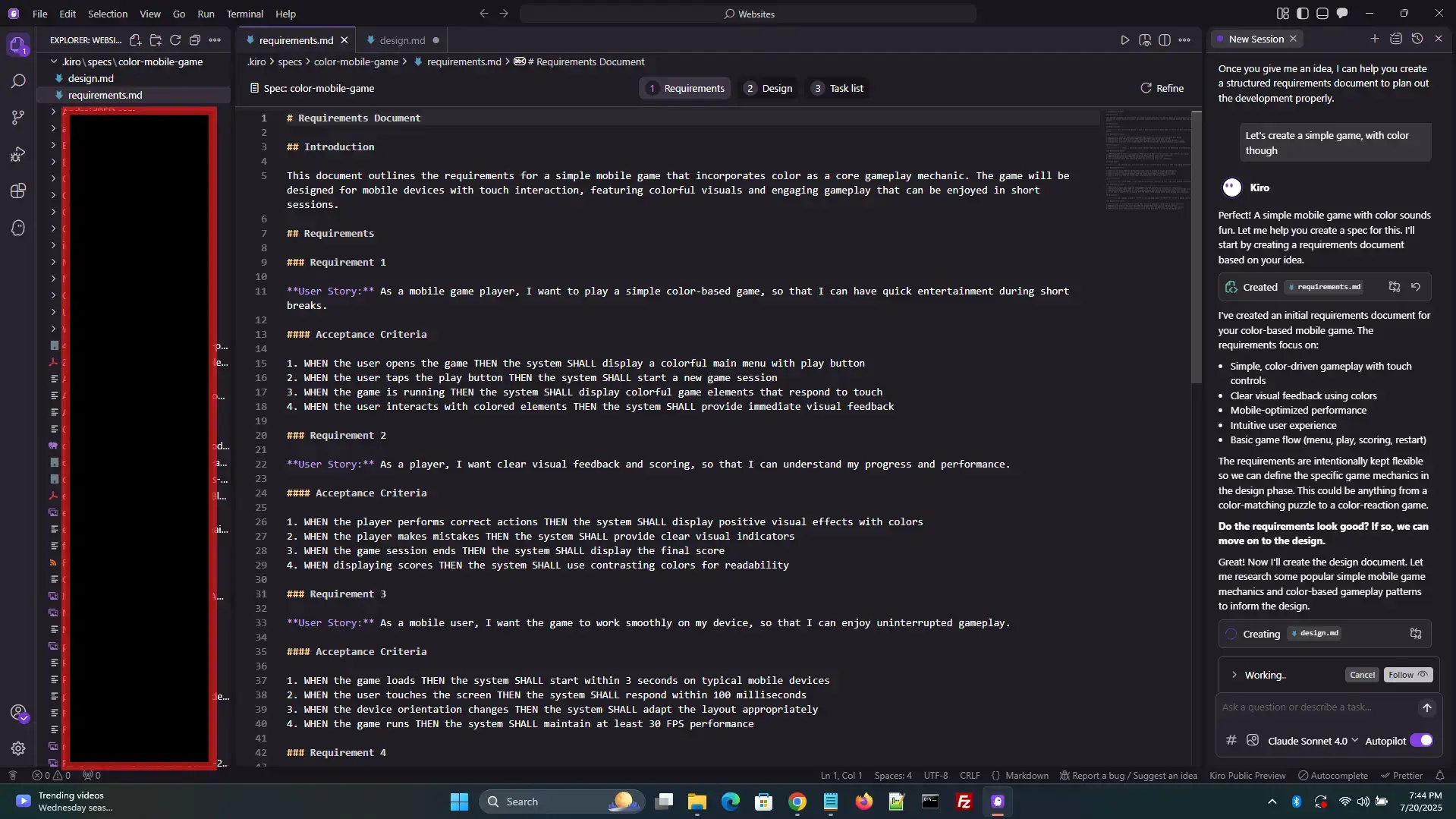
Kiro building out the full design document with a simple command. You can ask it to explain code, propose fixes, or follow up on past specs.
AI Agent Ready for Next Task
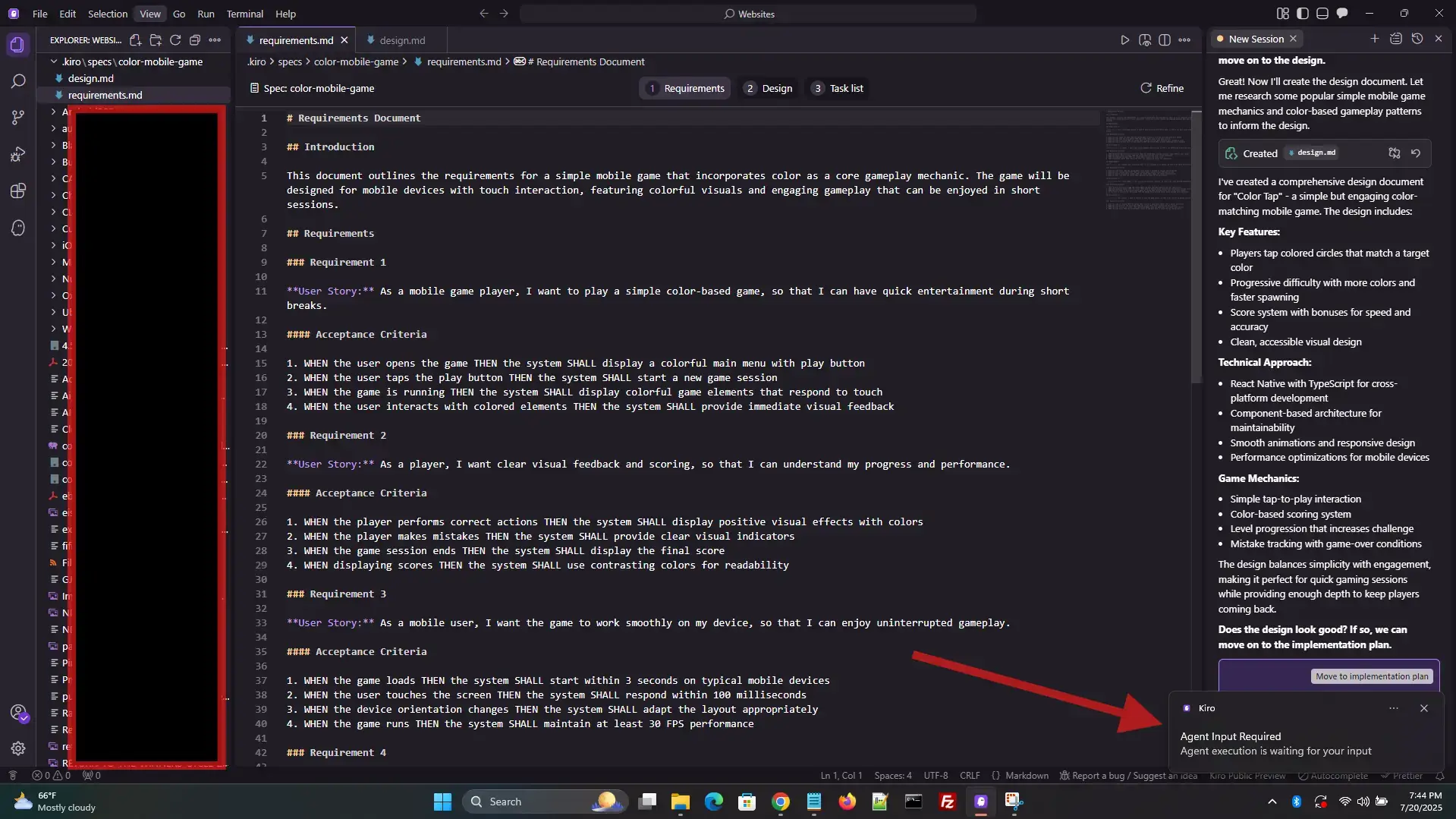
Kiro letting me know its agent is ready for the next task in the background.
Essential Kiro Keyboard Shortcuts
Kiro shares most of its shortcuts with VS Code since it is built on Code OSS. Here are the most important ones. You can download the full free VS Code Shortcuts PDF.
| Shortcut | What It Does |
|---|---|
Ctrl + Shift + P |
Open Command Palette |
Ctrl + I |
Open Agentic Chat panel |
Ctrl + L |
Open AI Chat |
Tab |
Accept AI autocomplete suggestion |
Ctrl + , |
Open Settings (AI, hooks, chat context) |
Ctrl + K |
Inline AI edit (edit selected code) |
Ctrl + / |
Toggle line comment |
Ctrl + ` |
Toggle integrated terminal |
Watch: Kiro IDE in Action
This video by Fireship gives a great quick overview of what Kiro can do and how it works.
Quick Start Guide
Here is how to get started with Kiro after you install it:
- Open a Git-Tracked Folder: Kiro works best when your code is version-controlled. Open an existing folder or create one and initialize Git.
- Launch the Spec Workflow: Use the sidebar to access Kiro’s “New Feature” panel. Enter a prompt like “Build a login form with validation.”
- Review the Generated Specs: Kiro creates
requirements.md,design.md, andtasks.mdin your repo. Review them before proceeding. - Activate Hooks: Navigate to the Hooks tab and enable triggers for tests, documentation updates, and linting on save.
- Chat with Your Agent: Open the Agentic Chat panel to ask questions, request changes, or get explanations about your codebase.
Common Issues and Fixes
Specs Not Generating
Make sure you are signed in and have selected a valid project folder. Restarting Kiro usually fixes this.
Hook Conflicts
If hooks behave unexpectedly, check your project’s Git status and make sure no commit hooks from other tools are conflicting.
Chat Lag
Occasional delays happen when context size is large. Try closing unused files or lowering the context depth in settings.
Spec File Placement
Kiro sometimes writes spec files into subfolders unexpectedly. You can move them manually and adjust default paths in preferences.
System Requirements
- Windows 10 or Windows 11 (64-bit)
- Intel Core i5 or Ryzen 5 processor (or better)
- 8 GB RAM minimum, 16 GB recommended
- 500 MB of free disk space
- Stable internet connection
Ready to Try Spec-Driven Development?
Plan your features, automate your tests, and let AI handle the tedious stuff.
Frequently Asked Questions
Is Kiro IDE free?
Yes. The free tier gives you a limited number of AI requests each month plus a welcome bonus. Paid plans start at $19/month for Pro, $39/month for Pro+, and $200/month for Power.
Does Kiro replace VS Code?
Kiro is built on Code OSS (the same foundation as VS Code), so it looks and feels familiar. But Kiro adds spec-driven development, automated hooks, and AI agents that VS Code does not have on its own.
What AI models does Kiro use?
Kiro is powered by Amazon Bedrock, which provides access to multiple foundation models. As of early 2026, it also supports Claude Sonnet 4.6.
Does Kiro require an AWS account?
No. You can sign in with Google, GitHub, email, or AWS Builder ID. You do not need an AWS account to use Kiro.
Can I use my VS Code extensions in Kiro?
Yes. Because Kiro is built on Code OSS, most VS Code extensions work without any changes.
Where to Follow Kiro
Related Guides
Check out our guides to Cursor IDE, Google Antigravity, and Visual Studio 2026.
Discover more from Windows Mode
Subscribe to get the latest posts sent to your email.














Add your first comment to this post