Readers like you help support this site. When you make a purchase using links on our site, we may earn an affiliate commission. All opinions remain our own.
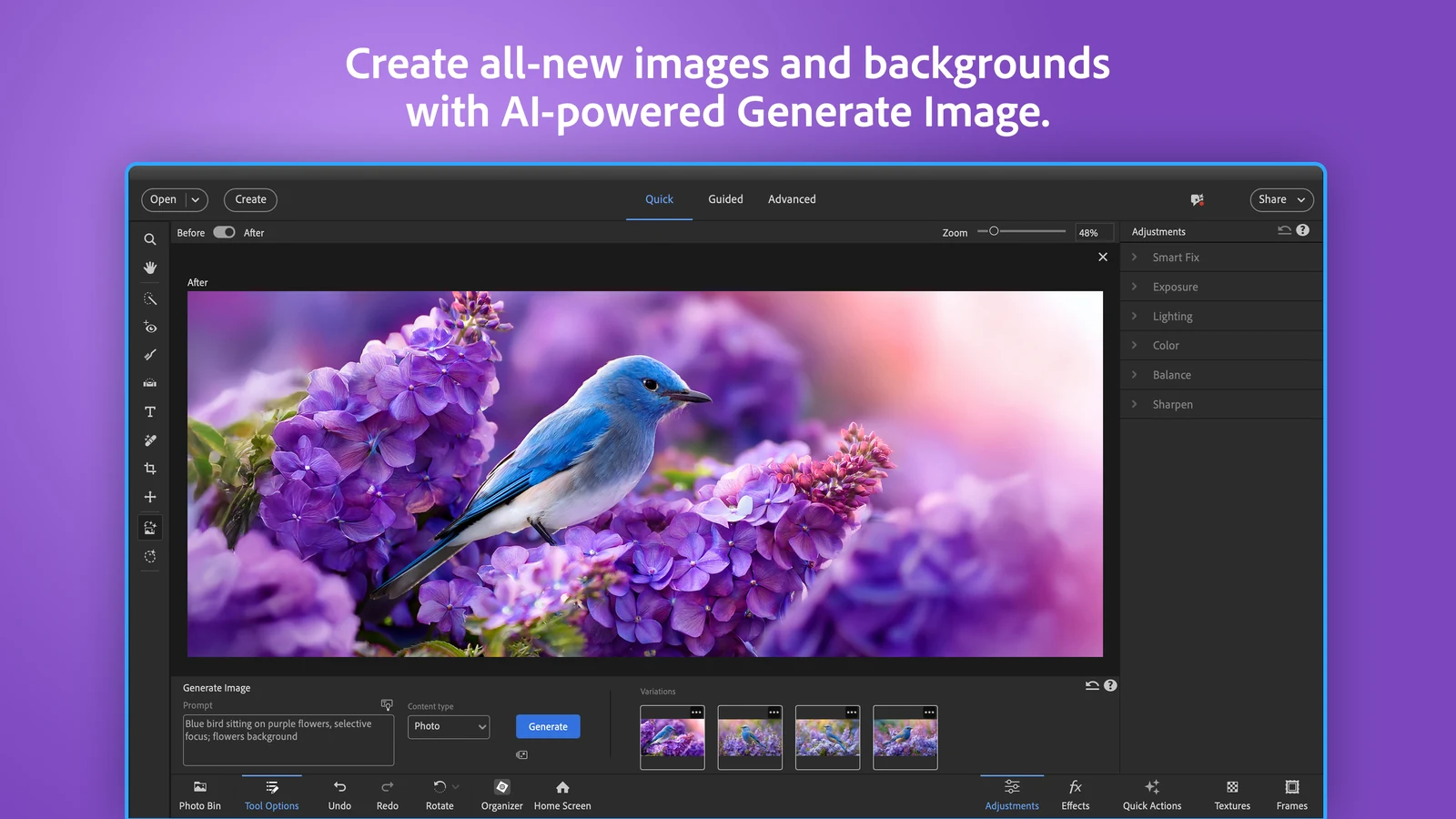
Photoshop Elements in Quick mode, creating a new image from a typed description. Image from Adobe.
Adobe Photoshop Elements is a photo editor for home users, sold on adobe.com and the Microsoft Store. It fixes, cleans up and restyles your photos with simple sliders, step-by-step guides and AI tools, and it keeps your whole photo library sorted in a built-in organizer.
Elements is not a cut-down Photoshop you have to learn from scratch. It is built for people who want a good result in a few clicks, with no monthly subscription. You pay once and get three years of use.
The current version needs Windows 11 (version 24H2 or later) on a regular Intel or AMD PC. Windows 10 and Arm laptops are no longer supported. There is a free 7-day trial with no credit card needed.
Below: what each AI tool looks like, what your PC needs, how the 3-year license and AI credits really work, and how Elements compares to full Photoshop. Questions? Reach out to us directly.
What Is Adobe Photoshop Elements?
Photoshop Elements is two apps that work together: a photo editor and the Elements Organizer. The Organizer imports, sorts and backs up your photos. The editor is where you fix and change them.
The editor has four modes, so it grows with you. Quick gives you sliders for light, color and sharpness. Guided walks you through a technique one step at a time. Advanced opens layers and the full toolbox. AI puts every AI tool in one workspace.
It is made by Adobe, the company behind Photoshop, and sold as a 3-year license rather than a subscription. Adobe releases a new version every fall, named after the next year.
Key Features of Photoshop Elements on Windows
Every screenshot below comes from Adobe’s own Microsoft Store listing for the current version.
Remove people and objects
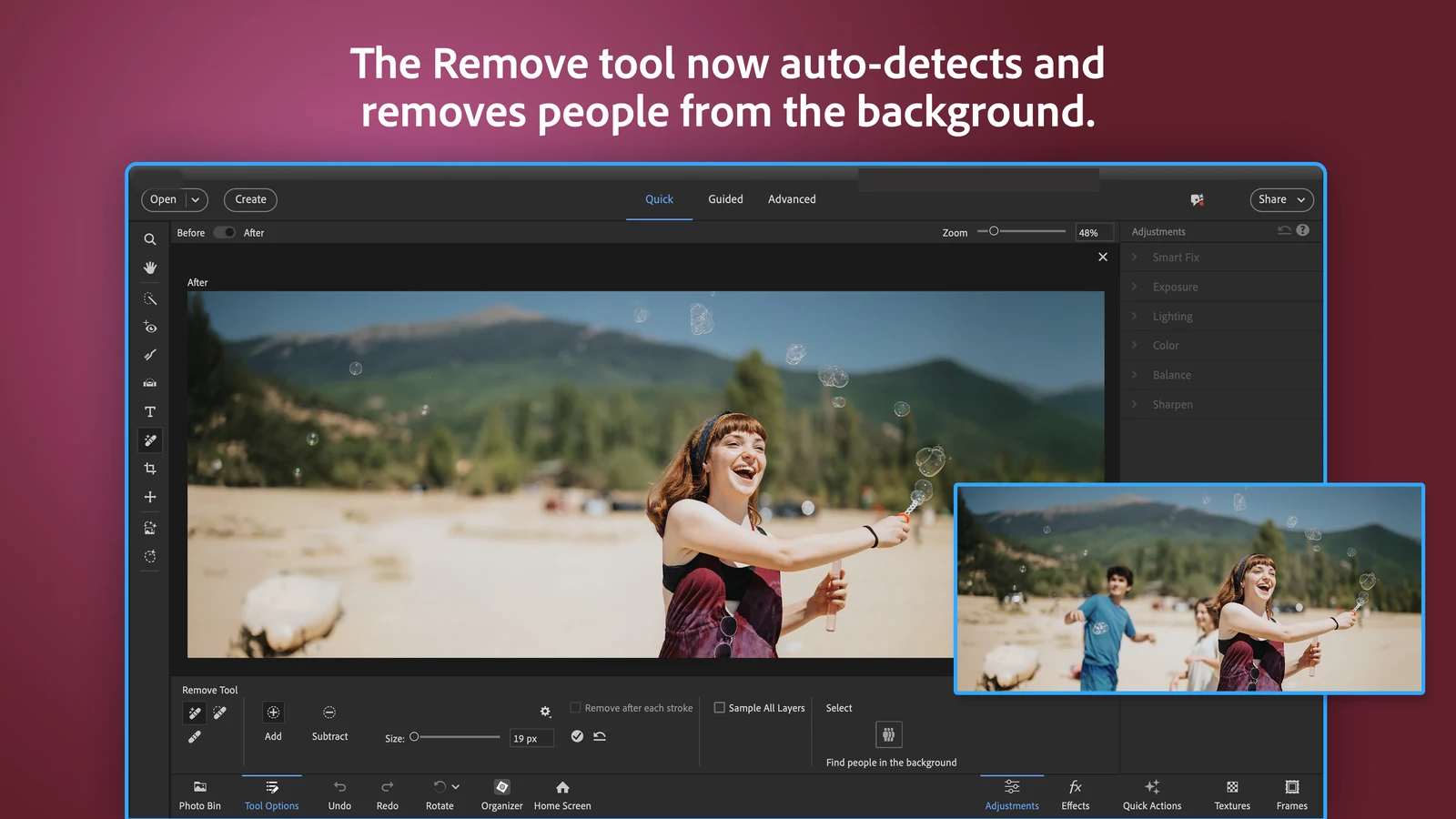
Brush over a power line, a stranger or a trash can and it disappears, with the background filled in. The Remove tool can also find people in the background for you, so you can erase a whole crowd behind your subject in one click.
Make a photo bigger with Generative Expand
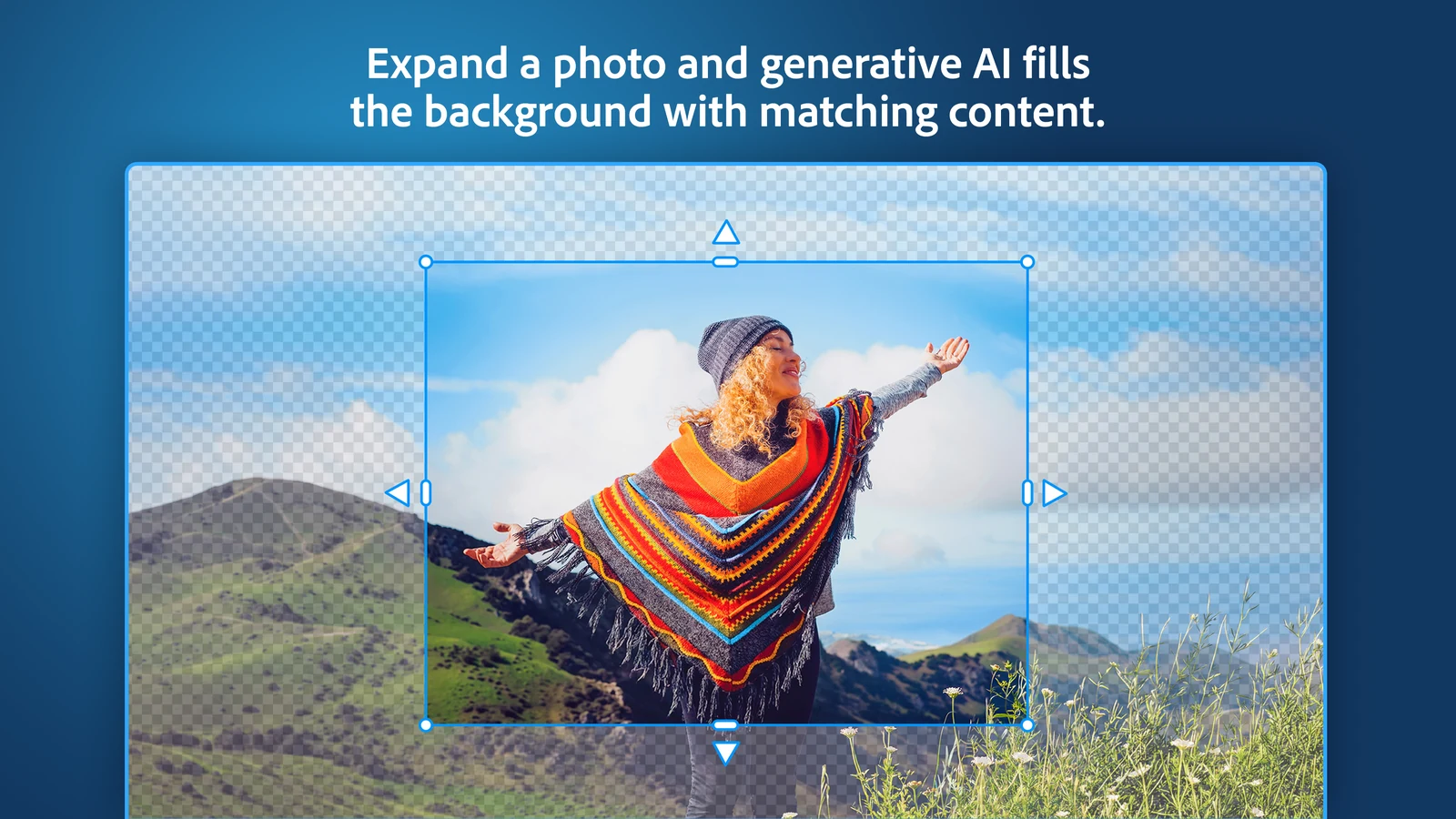
Drag the edges of a photo outward and AI fills the new space with matching sky, ground or wall. It is the fix for a shot framed too tight, or one that needs to fit a different print size.
Generative Expand uses AI credits. See the credits section below for how many you get.
Sharpen small photos with Generative Upscale
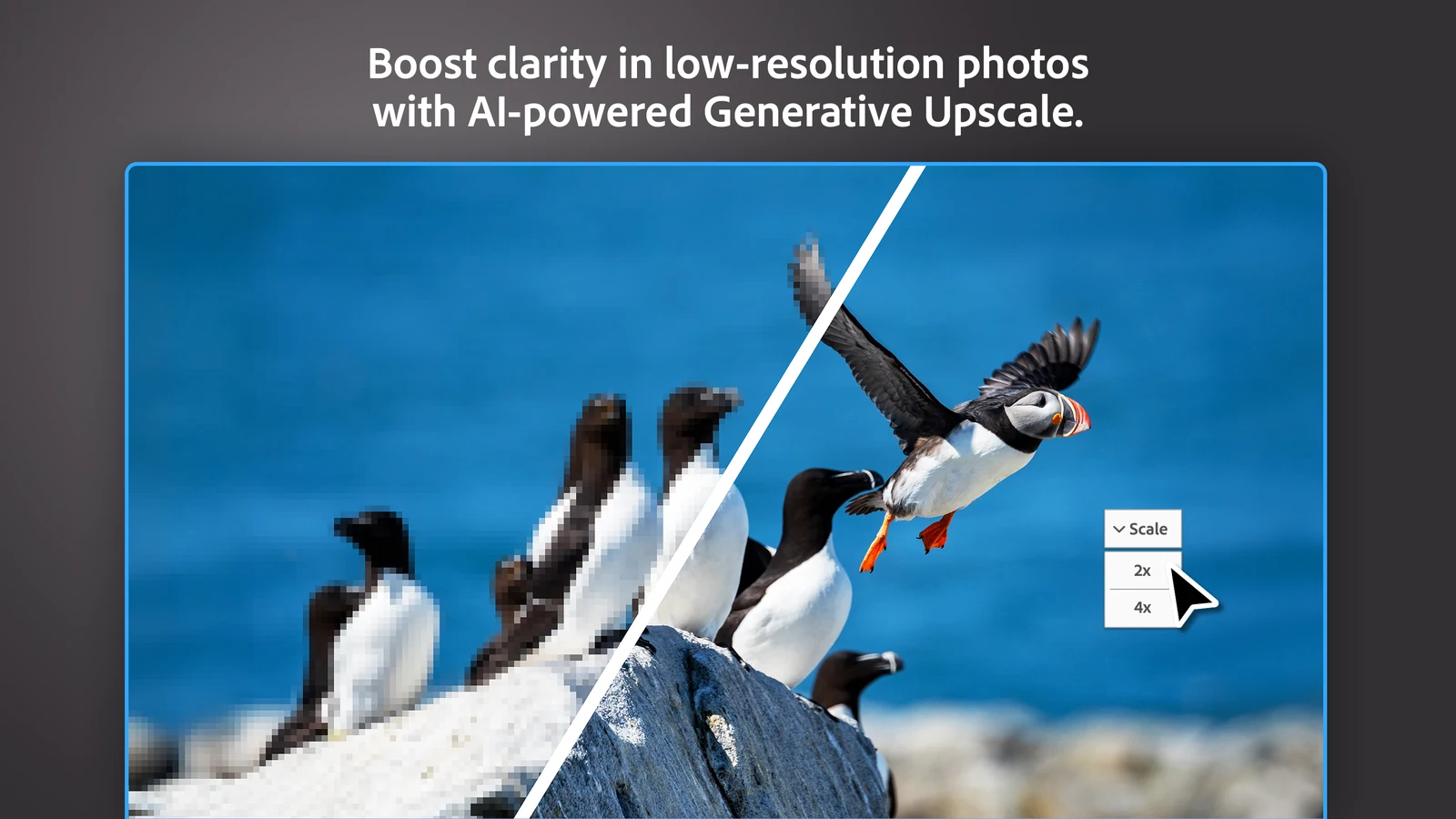
Old phone pictures and photos saved from the web often look blocky when printed. Generative Upscale enlarges them 2x or 4x and rebuilds the missing detail, instead of just stretching the pixels.
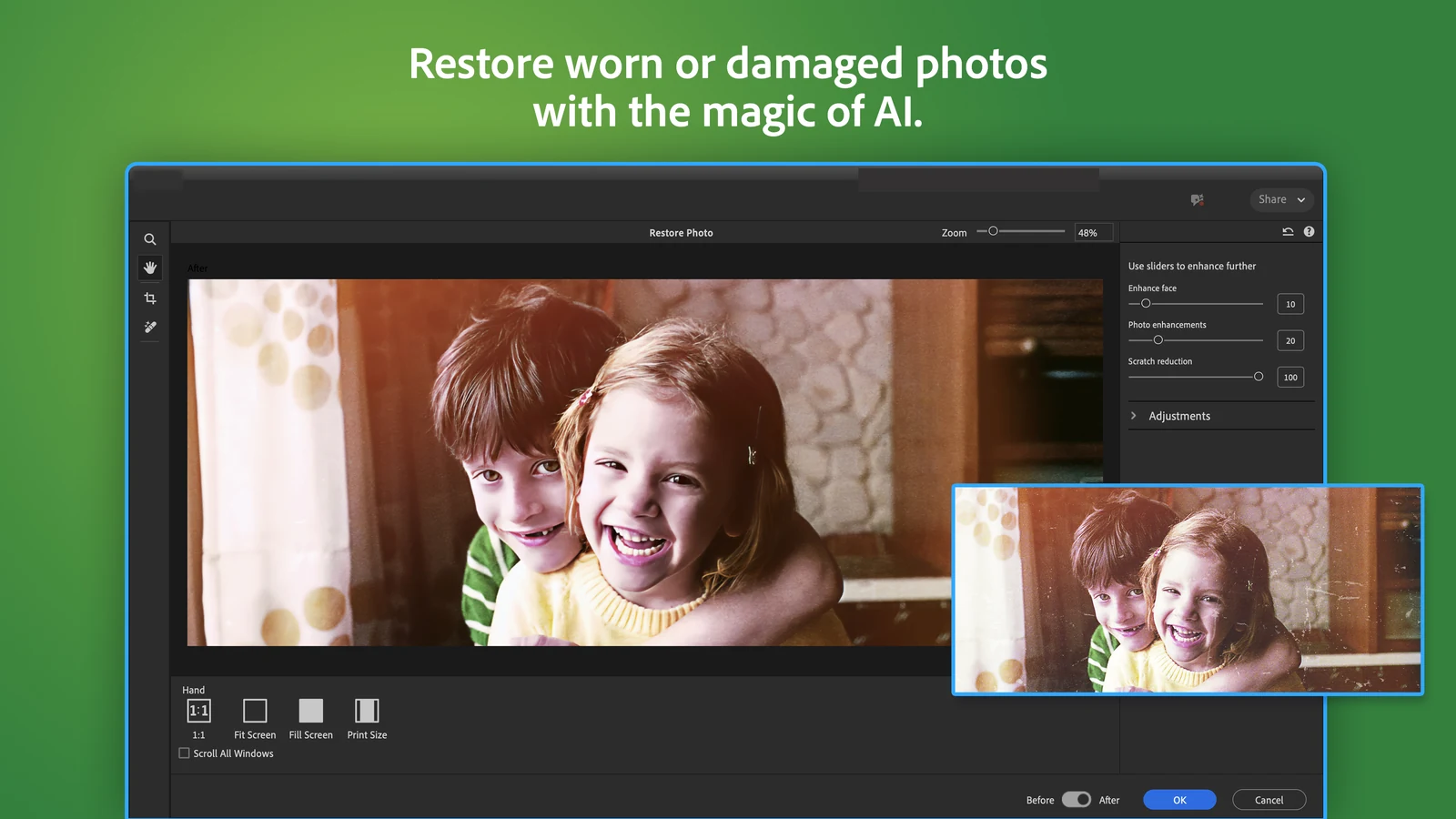
Bring old family photos back
Scan a faded or scratched print, open Restore Photo and move three sliders: one for faces, one for overall quality and one for scratches. You see the before and after side by side before you save.
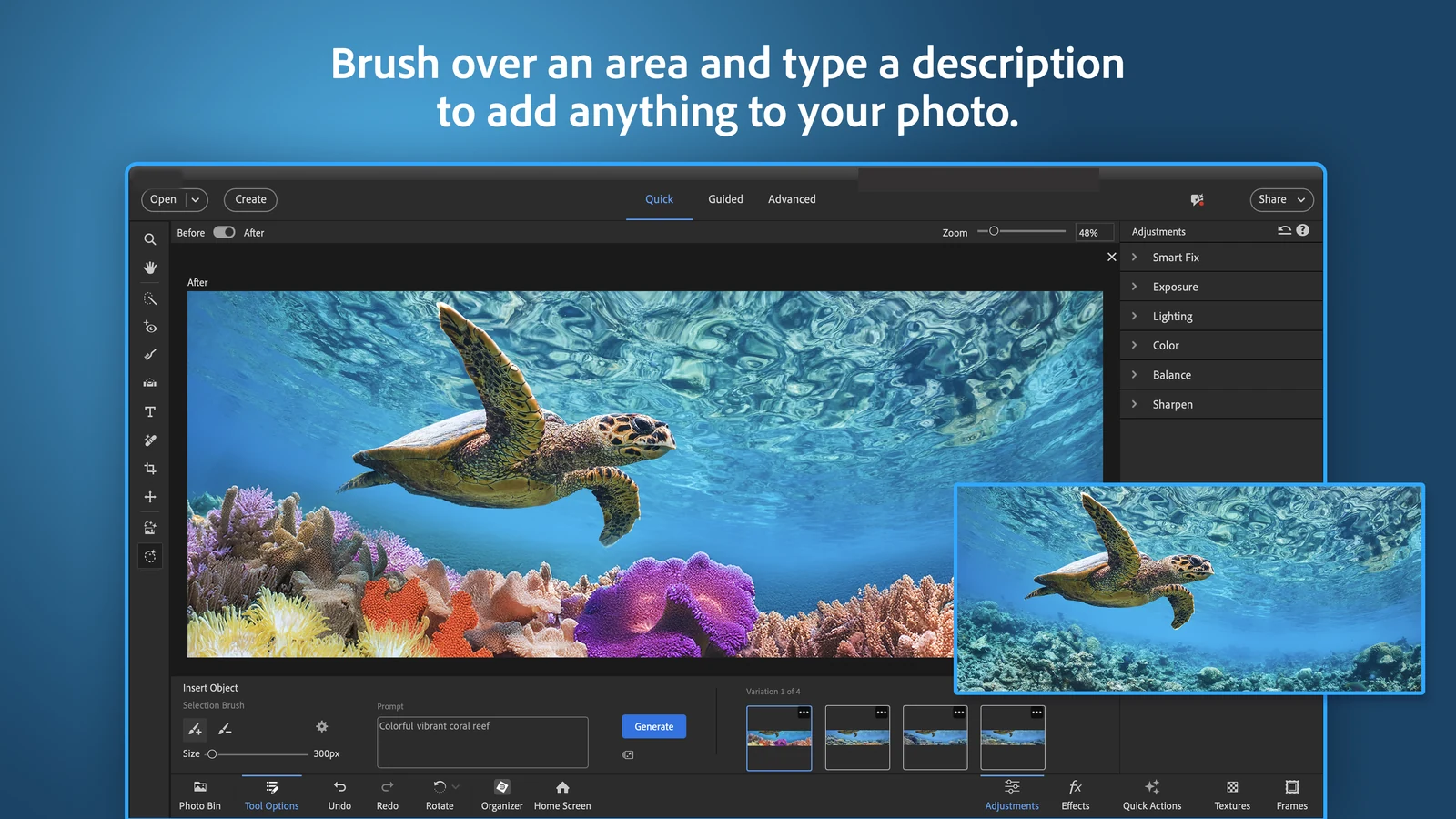
Add things to a photo by typing
Brush over an area, type what you want there, like a coral reef or a sunset sky, and pick from four versions. Generate Image goes further and makes a whole new picture or background from a description.
Both run on Adobe Firefly and, if you choose, partner AI models, and both use AI credits.
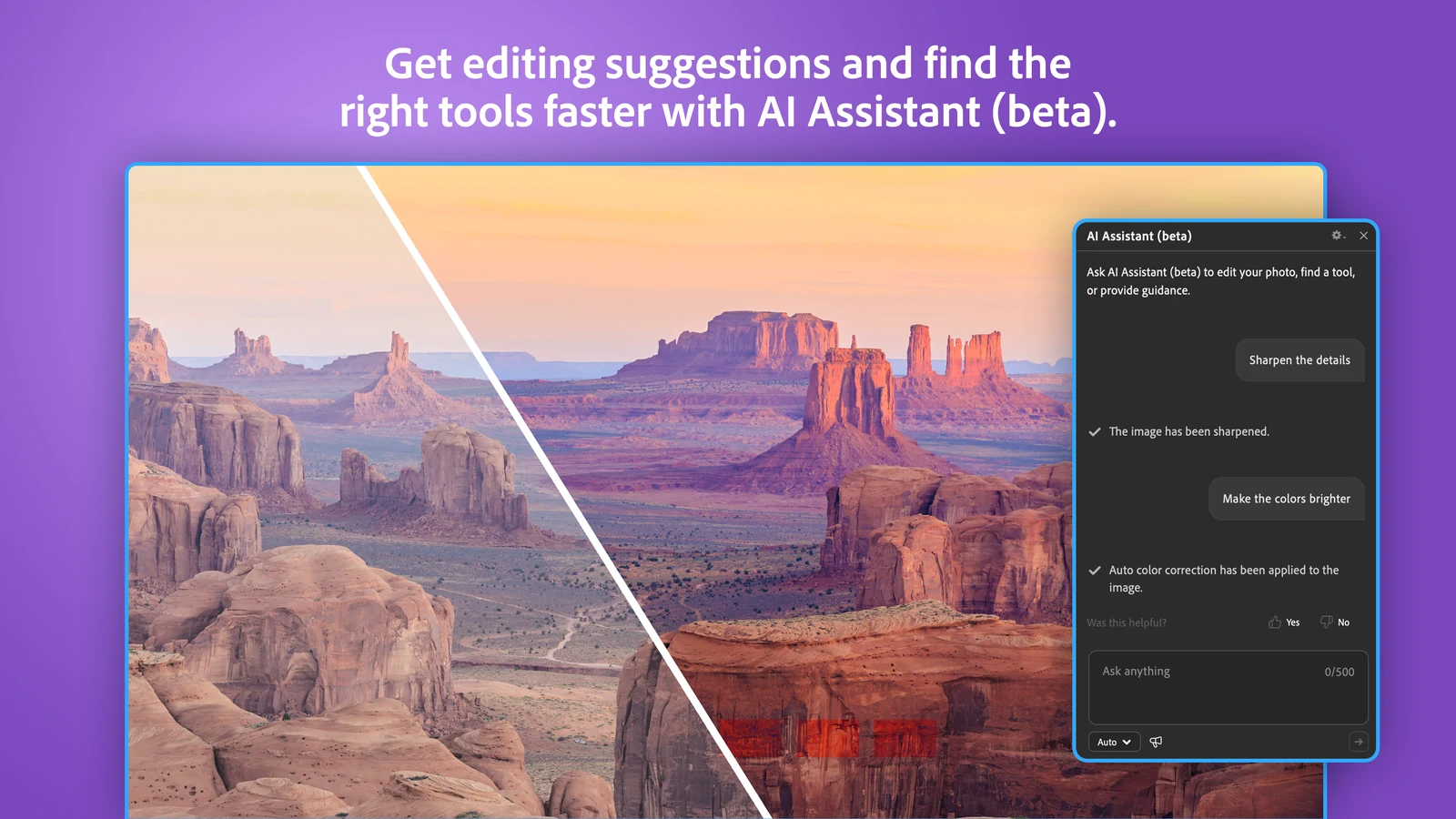
Ask the AI Assistant for help
Not sure which tool you need? Type a request like make the colors brighter, and the AI Assistant either does it or points you to the right tool. It is labeled beta, so treat it as a helper rather than a finished feature.
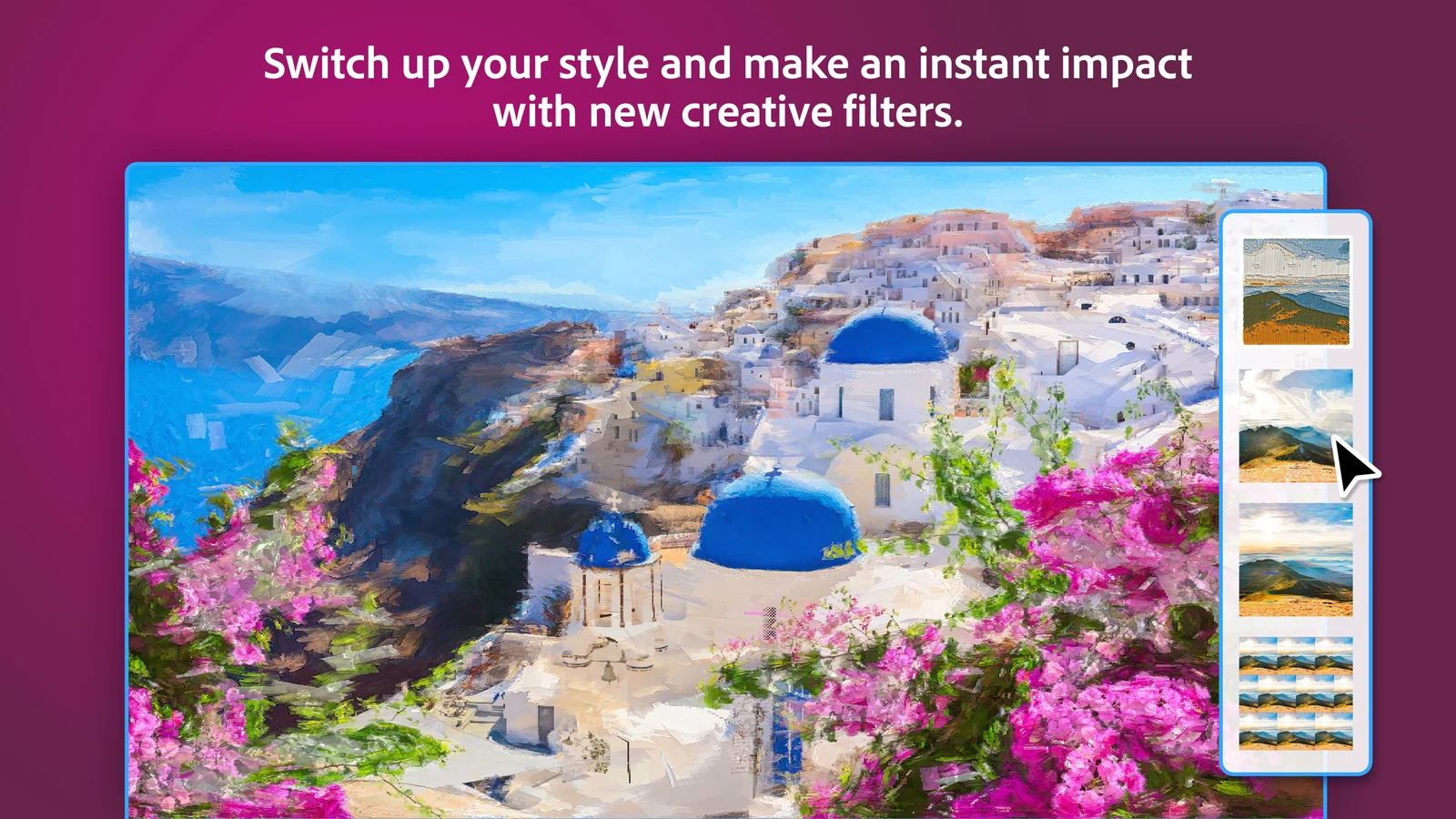
Creative filters with real control
Turn a photo into an oil painting, an embroidery pattern or a two-color duotone. Each filter has presets, and sliders for strength, texture and color, so the result does not look like a one-click filter.
Guided Edits
Step-by-step lessons inside the app for things like swapping a sky, combining photos or fixing a dull landscape. You learn the technique while you finish the edit.
An organizer that finds photos for you
Import from your PC or popular cloud services, sort and back up automatically, and remove duplicates. You can also search by describing a photo, like dog on the beach (English only, beta).
Photoshop Elements System Requirements
Check this before you buy. The current version runs only on Windows 11 version 24H2 or later, and not on Arm laptops like Snapdragon-based Copilot+ PCs. Windows 10 is not supported at all.
Not sure which Windows version you have? Press Windows + R, type winver and press Enter. The box that opens shows your version, for example 24H2. Full list: Adobe tech specs.
How to Get Photoshop Elements on Windows
The easiest start is the free trial. It is the full app, and when the 7 days end you can buy from inside it without downloading again.
1 Go to Adobe’s Photoshop Elements free trial page.
2 Click Download for Windows. No credit card is needed.
3 Open the downloaded file from your Downloads folder.
4 Sign in with your Adobe account, or create a free one.
5 Follow the install prompts, then open Photoshop Elements from the Start menu.
Three ways to get it
- Adobe.com: the trial download above, then buy from inside the app or on the Photoshop Elements page.
- Microsoft Store: search for Photoshop Elements, or open the Store listing. The publisher is Adobe Inc., and it offers the same 7-day trial.
- Amazon: buy an online code on Amazon, then install the trial above, sign in with your Adobe account and enter the 24-character code to unlock it.
Want video editing too? Premiere Elements is the matching video app and shares the same Organizer. See our Premiere Elements guide.
How Much Does Photoshop Elements Cost?
There is no subscription. You pay once and can use the app for three years. After that the license ends and the editor stops opening, so think of it as about $33 a year rather than a lifetime purchase.
How the 3-Year License and AI Credits Work
The license ends after 3 years
The clock starts when you redeem it. When it runs out, the editor no longer opens and nothing renews by itself. Your photos stay on your PC, and the Organizer catalog stays readable for as long as you want.
25 AI credits every month
Tools that generate new pixels, like Generate Image, Insert Object, Generative Expand and Generative Upscale, use credits. You get 25 a month, which reset on your purchase date and do not roll over. The trial includes 10.
What happens when credits run out
You wait for the monthly reset, or buy more by adding an Adobe Firefly plan. Partner AI models can cost more credits than Adobe’s own, and the app shows the cost before you generate.
Most tools need no credits
Quick fixes, Guided Edits, filters, layers, the Organizer and the regular editing tools work without credits. Only generative AI features draw from your balance.
Check your balance with the Credit Balance icon in the app, or on your Adobe account page. Details: Adobe generative credits help page.
Photoshop Elements vs Photoshop
This is the choice most people are really making. Photoshop does far more, but it costs a subscription and takes much longer to learn.
Our take
For family photos, trips and the odd restoration job, Elements does what most people need at a fraction of the price, and the Guided Edits teach you along the way. If you edit for clients or need pro print and design tools, pay for Photoshop. If you would rather pay nothing, look at our best photo editors for Windows list.
Who Should Buy Photoshop Elements?
- You want good-looking photos without learning Photoshop
- You have years of family photos to sort and fix
- You dislike monthly subscriptions
- Your PC runs Windows 10 or is an Arm laptop
- You only crop and brighten now and then; the free Photos app covers that
- You need pro design or print tools
- You expect to own it forever; the license ends after 3 years
- You plan to lean on AI tools; 25 credits a month goes fast
- You buy it near a fall release; a new version may be weeks away
Tips for Getting Started with Photoshop Elements
1 Start in Quick mode. Smart Fix and the sliders for exposure, color and sharpness fix most photos in under a minute.
2 Use Guided mode to learn. Pick a Guided Edit for the look you want and follow the steps. It is the fastest way to learn what each tool does.
3 Save your credits for real jobs. Only generative tools use credits, so try Quick fixes and Guided Edits first and keep the 25 monthly credits for Generative Expand and Upscale.
4 Let the Organizer import everything once. After the first import, search and duplicate detection save a lot of scrolling later.
5 Save a layered copy. Before you export a JPEG, save a PSD copy too, so you can come back and change the edit later.
Photoshop Elements Walkthrough Video
Watch this walkthrough from HTG Photo to see the new AI tools, the AI workspace and the creative filters in action.
Frequently Asked Questions
What are the system requirements for Photoshop Elements on Windows?
Does Photoshop Elements run on Snapdragon or other Arm laptops?
What happens when the 3-year license ends?
Is there a free version of Photoshop Elements?
Can Photoshop Elements edit RAW photos?
Support and Community
- Adobe, the developer’s own website.
- Photoshop Elements Help, Adobe’s guides for every tool, plus install and activation help.
- Photoshop Elements community forum, where Adobe staff and longtime users answer questions.
- r/photoshop on Reddit, a large community for editing help, including Elements questions.
More Windows software guides: Premiere Elements · Photoshop Express · Affinity Photo · PaintShop Pro · PhotoGIMP · Best Photo Editors
Discover more from Windows Mode
Subscribe to get the latest posts sent to your email.













Add your first comment to this post