Readers like you help support this site. When you make a purchase using links on our site, we may earn an affiliate commission. All opinions remain our own.
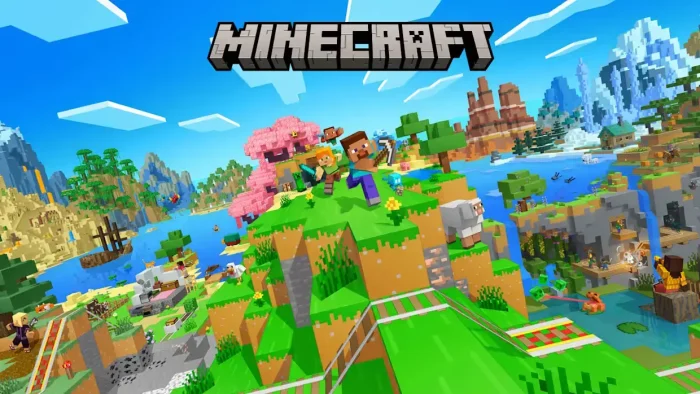
Minecraft is a sandbox survival game for PC from Mojang Studios, available via the Microsoft Store and Amazon. You gather materials, craft tools, build shelters, and survive against creatures that come out at night. There is no fixed goal.
You play at your own pace, alone or with friends, for as long as you want.
There are two versions on PC and both come in the same purchase. Java Edition is the original PC version with full mod support and community servers. Bedrock Edition lets you play with friends on Xbox, PlayStation, Nintendo Switch, and mobile from your Windows machine.
Minecraft originally launched in 2011. It is available on Windows 10 and Windows 11 through the Microsoft Store and is included with Xbox Game Pass Ultimate and PC Game Pass. This guide covers both editions, how to download them, current system requirements, and what has changed in 2026.
Already playing? Drop your best build in the comments. New to the game? The guide below covers exactly how to get started on Windows.
How to Download Minecraft on Windows
Minecraft: Java and Bedrock Edition is sold as a single purchase. One payment gives you access to both editions through the Minecraft Launcher. You need a Microsoft account to install and run the game. The download takes between 1 and 3 GB depending on the edition.
- Step 1. Buy the game from the Microsoft Store or Amazon. If you have Game Pass, skip to Step 3.
- Step 2. Sign in with your Microsoft account during checkout. If you do not have one, create a free account at microsoft.com before buying.
- Step 3. Download and install the Minecraft Launcher from the Microsoft Store or from minecraft.net. This is the one program that manages both editions.
- Step 4. Open the Minecraft Launcher and sign in with your Microsoft account.
- Step 5. Choose Java Edition or Bedrock Edition from the left menu, then click Install and wait for the download to finish.
- Step 6. Click Play. For Java Edition, pick the latest version from the dropdown. For Bedrock, it updates automatically.
Editions Available on PC
Java and Bedrock Edition
The standard purchase gives you both Java and Bedrock. One launcher manages both. Full mod support for Java, Marketplace and cross-play for Bedrock.
$29.99
Deluxe Collection
Includes both editions plus 700 Minecoins (in-game currency for the Marketplace), skin packs, and extra Character Creator items.
Higher price — check store for current offer
Game Pass Access
Minecraft is included with Xbox Game Pass Ultimate and PC Game Pass. A lower-cost way to play if you do not want to buy it outright.
Included with eligible Game Pass plans
What Is Minecraft?
Minecraft puts you in a blocky, procedurally generated world with no fixed instructions. You mine stone, chop wood, craft tools, and build whatever you want. There is no story you have to follow. The only pressure is surviving the night when hostile mobs like creepers, zombies, and skeletons come out.
Survival mode is where most people start: you gather food and materials, build a shelter, and explore caves and biomes. Creative mode removes all restrictions and gives you unlimited blocks for pure building. Adventure and Spectator modes offer more controlled ways to play custom maps and community creations.
Multiplayer expands everything. Java Edition supports community servers with thousands of players and custom game modes. Bedrock Edition connects Windows players with friends on Xbox, PlayStation, Nintendo Switch, and phones. Both editions support Realms, Mojang’s private hosted servers (up to 10 players at a time).
Java Edition vs Bedrock Edition on PC
| Feature | Java Edition | Bedrock Edition |
|---|---|---|
| Cross-play with consoles and mobile | No (Java players only) | Yes (Xbox, PS5, Switch, Mobile) |
| Community mods | Yes (full mod support) | Add-ons only (limited) |
| Marketplace | No | Yes (skins, worlds, add-ons) |
| Community servers | Yes (thousands of servers) | Yes (featured servers) |
| Ray tracing | No (shader mods available) | Yes (requires DXR-capable GPU) |
| Performance | Higher requirements | Runs more smoothly on lower-end hardware |
| Available on | Windows, macOS, Linux | Windows, Xbox, PS5, Switch, Mobile |
Official Trailer
Watch the Minecraft 15th Anniversary trailer to see how the game looks on PC in 2026 and the biomes, mobs, and building styles that have been added over the years.
https://www.youtube.com/watch?v=sDhNZCO_f5g
Key Features
Survival and Creative Modes
Survival mode has real stakes: you manage hunger, gather resources, and fight mobs. Creative mode removes limits and gives you every block for free. Both modes are available in Java and Bedrock.
Mods and Community Servers (Java)
Java Edition supports thousands of mods through launchers like Fabric and Forge. These change everything from graphics to gameplay. Community servers add mini-games, role-play worlds, and competitive modes on top of that.
Cross-Platform Play (Bedrock)
Bedrock Edition on Windows lets you join the same world as friends on Xbox, PlayStation 5, Nintendo Switch, and mobile. You all need to be on Bedrock and have a Microsoft account for multiplayer.
Minecraft Marketplace (Bedrock)
The in-game store for Bedrock has skin packs, custom worlds, add-ons, and texture packs made by Mojang and approved community creators. You can also subscribe to Marketplace Pass for access to 150+ packs for $3.99 per month.
Regular Updates
Mojang releases updates for both editions throughout the year. In 2026, Java Edition 26.1 added redesigned baby mobs and craftable name tags. Version 26.2, adding sulfur caves and new biomes, releases June 16, 2026. Bedrock runs on a parallel track with frequent patches.
Realms and Multiplayer
Realms are private hosted servers managed by Mojang. You can invite up to 10 players at a time. No need to set up your own server. Both editions have their own Realms plans, sold separately from the base game.
Is This Game for You?
You Will Love It If:
- ✅ You want a game with no fixed ending that you can play at your own pace
- ✅ You enjoy building, exploring, and experimenting freely
- ✅ You want to play with friends on Xbox, PlayStation, or phone (Bedrock)
- ✅ You want deep mod support and community servers (Java)
- ✅ You are looking for something the whole family can play together
- ✅ You have Game Pass and want a low-risk way to try it
You Might Not If:
- ❌ You need a clear story or a defined goal to stay motivated
- ❌ The blocky visual style is a dealbreaker for you
- ❌ You do not want to spend time learning crafting recipes or game systems
- ❌ You want to mod the game but are buying Bedrock Edition only
🎮 Our Take
Minecraft is one of the very few games that genuinely earns the label “play anything, build anything.” After 15 years it keeps getting updates, the community keeps creating, and new players pick it up daily. The dual-edition model can be confusing at first, but having both Java and Bedrock in one purchase is a good deal. Java is where modding and the oldest communities live. Bedrock is where most casual players and cross-platform groups end up. Neither is wrong.
If you want to mod freely, play on large community servers, or run custom maps: start with Java Edition. If you want to play with kids on a tablet, friends on console, or just want smoother performance on a low-end PC: go Bedrock. If you are not sure, Game Pass is the lowest-risk way to find out which feels right before paying full price.
Why Play on PC?
- Mods: Java Edition on PC has one of the largest mod communities of any game. Sites like CurseForge host tens of thousands of free mods covering new biomes, gameplay overhauls, tech systems, magic, and more. Console versions do not have this.
- Keyboard and Mouse: Precision building and inventory management are faster with a keyboard and mouse than with a controller. Most experienced Java players use mouse and keyboard.
- Community Servers: Java Edition PC players can join thousands of public servers with custom game modes, mini-games, role-play worlds, and competitive lobbies. This level of variety is not available on consoles.
- Game Pass access: PC Game Pass and Xbox Game Pass Ultimate include Minecraft at no extra cost, making it the cheapest way to try both editions on Windows.
System Requirements
Bedrock Edition
Java Edition
Tips for Getting Started
Spend Your First Night Underground
When night falls for the first time, dig a small hole in the side of a hill and block the entrance. Hostile mobs spawn in darkness above ground. You are safe underground. Use that first night to mine stone and coal.
Make a Crafting Table and a Furnace First
These two blocks unlock almost everything else in the game. The crafting table turns 4 wood planks into a 3×3 grid for recipes. The furnace cooks food and smelts ore into metal. Place both inside your first shelter.
Never Dig Straight Down
Digging straight down will drop you into a cave, lava, or a large void with no warning. Always dig at an angle or use a staircase pattern. This is the single most repeated advice in Minecraft communities for a reason.
Set a Spawn Point Before Exploring Far
Place a bed and sleep in it at least once to set your spawn point. If you die, you will respawn at that bed rather than the world’s original spawn. Exploring without a set spawn point can mean spawning far from your base.
Use the Wiki When You Get Stuck
The Minecraft Wiki at minecraft.wiki covers every recipe, mob, biome, and mechanic in the game. Keep a browser tab open whenever you play. It is one of the most complete wikis for any game.
Minecraft Screenshots
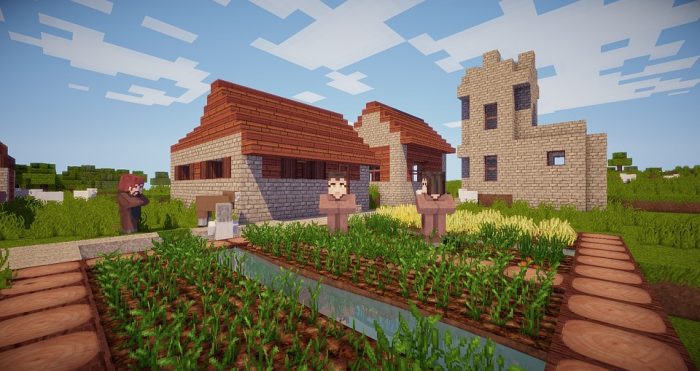
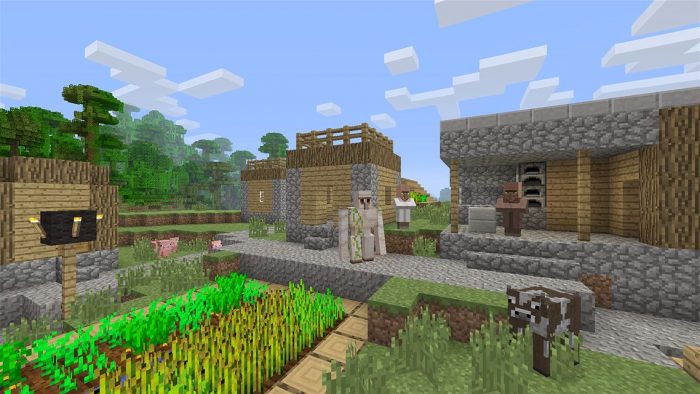
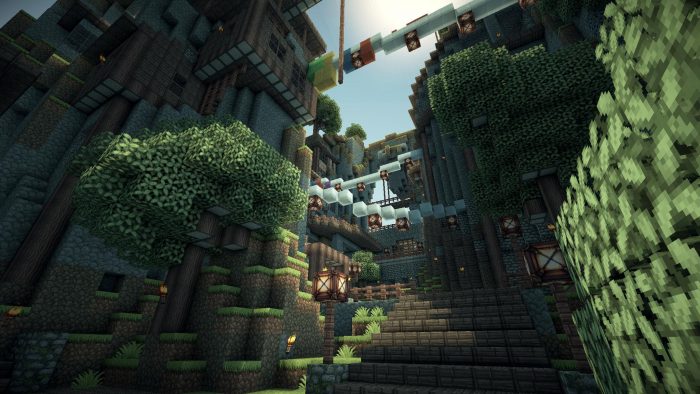
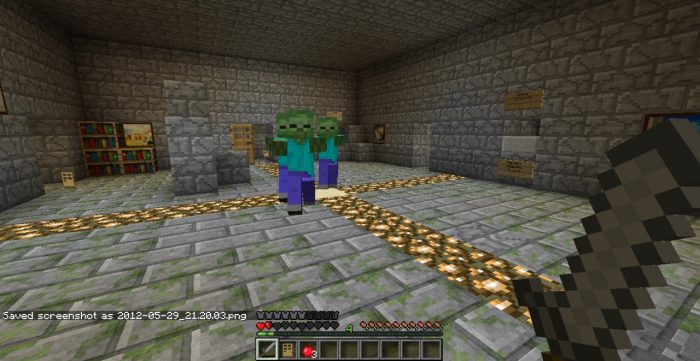
Browse the gallery below to see Minecraft running on PC, including survival mode, creative builds, cave systems, and different biomes.
Minecraft FAQ
Support and Community
Explore more Windows games: Minecraft Dungeons 2 · Minecraft Legends · Roblox for Windows · Fortnite for Windows · LEGO Fortnite Odyssey · PUBG for Windows
Need a PC upgrade to run these? See our Best Gaming Desktops guide
Discover more from Windows Mode
Subscribe to get the latest posts sent to your email.








Add your first comment to this post