Readers like you help support this site. When you make a purchase using links on our site, we may earn an affiliate commission. All opinions remain our own.
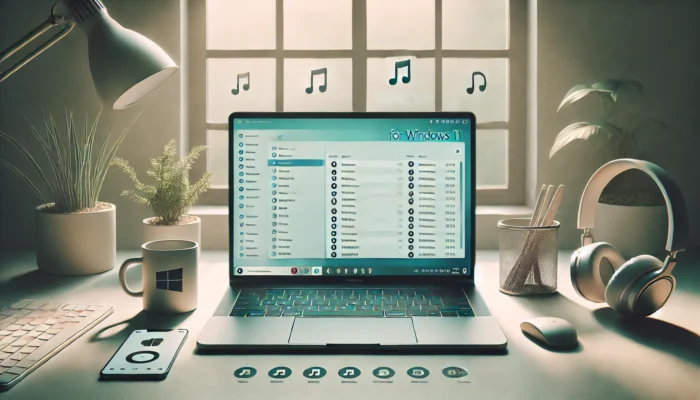
The best iTunes alternatives for Windows are MusicBee (best manager), MediaMonkey (huge libraries), foobar2000 (power users), and Cider (Apple Music streaming).
As of 2026, Apple has effectively split iTunes into three separate Windows apps: Apple Music, Apple TV, and Apple Devices. If you install these new apps, the old iTunes app will stop managing your music and only show Podcasts and Audiobooks.
If you want to manage your own MP3/FLAC files without dealing with Apple’s confusing new apps, the free tools below are faster, lighter, and give you total control.
In this guide, we explore the top iTunes alternatives for Windows 10 and 11. From advanced music managers to simpler players, these picks provide fresh ways to enjoy and organize your library without the limitations of iTunes.
💡
Quick Tip: Need to sync an iPhone? Use the official Apple Devices app from the Microsoft Store.
Quick Comparison
| App | Best For | Library Tools | Cost |
|---|---|---|---|
| MusicBee | Best Overall Manager | Excellent | Free |
| MediaMonkey | Massive Collections | Advanced | Free / Paid |
| foobar2000 | Audiophiles | Manual | Free |
| Cider | Apple Music Streaming | Cloud Only | Paid (Cheap) |
| VLC | Simple Playback | Basic | Free |
Best iTune Alternative Apps on PC

Best Overall
The ultimate iTunes replacement. It imports your existing iTunes library (including play counts) and handles tagging, artwork, and syncing with ease. It is fast, skinnable, and 100% free.
- Auto-tagging and artwork lookup
- Syncs with Android devices
- DSP effects and 15-band equalizer

Power Users
If you have 50,000+ tracks, MediaMonkey is the beast you need. It manages massive libraries without lag and offers powerful automated file renaming scripts.
- Advanced duplicate file finder
- Wi-Fi Sync to Android
- Automatic file organization rules

Audiophiles
A blank canvas for audio nerds. It looks plain out of the box, but you can customize every pixel and add components for FLAC, DSD, and high-res audio upscaling.
- Modular “build it yourself” interface
- Lowest system resource usage
- Gapless playback & expansive format support

For Apple Music
If you have an Apple Music subscription but hate the official Windows app, Cider is the answer. It is faster, prettier, and includes features Apple forgot, like Chromecast support.
- Modern, fluid interface (Spatial Audio support)
- Follows artists and integrates lyrics
- Requires Apple Music subscription

Simple Playback
Not a library manager, but the best “Swiss Army Knife.” If you just want to double-click a folder of songs and have them play immediately without importing anything, VLC is king.
- Plays literally any file format
- No setup required
- Zero library management (Folder view only)
Looking for more? See our list of best free media players.
Honorable Mentions
- Dopamine: A beautiful, modern player that fits the Windows 11 aesthetic perfectly. Great if MusicBee looks too “cluttered” for you.
- AIMP: A classic lightweight player with an old-school playlist focus, similar to Winamp but actively updated. (Microsoft Store Link)
- Winamp: The legend is still around, but mostly for nostalgia. It struggles with modern large libraries compared to MusicBee.
Have a favorite player we missed?
We update this guide regularly for 2026. If you know a great iTunes alternative or have feedback on our picks, we would love to hear from you, please feel free to contact us or leave a commet below.
Related Windows Guides
- Best Free Software for Windows – Essential apps for every new PC.
- Best Free Media Players – A deeper dive into video players like VLC and PotPlayer.
- Best Video Editing Software – Top tools for creating content on Windows.
Discover more from Windows Mode
Subscribe to get the latest posts sent to your email.














musicbee is bae
Thank you as always
i hate itunes smh
Foobar has the dumbest name
It is a kind of torture for me to use iTunes to transfer and manage my media files, crashes so frequently. I tried the copytrans before, handy and easy-to-use, however, the transferring speed is slow for large files, unlike another app, WinX MediaTrans.
UFUShare is a good place to find some useful software, and If you want to get rid of complicated iTunes and avoid erasing any contents by iTunes, here are better iTunes alternative to transfer music without iTunes.
It is very useful, and this top itunes alternatives from UFUShare is helpful, too.
Itunes was bloated software, good riddance.