Readers like you help support this site. When you make a purchase using links on our site, we may earn an affiliate commission. All opinions remain our own.
Roblox is a free online gaming platform for PC from Roblox Corporation, available via the official Roblox website and the Microsoft Store.
You play games built by other players, explore worlds, hang out with friends, or create your own games from scratch using Roblox Studio. It runs on Windows 10 and Windows 11. There is no single game here. The platform hosts millions of experiences across every genre.
What makes Roblox different from other gaming platforms is that players make the content. Everything you play on Roblox was built by someone else in the community using the same free tools you can download right now. Some of these games have millions of daily players and rival the polish of commercial titles.
Roblox is free to download and free to play. The in-game currency, Robux, is optional and used for avatar items and game passes inside specific experiences. This guide covers how to download Roblox on Windows, the new Roblox Plus subscription, system requirements, Roblox Studio, and tips for getting started.
Already playing? Drop your favorite game in the comments. New to the platform? The guide below has everything you need to get started on Windows. Got questions? Reach out to us directly.
How to Download Roblox on PC
Roblox installs as a small launcher and then downloads the rest when you first join a game. The initial install file is under 100 MB. You need a free Roblox account to play. No payment information is required to get started.
- Step 1. Go to roblox.com/download or open the Microsoft Store and search for “Roblox – Windows” (the newer app version).
- Step 2. Click Download or Install. If you use the official site, a small setup file called RobloxPlayerSetup.exe will download. This is the Roblox installer.
- Step 3. Run the setup file. Roblox installs automatically. No custom options or admin settings are needed.
- Step 4. Create a free account at roblox.com if you do not have one. You can also sign in with an existing Google or Apple account.
- Step 5. Log in and browse the home page. Click any experience to launch it. Roblox will open the game automatically.
- Step 6. The first time you join a game, Roblox downloads the game files. Subsequent joins are faster.
What Is Roblox?
Roblox is not one game. It is a platform where players build and publish their own games, and other players come to play them. As of late 2025, Roblox has 144 million daily active users. The games cover every genre: obstacle courses (called “obby” games on the platform), simulators, role-playing worlds, horror experiences, shooters, and more.
Every game on Roblox was made in Roblox Studio, the free creation tool built into the platform. Some developers are teenagers building their first game. Others run full studios with hundreds of employees earning millions of dollars per year from their Roblox games. The same tool is free to anyone with a Roblox account.
Robux is the in-game currency. You use it to buy avatar items in the Marketplace, unlock game passes inside specific experiences, or subscribe to Roblox Plus. You never have to spend Robux to play. Most games on the platform are fully free to enter. Spending is always optional.
Roblox Plus: The New Subscription (2026)
Roblox launched Roblox Plus on April 30, 2026. It replaced the old Roblox Premium system for new sign-ups. Existing Premium members keep their plans, but no new Premium sign-ups are available.
Roblox Plus
$4.99 / month
- 10% discount on items and avatars (20% after 3 months)
- Free unlimited private servers
- Send Robux to other players for free
- Trade and resell limited avatar items
- Distinct Plus badge on your profile
Plus Bundles
Pair Roblox Plus with a recurring monthly Robux allocation. Pay once for both benefits.
- Plus 500: subscription + 500 Robux/month
- Plus 1000: subscription + 1,000 Robux/month
- Plus 2000: subscription + 2,000 Robux/month
Prices vary by bundle. Check roblox.com for current bundle pricing in your region.
Robux: How the Currency Works
| Bundle | Price (USD) | Robux Included |
|---|---|---|
| Small | $9.99 | 800 Robux |
| Medium | $49.99 | 4,500 Robux |
| Large | $99.99 | 10,000 Robux |
Roblox Studio: Build Your Own Games
Roblox Studio is the free creation tool that runs alongside the Roblox player. It is a separate download, available for Windows and Mac, and it is how every single game on the platform was made. You do not need any programming experience to start. The basic tools let you place objects, build terrain, and set up game rules visually.
If you want to go further, Studio uses Luau, a scripting language based on Lua. It is one of the more beginner-friendly languages to learn, and Roblox’s documentation at create.roblox.com/docs covers everything from first script to full game systems. Publishing your game to the platform is free. If your game earns Robux from players, you can convert a portion back to real money through the Developer Exchange program (Roblox calls it DevEx).
Key Features
Millions of Free Games
Every genre is covered: obstacle courses, role-play worlds, horror games, tycoons, fighting games, simulators, and more. All player-built, most completely free to enter and play.
Avatar Customization
Your Roblox avatar appears across every game on the platform. You can customize it with free and paid items from the Marketplace, including clothing, accessories, faces, and character bundles.
Cross-Platform Play
Roblox connects Windows players with friends on Mac, Xbox, iOS, and Android in the same games. Cross-play works by default. No extra setup or subscriptions required.
Roblox Studio (Free)
The same tool professionals use to build top-grossing Roblox games is free to everyone. Build environments visually, script game logic in Luau, test locally, and publish to 144 million daily users.
Parental Controls
Parents can restrict chat, limit who a child can talk to, set spending limits on Robux purchases, and receive account activity updates. Controls are managed through the family account settings at roblox.com.
Regular Platform Updates
Roblox updates the client frequently. The latest build as of May 2026 is version 2.722. Recent additions include cross-server chat, speech-to-text in 16 languages, Avatar Joint Upgrade Phase 2, and the new Roblox Plus subscription.
Official Trailer
Watch the official Roblox trailer to see how the platform looks in action, including different game types, avatar customization, and the variety of experiences players have built.
Is This Game for You?
You Will Love It If:
- ✅ You want a free platform with an endless variety of games
- ✅ You enjoy playing online with friends across different devices
- ✅ You are curious about game creation and want to build something
- ✅ You are a parent looking for a free, moderatable platform for younger players
- ✅ You enjoy customizing an avatar and expressing your style
You Might Not If:
- ❌ You want a single, polished commercial game (like a Call of Duty or Elden Ring) with a story and fixed progression
- ❌ The blocky, player-made visual style does not appeal to you
- ❌ You are uncomfortable with a platform that has microtransactions visible to younger players
- ❌ You need high-fidelity graphics (Roblox games vary widely in quality)
🎮 Our Take
Roblox is one of the most misunderstood platforms in gaming. From the outside it looks like a kids’ game with low-quality graphics. From the inside it is a functioning creative economy where some developers earn more than most traditional game studios, and where genuinely impressive games get built by teams of teenagers. The quality ceiling is higher than people expect. The platform has had rough patches around safety and moderation, but Roblox Corporation has invested heavily in parental controls and content moderation tools in recent years.
If you have younger players in the house: Roblox is worth setting up properly with parental controls before handing it over. The tools are genuinely good, but the defaults are not locked down. If you are an adult player: approach it as a platform, not a single game. Find a genre you like (roleplay, horror, combat, building) and explore from there. And if you have any interest in making games: Roblox Studio is one of the fastest paths from zero to a live published game available anywhere.
System Requirements
Tips for Getting Started
Search by Genre, Not Just Title
The Roblox home page recommends popular games, but the search bar is more useful. Try terms like “horror”, “roleplay”, “tycoon”, “simulator”, or “fighting” to find a category you enjoy. The top results in each category have been tested by millions of players.
Customise Your Avatar with Free Items First
Before spending any Robux, check the Marketplace filter for free items. There are thousands of free avatar items available at no cost. You can build a solid-looking character for free before deciding whether to spend on premium cosmetics.
Enable Two-Step Verification on Your Account
Roblox accounts with Robux are frequently targeted by phishing (fake login pages designed to steal your password). Go to Settings, then Security, and turn on two-step verification. This means you confirm every new login with a code from your phone, so even if someone gets your password, they cannot get in. Use an authenticator app like Google Authenticator or Microsoft Authenticator for the best protection.
Try Roblox Studio Early
Even if you never plan to release a game, spending an hour in Roblox Studio gives you a completely different perspective on the platform. You start to see the craft behind the games you play. The official creator documentation has a beginner tutorial that takes about 30 minutes to complete.
Check the Game’s Description Before You Pay
Many Roblox games have game passes (one-time Robux purchases for perks) or subscriptions. Before buying anything, read the game description and check community reviews. Some games are designed to pressure spending. Others are completely fair without paying. Know what you are getting into.
Roblox Screenshots
Browse the gallery below to see Roblox running on PC, including different game types, avatar customization, and the Roblox Studio interface.
-
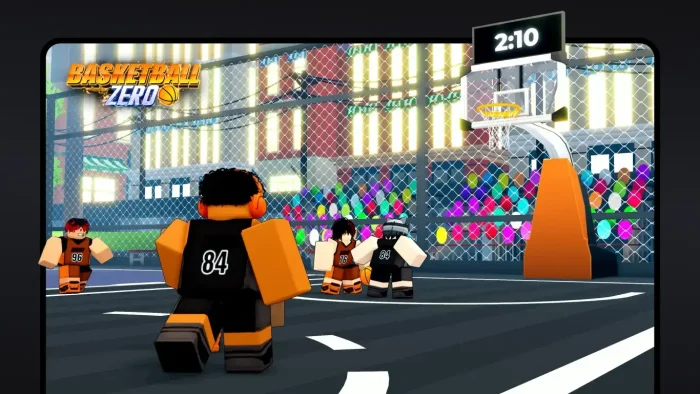
- Basketball zero from How to install Roblox for PC
-
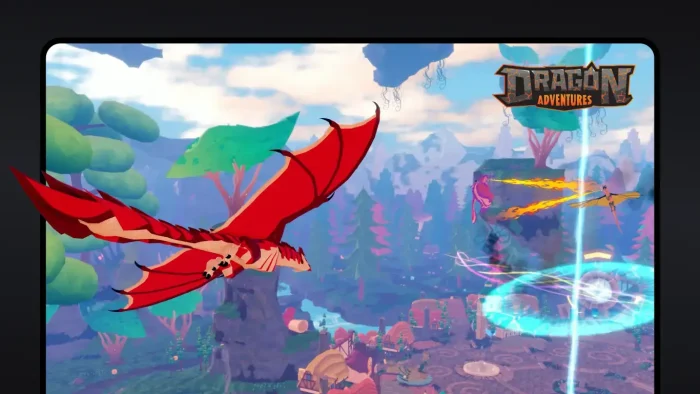
- Dragon adventures from How to install Roblox for PC
-
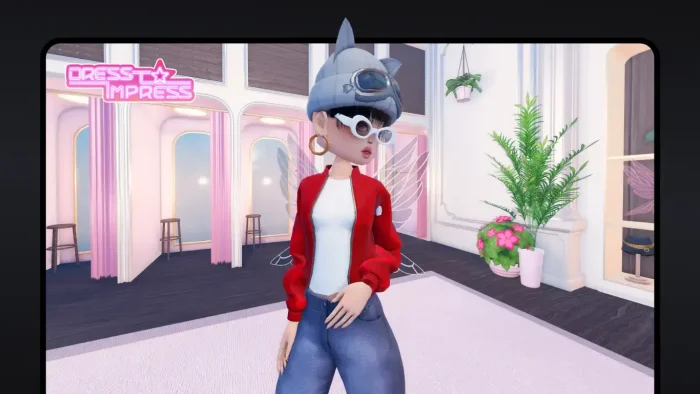
- Dress impress from How to install Roblox for PC
-
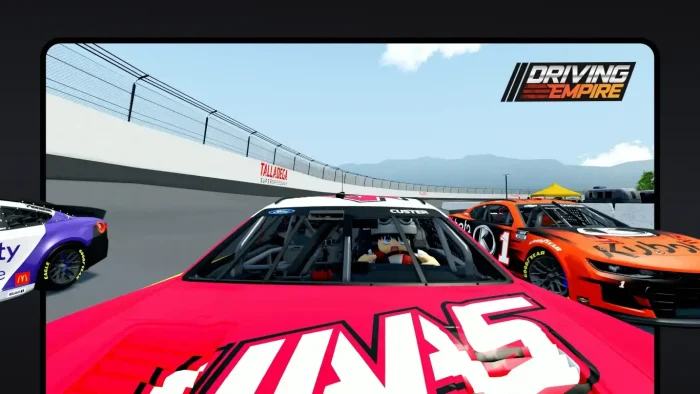
- Driving empire from How to install Roblox for PC
-
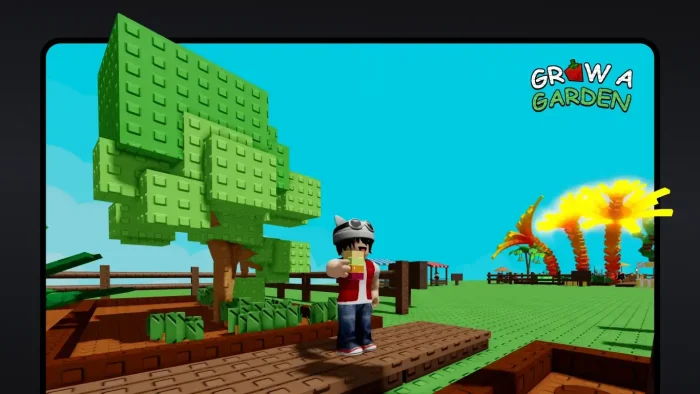
- Grow a garden from How to install Roblox for PC
-
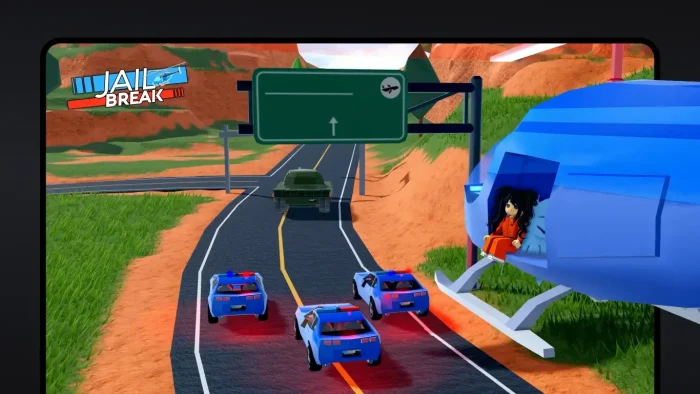
- Jail break from How to install Roblox for PC
-
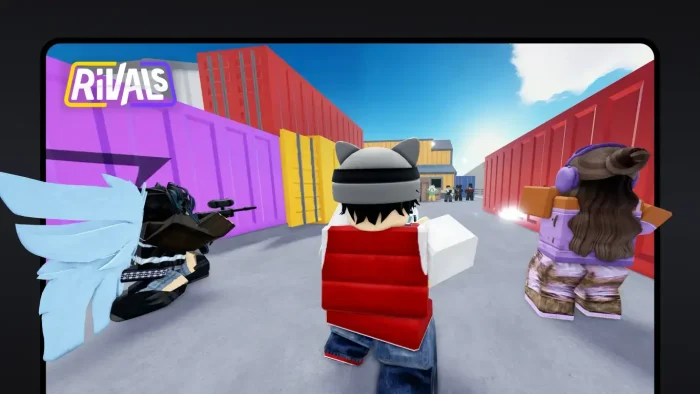
- Rivals from How to install Roblox for PC
-
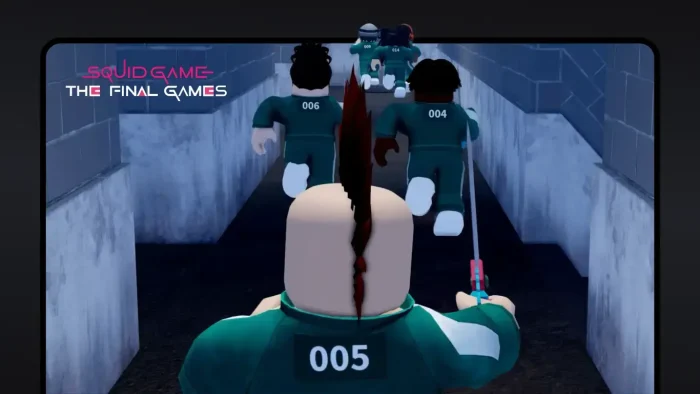
- Squidgame final games from How to install Roblox for PC
Roblox FAQ
Support and Community
- 🔴 r/roblox on Reddit (general discussion, help, and community builds)
- 🔴 Roblox Developer Forum (Studio questions and creator discussions)
- 🔴 Roblox Help Center (official support for account, billing, and technical issues)
- 🔴 Roblox Creator Documentation (Studio tutorials, API reference, and guides)
Explore more Windows games: Minecraft for Windows · Fortnite for Windows · LEGO Fortnite Odyssey · Minecraft Legends · PUBG for PC
Need a PC upgrade to run these? See our Best Gaming Desktops guide and don’t forget we also have a custom Roblox theme for your PC.
Discover more from Windows Mode
Subscribe to get the latest posts sent to your email.










Add your first comment to this post