Readers like you help support this site. When you make a purchase using links on our site, we may earn an affiliate commission. All opinions remain our own.
The best antivirus software for Windows in 2026 is Bitdefender for overall protection, Avast for gamers and power users, and Microsoft Defender for users who want built-in security without installing anything extra.
Other top contenders include Kaspersky (for cloud-based protection) and AVG (for beginners). Below, we compare detection rates, system performance impact, extra features, and pricing to help you choose the right antivirus for your Windows PC.
In 2026, relying on outdated security software is a risk you cannot afford. While Windows 11 has improved its built-in defenses, third-party tools still offer superior protection against ransomware, zero-day threats, and phishing attacks.
🔍 What We Evaluated
Real-time and on-demand scanning accuracy
CPU/RAM usage during idle and scans
VPN, password manager, gaming mode
Free vs. paid feature differences
Quick Comparison: Top 5 Antivirus for Windows
| Software | Best For | Free Version | Our Rating |
|---|---|---|---|
| 1. Bitdefender | Overall Protection | ✅ Yes | ⭐⭐⭐⭐⭐ |
| 2. Avast Antivirus | Gamers & Power Users | ✅ Yes | ⭐⭐⭐⭐½ |
| 3. Microsoft Defender | Built-in Convenience | ✅ Included | ⭐⭐⭐⭐ |
| 4. Kaspersky Free | Cloud-Based Protection | ✅ Yes | ⭐⭐⭐⭐ |
| 5. AVG Antivirus | Beginners & Simplicity | ✅ Yes | ⭐⭐⭐⭐ |
Detailed Reviews
1. Bitdefender Antivirus
🏆 Best Overall for Windows Users in 2026
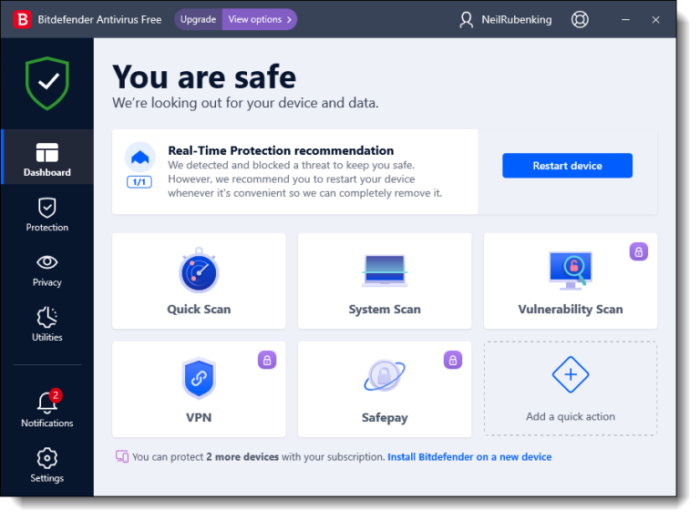
If you hate configuring settings, Bitdefender is your choice. It is famously lightweight and operates almost entirely in the background, making automated decisions so you don’t have to. In independent tests by AV-Test and AV-Comparatives, Bitdefender consistently scores 100% detection rates while using minimal system resources.
- Extremely low system impact
- Top-tier phishing protection
- Minimal user interaction required
- Excellent ransomware protection
- Limited customization in free version
- First scan can be slow
- VPN limited to 200MB/day (free)
2. Avast Antivirus
Best for Gamers and Power Users
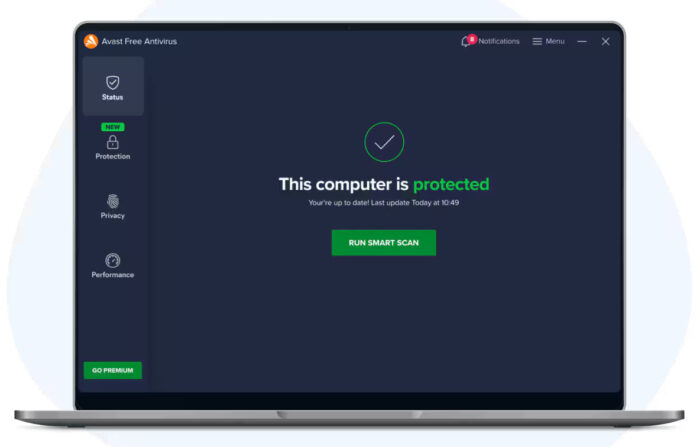
Avast remains a dominant player because it balances deep scanning with user-friendly design. It is particularly strong for users who game or run heavy software, thanks to its “Do Not Disturb” mode that silences all notifications and pauses background scans during full-screen applications.
- Excellent malware detection rates
- Silent/Game Mode (zero interruptions)
- Includes a network security scanner
- Wi-Fi inspector for network threats
- Installation tries to add browser
- Occasional pop-ups in free version
- Past privacy concerns (now addressed)
3. Microsoft Defender
The Built-In Option (Already Installed)
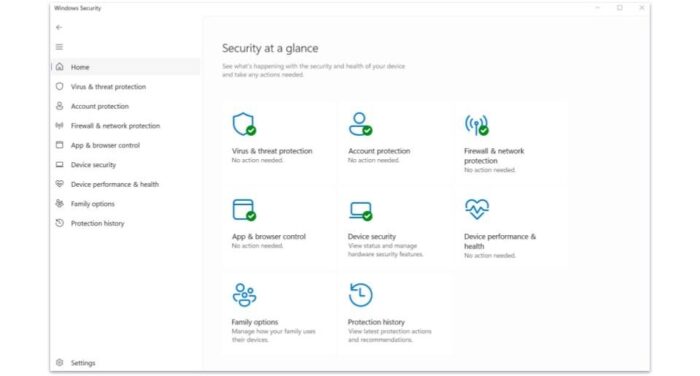
Formerly known as Windows Defender, this is no longer just a “backup” option. It competes well with paid tools in independent tests. However, it lacks the integrated VPNs, password managers, and gaming modes found in the third-party tools above. For users who practice safe browsing habits, it provides solid baseline protection.
- Already installed on Windows 10/11
- No additional software needed
- Zero performance impact (optimized for Windows)
- Regular updates via Windows Update
- No VPN or password manager
- No dedicated gaming mode
- Slower response to new threats vs. third-party
4. Kaspersky Security Cloud Free
Strong Cloud-Based Protection
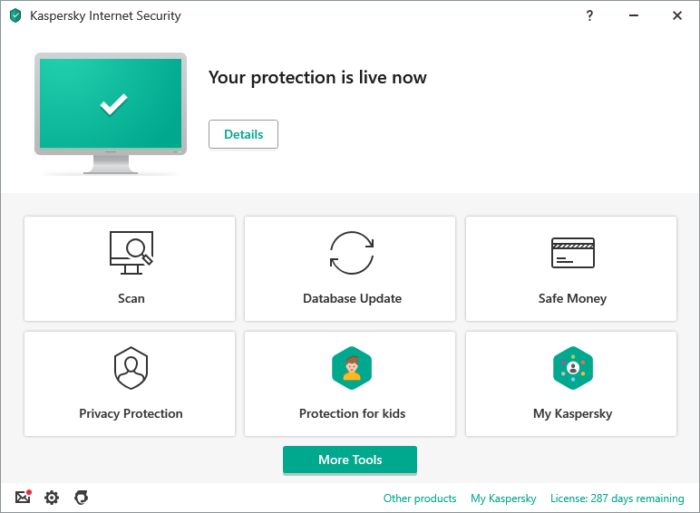
Due to government restrictions, Kaspersky products are unavailable for new downloads in the United States as of 2024. Users outside the US can still access the full feature set. Existing US customers should consider migrating to an alternative.
Kaspersky Security Cloud Free is excellent because it doesn’t just look for viruses; it uses cloud data to identify new threats instantly. It also includes a basic VPN and password manager, which is rare for free software.
- Excellent real-time cloud detection
- Includes free VPN (limited)
- Password manager included
- Low false positive rate
- Unavailable in the United States
- Privacy concerns for some users
- Heavier on system resources
5. AVG Antivirus Free
Best Interface for Beginners
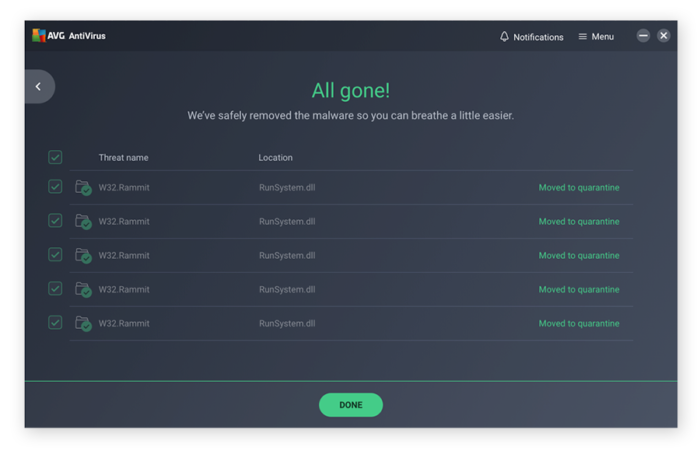
Owned by Avast, AVG shares a similar powerful engine but presents it in a different, often simpler interface. It is a solid choice if you want reliable protection without a steep learning curve. The clean dashboard makes it easy to run scans and understand your protection status at a glance.
- Very simple, beginner-friendly interface
- Same engine as Avast (excellent detection)
- Email and link scanner included
- Lightweight on system resources
- Pop-ups promoting paid version
- Fewer features than Avast
- Browser extension can be intrusive
Feature Comparison Table
| Feature | Bitdefender | Avast | Defender | Kaspersky | AVG |
|---|---|---|---|---|---|
| Real-time Protection | ✅ | ✅ | ✅ | ✅ | ✅ |
| Ransomware Protection | ✅ | ✅ | ✅ | ✅ | Paid |
| Gaming Mode | ✅ | ✅ | ❌ | ✅ | ✅ |
| VPN Included | 200MB/day | Paid | ❌ | 300MB/day | Paid |
| Password Manager | Paid | Paid | ❌ | ✅ | ❌ |
| System Impact | Very Low | Low | Minimal | Moderate | Low |
Do You Really Need Third-Party Antivirus in 2026?
The Honest Answer: For many users, Windows Defender is “good enough.”
However, nearly 90% of malware is now delivered via phishing emails and browser scripts—areas where tools like Bitdefender and Avast often respond faster than Microsoft. If you download files often, visit streaming sites, or want “set-it-and-forget-it” peace of mind, a third-party tool is highly recommended.
- Careful users, safe browsing habits: Microsoft Defender is sufficient
- Gamers: Avast or Bitdefender (for gaming modes)
- Power users downloading frequently: Bitdefender or Kaspersky
- Beginners who want simplicity: AVG or Bitdefender
- Privacy-focused users: Bitdefender (European company, GDPR compliant)
Common Antivirus Issues and Fixes
Antivirus is slowing down my computer
First, check if a full scan is running in the background. You can schedule scans for when you’re not using the PC. If slowdowns persist, switch to a lighter antivirus like Bitdefender or reduce the scan intensity in settings. Consider excluding large folders (like game directories) from real-time scanning.
Antivirus is blocking a safe program
This is called a “false positive.” Add the program to your antivirus’s exclusions or whitelist. In most antivirus apps, go to Settings > Exclusions and add the file or folder path. Only do this for programs you trust completely.
I have multiple antivirus programs installed
Running two real-time antivirus programs simultaneously can cause conflicts, slowdowns, and even system instability. Choose one primary antivirus and uninstall the others. You can keep Malwarebytes as a secondary on-demand scanner (it’s designed not to conflict).
Antivirus won’t update definitions
Check your internet connection first. If connected, try restarting the antivirus service or reinstalling the program. Some corporate networks block antivirus update servers—try updating on a different network. Also ensure your subscription hasn’t expired (for paid versions).
Can’t uninstall old antivirus completely
Many antivirus companies provide dedicated removal tools for stubborn uninstalls. Search for “[Antivirus Name] removal tool” on the official website. For example, Norton, McAfee, Avast, and Kaspersky all have official uninstallers. Use these before installing a new antivirus.
Frequently Asked Questions
Do free antivirus programs actually work?
Yes. The “free” versions usually use the exact same detection engine and database as the paid versions. The difference is usually in extra features (like VPN, password managers, or parental controls), not in the actual virus protection capabilities.
Will antivirus slow down my gaming?
Modern antivirus software is much lighter than it used to be. Tools like Avast and Bitdefender have dedicated “Game Modes” that pause background scans and suppress notifications when you are in full-screen mode to prevent lag.
Is Windows Defender enough in 2026?
For a careful user who only browses safe sites, yes. But for users who download software, use public Wi-Fi, or want protection against advanced ransomware, third-party tools still offer better detection rates and faster updates.
What is the difference between free and paid versions?
Paid versions typically add convenience and privacy layers. This includes unlimited VPN data, firewall controls, webcam protection, and dedicated support. If you just want to block viruses, the free versions are sufficient.
Can I use two antivirus programs at once?
No, you should only run one real-time antivirus at a time. Running multiple can cause conflicts, slow your system, and potentially leave you less protected. However, you can use an on-demand scanner (like Malwarebytes Free) alongside your main antivirus for occasional second-opinion scans.
Does antivirus protect against all threats?
Antivirus protects against malware, viruses, ransomware, and many phishing attempts. However, no software can protect you 100% from social engineering attacks, scam phone calls, or giving your password to a fake website. Good security habits are still essential.
Which antivirus is best for privacy?
Bitdefender (Romanian company, EU privacy laws) and ESET are often recommended for privacy-conscious users. Avast had a past controversy about data collection (since addressed). Kaspersky has geopolitical concerns for US users. Microsoft Defender collects telemetry but is governed by Microsoft’s privacy policy.
How often should I run a full virus scan?
With real-time protection enabled, weekly full scans are usually sufficient for most users. Power users who download frequently might want to run quick scans daily. Schedule scans for times when you’re not using the computer to avoid slowdowns.
Helpful Resources
Want to compare antivirus test results or learn more about online security? These independent sources provide unbiased testing:
German independent security research institute. Regularly tests antivirus products for detection, performance, and usability.
Austrian independent testing lab providing comprehensive real-world protection tests and performance benchmarks.
Official Microsoft security updates, threat intelligence, and best practices for Windows security.
Our Top Recommendation
For most Windows users in 2026, Bitdefender offers the best balance of protection, performance, and ease of use.
Free version available • No credit card required
Related Guides: Malwarebytes for Windows, Microsoft Office Alternatives, WinZip for Windows, VLC Media Player Guide
Discover more from Windows Mode
Subscribe to get the latest posts sent to your email.















Ekonomik ve Kaliteli Kompresör
Yeah, What about Comodo free antivirus? I’m using this antivirus for past 3 years, I didn’t face any system issues.
what happened to Norton/McAfee are those companies still reliable these days?
avast #1 for a reason
trying out Panda antivirus right now
another vote for Avast, it hasn’t let me down the past 2 years I have been using it.