The Developer’s Guide to Azure is a free 80-page ebook from Microsoft, available here as a PDF, ePub or Mobi. It gives developers and architects a fast tour of Azure: where to run code, where to store data, how to secure an app and how to add AI.
It is short and practical. Five walk-throughs take you from the Azure portal to a web app with a database, then to production. It is a quick read for an afternoon.
Published by Microsoft in August 2018, written by developers for developers.
Below: what has changed since it was written, what is inside, a look at real pages, and the download in every format. Questions? Reach out to us directly.
Read This First: This Book Is From 2018
An old edition, kept for readers who still want it
This edition dates from August 2018. The overall map of Azure still helps, but many service names in it have changed, and a few services it recommends have been retired. Use it for the big picture, not for exact steps.
Our guides to Azure AI Search and Azure Monitor cover two of the services from the book as they work today.
What Is Inside The Developer’s Guide to Azure
Seven parts, from first steps to production.
Getting started with Azure
Running code, choosing services, caching, storage, analytics and a tour of the portal.
Securing your application
Identity, Key Vault, encryption, firewalls, DDoS protection, networking and monitoring.
Adding intelligence
Search, Cognitive Services, Bot Service, Machine Learning Studio and Azure Maps.
Events and messages
Event Grid, Service Bus and other ways for parts of an app to talk.
Internet of Things
IoT Hub, IoT Central, solution accelerators and IoT Edge.
Where to deploy
Infrastructure as code, Service Fabric, containers and Azure Stack.
Azure in action
Four walk-throughs: a web app and database, Logic Apps, production readiness and API Management.
A Look Inside
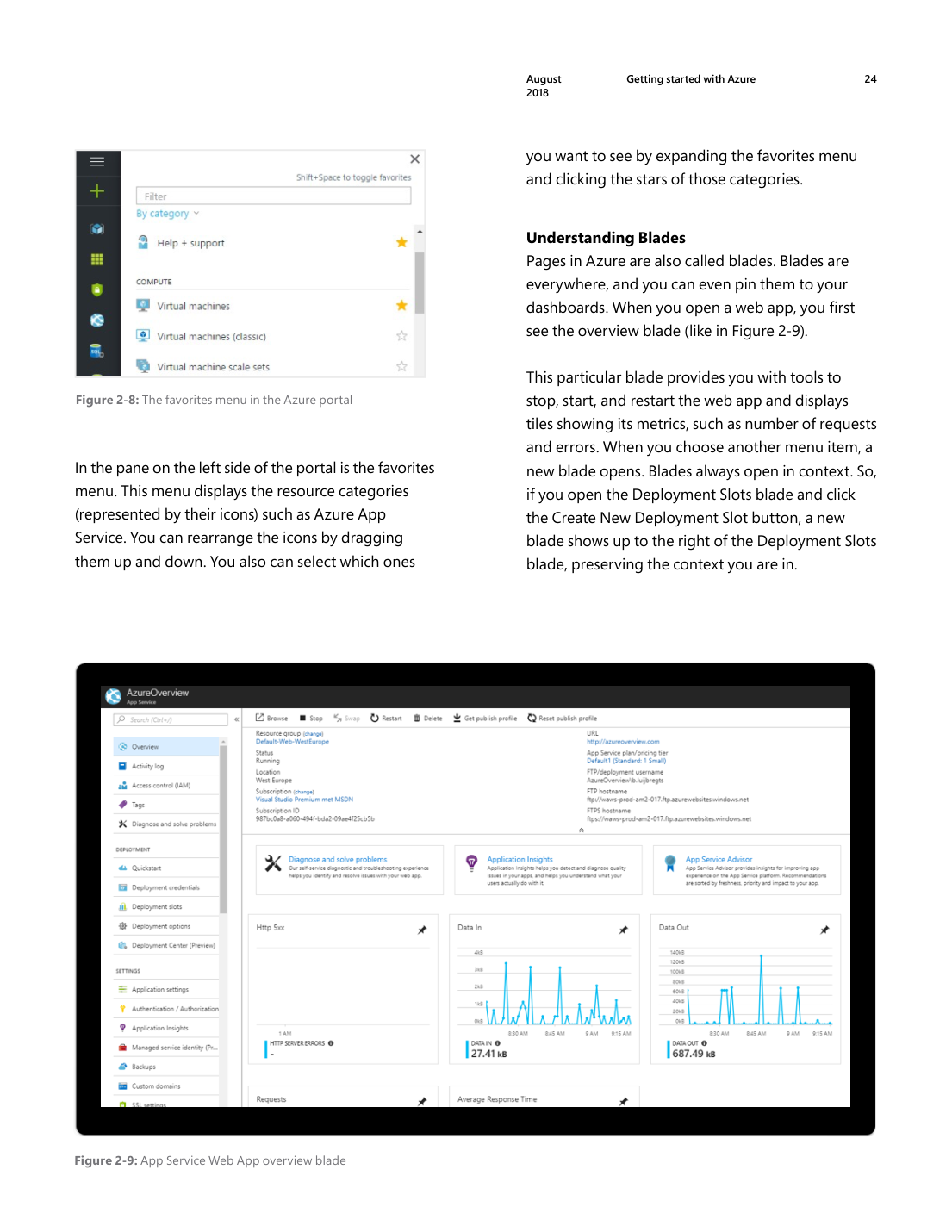
Real pages from the PDF, so you can judge the style before you download it.
Is It Still Worth Reading?
Read it if
- You are a developer who wants a quick map of Azure services
- You prefer a short book over long documentation
- You want ideas for which service fits which job
Skip it if
- You need steps that match today’s portal
- You want current AI services such as Microsoft Foundry
- You want deep coverage of one service
Download The Developer’s Guide to Azure
Pick one format. All three hold the same book. Each download is a zip file, so unzip it first.
1 Select the format you want. The download starts in your browser.
2 Open your Downloads folder. Right-click the zip file, select Extract All, then Extract.
3 Open the book. Double-click a PDF to open it in Microsoft Edge, or load the ePub into any ebook app.
Reading on a Kindle? Send the ePub file to your Kindle with Amazon’s Send to Kindle, which takes ePub files. Amazon no longer accepts Mobi files there, though you can still copy a Mobi file to a Kindle over USB.
Newer Ways to Learn
Current, free material that picks up where the book stops.
Azure for developers
Microsoft’s developer hub has quickstarts for .NET, Python, JavaScript, Java and Go.
Microsoft Learn for Azure
Free, self-paced Azure training paths, many with a free sandbox.
Azure AI Search
The modern version of the book’s Azure Search chapter: our Azure AI Search guide.
Frequently Asked Questions
Is this ebook really free?
How long does it take to read?
Is there a newer edition of the Developer’s Guide to Azure?
Do I need an Azure account to use the walk-throughs?
Can I read it on a Kindle?
Support and Community
- Azure for developers, Microsoft’s current developer docs.
- Microsoft Q&A for Azure, where Microsoft engineers and users answer questions.
- r/AZURE on Reddit, a large community for Azure questions and study tips.
More Windows software guides: What Is Microsoft Azure? · Azure AI Search · Fundamentals of Azure eBook · Free Azure Books · Azure PowerShell Commands
Discover more from Windows Mode
Subscribe to get the latest posts sent to your email.













Add your first comment to this post