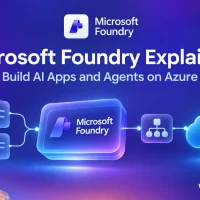
Microsoft Foundry is Azure’s place to build AI apps and agents.
Microsoft Foundry is where you build AI apps and agents on Azure, from a web portal or from code. You pick a model from a large catalog, test it in a playground, give it your own data and tools, and ship it as an app or an agent. Microsoft used to call it Azure AI Foundry, and Azure AI Studio before that.
The idea is one workshop for every part of an AI project. Models, agents, tools, safety settings and monitoring all live in one Azure resource, under one bill. You do not have to wire five separate services together before you can try an idea.
The platform itself is free to explore. You pay for what you use inside it: model tokens, agent tools, search and compute. You need an Azure subscription to build.
Below: what Foundry is, what you can build, how models and agents work, what it costs, how it compares with Azure Machine Learning and Copilot Studio, and a first project step by step. Got a question we did not answer? Reach out to us directly.
What Is Microsoft Foundry?
Think of Foundry as a workshop for AI. A model (the AI brain, such as a chat model from OpenAI or Meta) is the raw material. Foundry gives you the bench to try it, the tools to connect it to your files and apps, the safety checks to keep it in line, and the dashboards to see how it behaves once real people use it.
Microsoft describes it as a single platform to build, ground and govern AI apps and agents. Ground means connecting the AI to your own facts, so it answers from your documents instead of guessing. Govern means controlling who can use what, and what the AI is allowed to say.
You work in the Foundry portal at ai.azure.com, or from code with SDKs (software kits) for Python, C#, TypeScript and Java. Developers use both; beginners can do a lot without writing a line of code.
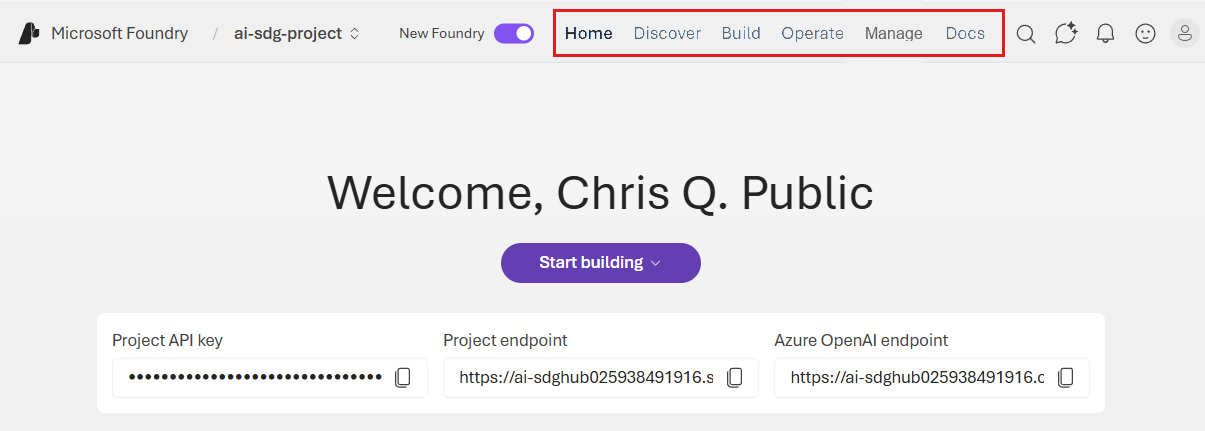
Two portals, one address. The current portal splits work into Home, Discover, Build, Operate and Manage. The older Foundry (classic) portal sits behind the same toggle, mainly for older hub-based projects. Microsoft’s classic to new guide maps where each feature moved.
What You Can Build With Foundry
Most Foundry projects are one of these four things, or a mix of them.
A chat assistant
A chatbot for your website, your help desk or your own team, built on a model you pick. You set its instructions (how it should behave) and test it in the playground before anyone else sees it.
An agent that takes action
An agent is an AI that can do things, not only talk: search the web, run code, call your company’s systems, or hand work to another agent. Foundry Agent Service runs these for you.
Answers from your own documents
Connect the AI to your files so it answers from them and can point to the source. This is called RAG (retrieval-augmented generation: the AI looks things up before it answers). In Foundry it runs on Azure AI Search, through a feature called Foundry IQ.
A voice agent
An agent people talk to instead of typing to, for phone lines or hands-free apps. Microsoft lists voice-based prompt agents as a preview (an early version that can still change).
Key Features of Microsoft Foundry
A catalog of thousands of models
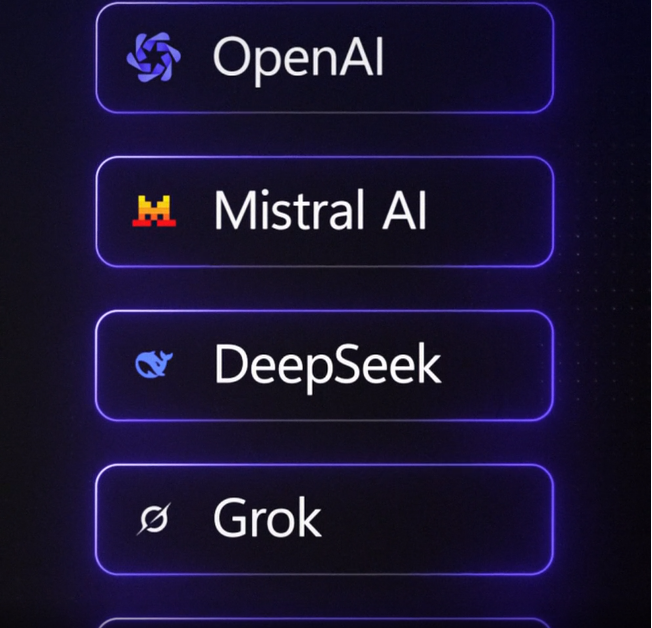
The model catalog holds thousands of models from Microsoft, OpenAI, Anthropic, Meta, Mistral, DeepSeek, xAI and many others, from small fast ones to large reasoning models.
You can compare models side by side and switch later without rebuilding your app, since Foundry gives your app one entry point (the web address it calls) for every model and tool.
Build and test agents in the browser
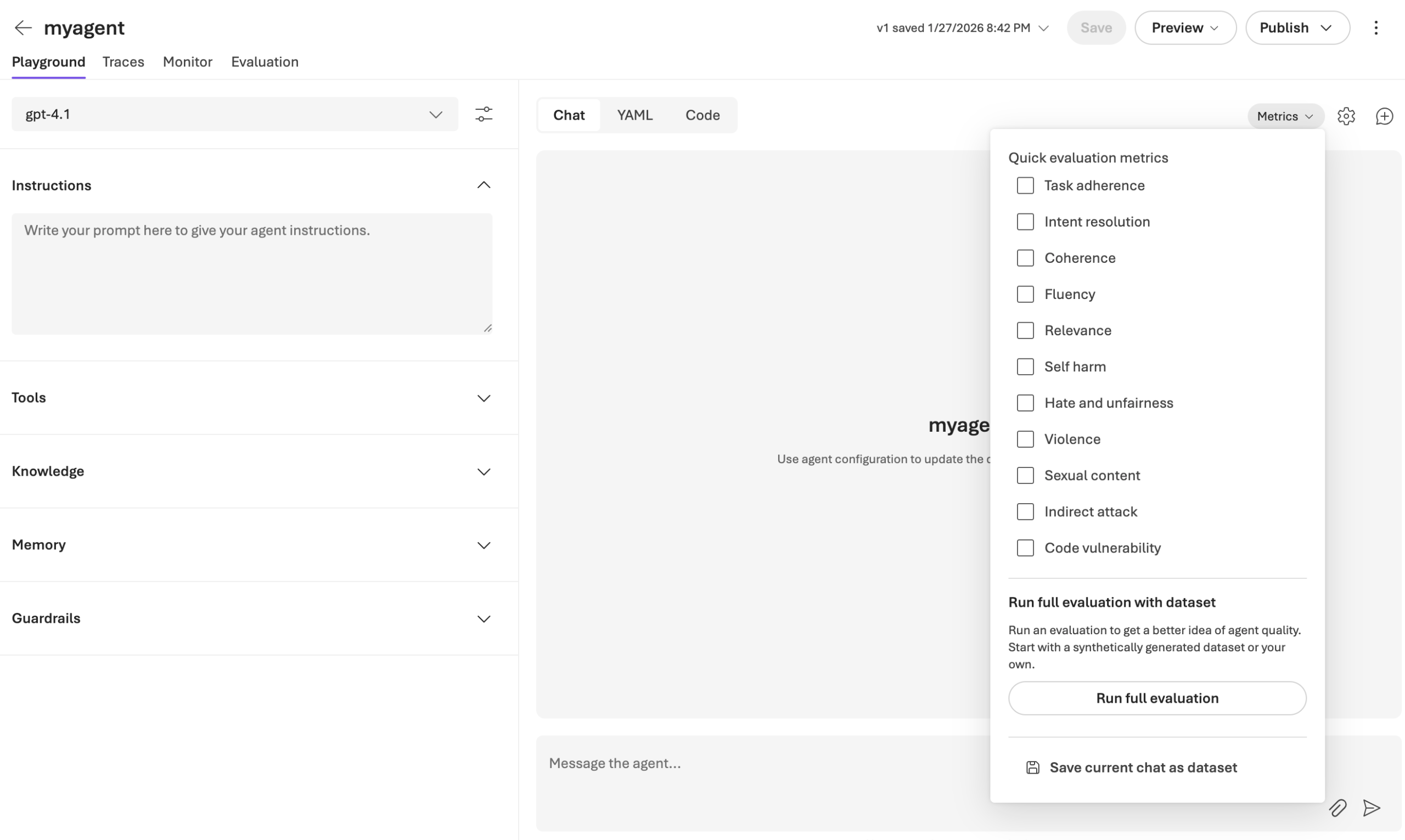
The agents playground puts everything on one screen: pick a model, write instructions, add tools, knowledge, memory and guardrails, then chat with the agent to see how it does.
A Code tab shows the same agent as code, so a developer can take over what a beginner started in the portal.
See every step an agent took
Tracing records each step of a conversation: which tool the agent called, what came back and how many tokens it used. When an answer is wrong, the trace shows where it went off track.
Evaluations score answers for quality and safety, such as relevance, fluency, task adherence and harmful content, on a single chat or a whole test set.
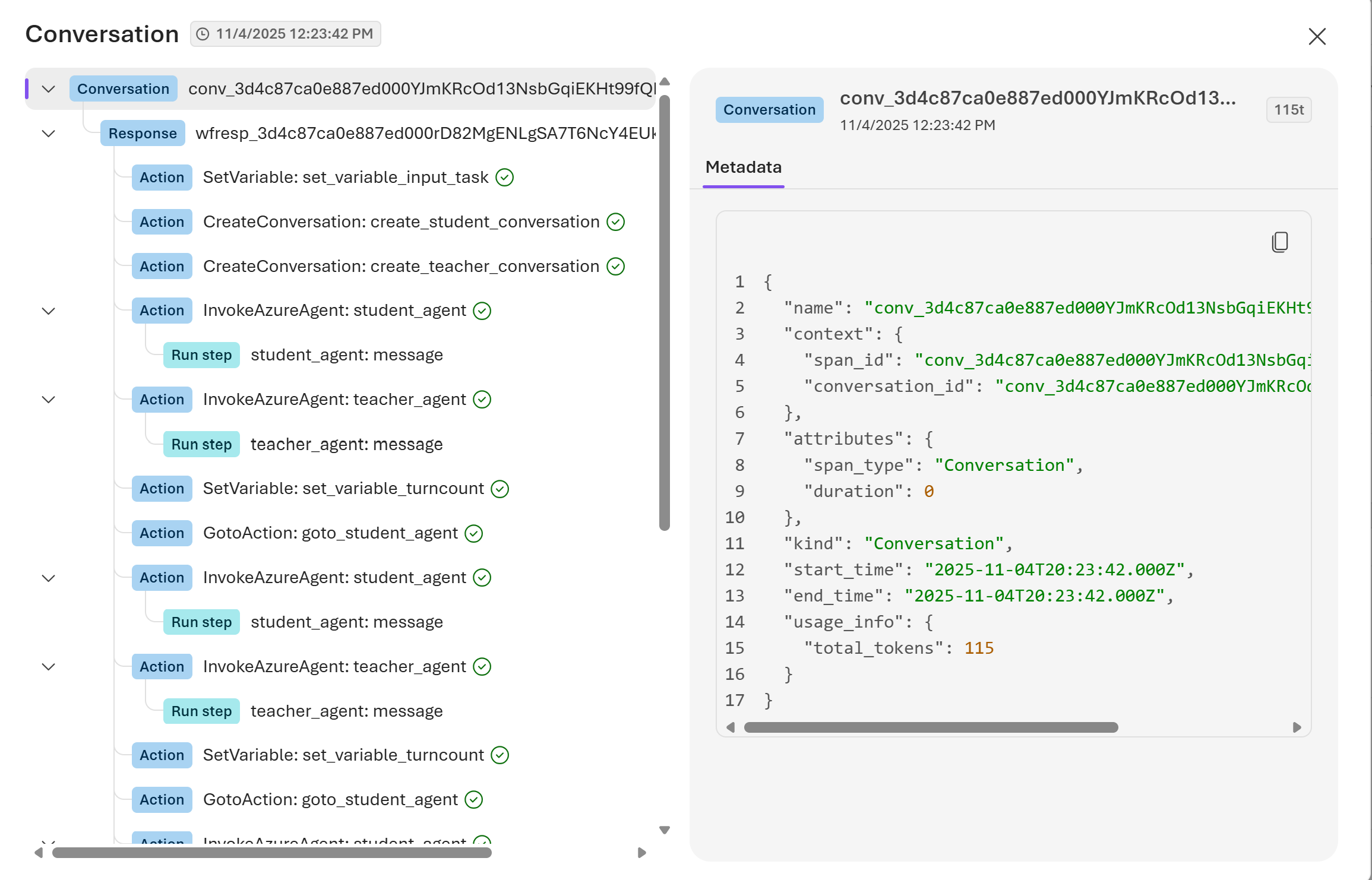
Tools in one toolbox
Agents get their abilities from tools: web search, file search, a code interpreter, Azure AI Search, your own APIs and MCP servers (MCP is an open standard for plugging tools into AI). Foundry collects them in a toolbox agents can share.
Fine-tuning and model routing
Fine-tuning trains a model further on your own examples so it fits your task. A model router picks a suitable model for each request automatically, to balance cost and quality.
Inside the Foundry Model Catalog
Microsoft splits the catalog into two groups. Models sold by Azure are hosted, billed and supported by Microsoft, and they include every Azure OpenAI model plus selected models from other companies. Models from partners and the community make up most of the catalog; they are billed through Azure Marketplace under the provider’s terms.
Before an app can use a model, you deploy it, which just means making it available at an endpoint in your project. How you deploy decides how you pay.
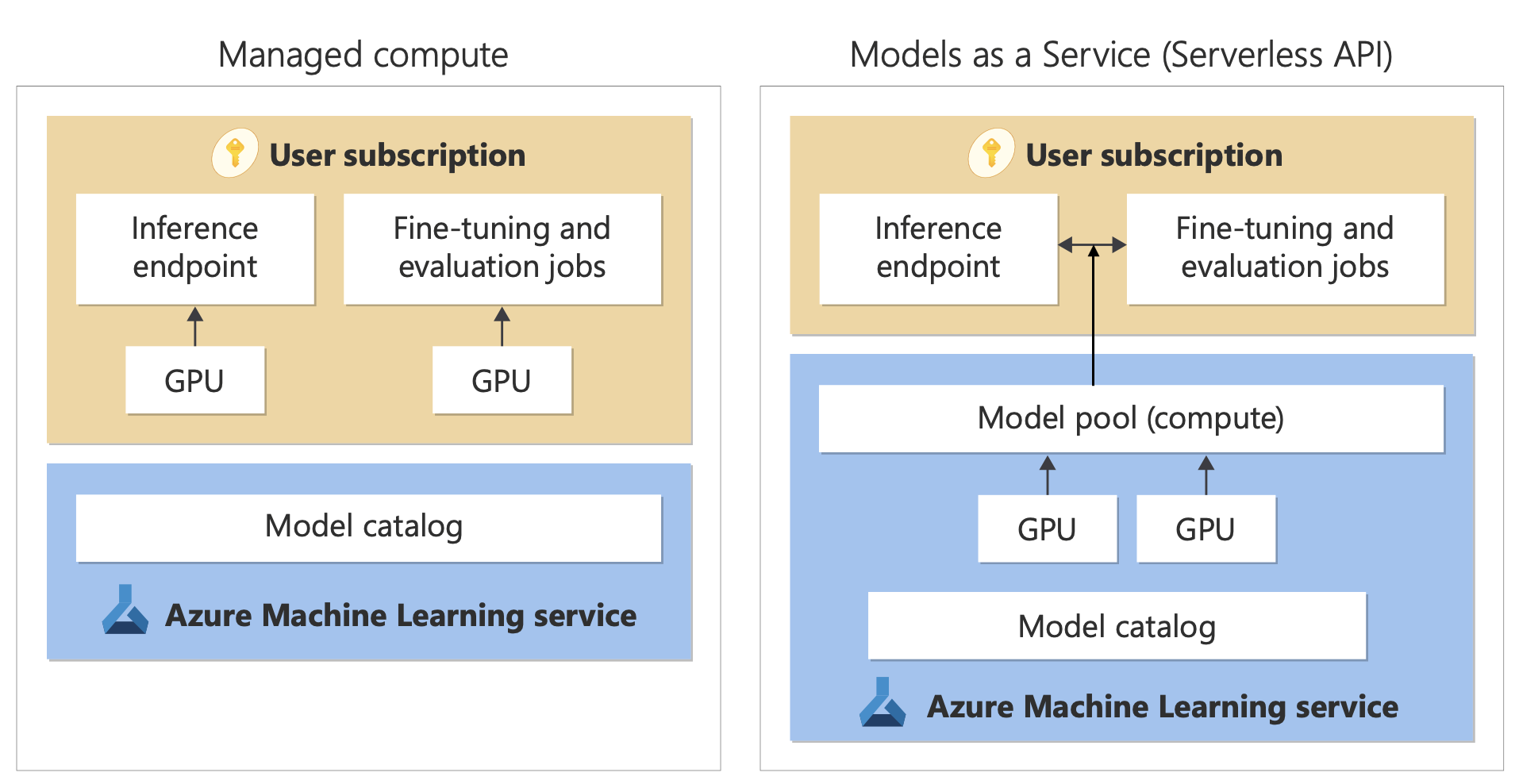
Not every model is in every region. Models and deployment types differ by Azure region (where the datacenter is). If a model is missing from your list, check the region of your project before anything else.
Foundry Agent Service: How Agents Work
Microsoft calls Foundry Agent Service a managed platform for building, deploying and scaling AI agents. Managed means Microsoft runs the servers, the conversation history and the tool calls, so you only describe what the agent should do.
Prompt agents
You write instructions, pick a model and add tools, and Foundry runs the agent for you, with no code or servers. This is where most beginners start, right in the playground.
Voice-based prompt agents
The same idea, but people speak to the agent in real time instead of typing. A preview feature.
Hosted agents
For developers: bring your own code and framework, packaged as a container (a sealed bundle of an app and everything it needs), and Foundry runs it.
Tools are what make an agent useful. Microsoft’s toolbox lists these, among others:
Building with code instead? Microsoft’s Microsoft Agent Framework is the open-source kit for building agents in Python and .NET, and its agents can run on Foundry. The code quickstarts sign you in with the Azure CLI first; our Azure CLI for Windows guide covers that part.
Projects and Resources: How Foundry Is Organized
One Foundry resource, many projects
Everything starts with a Foundry resource, one Azure resource that holds your model deployments, connections and security settings. Inside it you create projects: one per app or team, each with its own agents, files and endpoint.
Projects share the resource’s security and governance, and you can set access, identity and monitoring per project. The portal creates the resource for you with your first project.
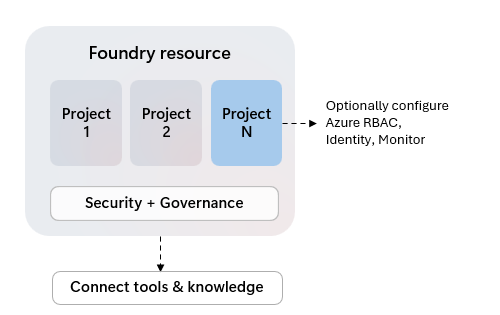
What about hubs? Older setups used a hub with hub-based projects. Those open only in the Foundry (classic) portal, and Microsoft says new investment goes into Foundry projects. Start new work as a Foundry project. Microsoft’s create a project guide has the details.
How Much Does Microsoft Foundry Cost?
The Foundry platform is free to use and explore. Microsoft’s pricing page says every service you use inside it is billed at its normal rate, and each one has its own price. So the real question is which parts your app uses.
New to Azure? The Azure free account gives new customers a credit to spend in the first 30 days, which is plenty to try a small agent. Our Azure pricing guide explains how meters and bills work, and our guide to reducing Azure costs covers budgets and alerts.
Tokens add up quietly. An agent that searches the web or reads long files sends far more tokens to the model than the short question the user typed. Set an Azure budget alert before you share an agent with other people, and check costs on Microsoft’s Foundry pricing page.
Foundry vs Azure Machine Learning vs Azure OpenAI vs Copilot Studio
Four Microsoft names that people mix up all the time. Here is what each one is for.
The lines blur on purpose: Foundry uses parts of Azure Machine Learning under the hood, and Azure OpenAI models are deployed through Foundry. A simple rule: building on existing models means Foundry; training your own means Azure Machine Learning. Our Azure Machine Learning beginner’s guide covers the other side.
Is Foundry the same as Microsoft Copilot? No. Copilot is Microsoft’s finished AI assistant that you use. Foundry is where developers build their own assistants and agents.
How to Create Your First Foundry Project and Agent
You need an Azure account with an active subscription and a role that can create a Foundry resource, such as Foundry Owner on the subscription. If you made the subscription yourself, you already have it. No coding is needed for these steps.
Part 1: Create a project
1 Sign in to the Foundry portal at ai.azure.com with your Azure account, and make sure the New Foundry toggle at the top is on.
2 Select the project name in the top-left corner, then Create new project. On your very first visit, the dialog asks you to pick or create a project straight away.
3 Type a project name, such as my-first-agent. Short and lowercase works best.
4 Open Advanced options to create a new resource group (a folder for related Azure resources) and pick a region. Microsoft recommends a new resource group when you are getting started, so cleanup is one click later.
5 Select Create. The portal builds the Foundry resource and the project, then opens the project home page with its endpoint.
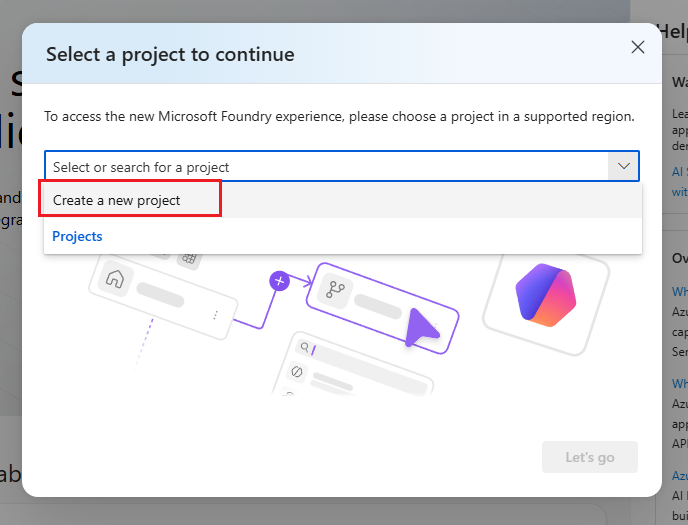
Part 2: Deploy a model and build an agent
6 Select Build at the top, then Models in the left pane.
7 Select Deploy, then Deploy a base model, search for a small, low-cost chat model and choose Deploy with the default settings.
8 Chat with the model in the playground that opens when the deployment finishes. Ask it anything to check it works.
9 Select Agents in the left pane, then Create agent, and give it a name.
10 Write instructions, such as: You are a friendly helper who explains Windows settings in plain words.
11 Chat with your agent, then ask a follow-up question. It remembers the earlier messages in the conversation.
Clean up when you are done. In the Azure portal, open the resource group you created and select Delete resource group. That removes the project, the Foundry resource and everything in them, so nothing keeps billing. Microsoft’s Foundry quickstart walks through the same flow with code.
Safety in Foundry: Guardrails and Content Filters
Every model deployment gets a default guardrail, called Microsoft.DefaultV2. A guardrail is a named set of safety checks that runs on what goes into the model and what comes out. Agents use the guardrail of their model deployment unless you give them their own; guardrails for agents are a preview feature.
Harmful content
Checks for hate, sexual content, violence and self-harm, each with a blocking level you can set to low, medium or high. Switching output filtering off needs Microsoft’s approval.
Prompt attacks
Prompt shields catch people trying to trick the model into ignoring its rules (a jailbreak), and hidden instructions planted in documents or web pages the agent reads.
Protected material
Flags output that matches known copyrighted text, such as song lyrics and articles, or code copied from public repositories.
Agent checkpoints
For agents, checks can also run when the agent calls a tool and when the tool answers, not only on the user’s message and the final reply.
Guardrails reduce risk; they do not remove it. Test your agent with tricky questions before you share it, and read Microsoft’s guardrails overview for the full list of checks.
Prompt Flow Is Retiring: What to Use Instead
Prompt flow was Foundry’s older visual tool for chaining prompts, code and tools into a workflow. Microsoft is retiring prompt flow in Foundry and Azure Machine Learning on April 20, 2027, and no longer recommends it for new work. Its runtime images no longer get updates, including security fixes.
Microsoft’s advice is to move existing flows to Microsoft Agent Framework before that date; its prompt flow page links a migration guide. If you are starting fresh, skip prompt flow and build with agents in the portal or with Agent Framework in code.
Following an older tutorial? Guides written for Azure AI Studio often start with prompt flow and hubs. The ideas still apply, but build new projects as Foundry projects with agents instead.
Frequently Asked Questions
Do I need an Azure account to use Microsoft Foundry?
Can I build in Foundry without writing code?
What happened to hub-based projects?
What access do my teammates need in Foundry?
How do I delete a Foundry project?
Does Microsoft Foundry work on Windows?
Support and Community
- Microsoft Foundry on Microsoft’s Azure site, with features, use cases and pricing.
- Microsoft Foundry documentation on Microsoft Learn, with quickstarts, tutorials and the full feature reference.
- Microsoft Agent Framework documentation, for building agents in code.
- Microsoft Q&A for Azure, where Microsoft engineers and other users answer questions.
- r/AZURE on Reddit, a large community for Azure questions and tips.
More Windows software guides: What Is Microsoft Azure? · Azure Machine Learning · Azure AI Search · Azure Free Account · Azure Pricing Explained · Azure CLI for Windows
Discover more from Windows Mode
Subscribe to get the latest posts sent to your email.












Add your first comment to this post