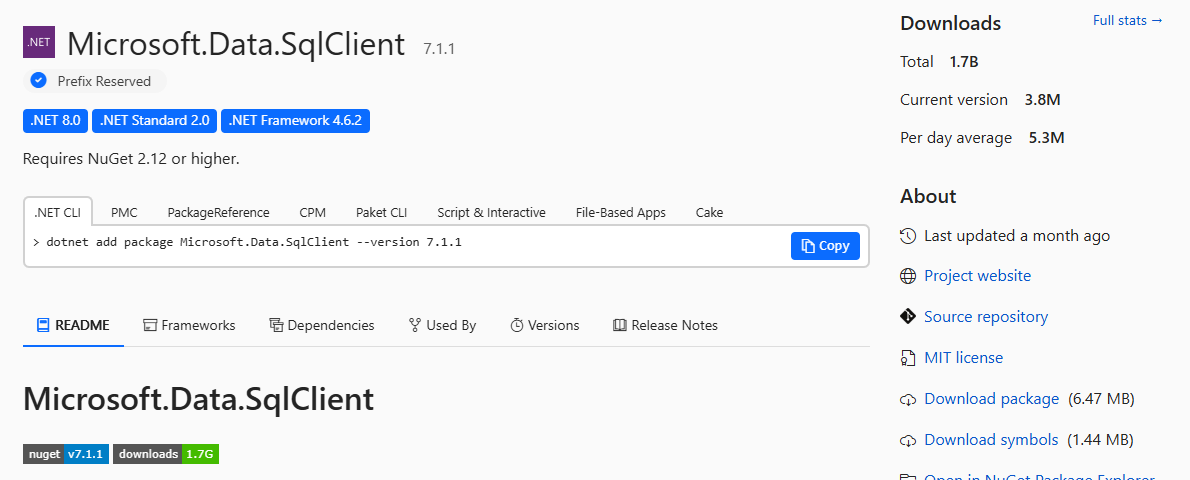
Microsoft.Data.SqlClient on NuGet, the official place to get it. Screenshot from nuget.org, October 2026.
Microsoft.Data.SqlClient is Microsoft’s free library that lets .NET apps on Windows talk to SQL Server and Azure SQL databases, available as a package from NuGet. There is no installer to download. You add it to your project in Visual Studio or with one command.
It replaced the older System.Data.SqlClient, which Microsoft has deprecated. New SQL Server and Azure SQL features only arrive in Microsoft.Data.SqlClient. It works in .NET 8 and later, and in .NET Framework 4.6.2 and later.
This page used to cover version 2.0.0 from 2020, which lost support in May 2021. It now covers the supported versions and how to move up from an old one.
Below: which version to pick, three ways to install it, a first connection in C#, and the changes that trip up upgrades. Questions? Reach out to us directly.
What Is Microsoft.Data.SqlClient?
It is a data provider: the piece of code that opens a connection to the database, sends your SQL and reads back the results. You use classes such as SqlConnection, SqlCommand and SqlDataReader, the same names .NET developers have used for years.
Microsoft ships it on NuGet, separately from .NET itself, so it can add support for new database features without waiting for a new .NET release. Entity Framework Core’s SQL Server provider is built on top of it.
It connects to SQL Server 2017 and later, Azure SQL Database, Azure SQL Managed Instance, Azure Synapse Analytics and SQL databases in Microsoft Fabric.
Looking for version 2.0.0?
Version 2.0 came out in June 2020 and its support ended on May 19, 2021. It gets no security fixes. You can still pin it on NuGet if an old project needs it, but plan an upgrade. The newest stable version when we checked in October 2026 was 7.1.1.
Which Version Should You Use?
Microsoft runs two kinds of release. Long-Term Support (LTS) lines get three years of fixes. Standard-Term Support (STS) lines are supported until three months after the next release.
Simple rule: pick the newest line for a new project, or the LTS line if you upgrade rarely. Always use the latest patch in the line you choose. Microsoft keeps the current table on its support lifecycle page.
How to Install Microsoft.Data.SqlClient
Pick whichever fits how you work. All three add the same package to your project.
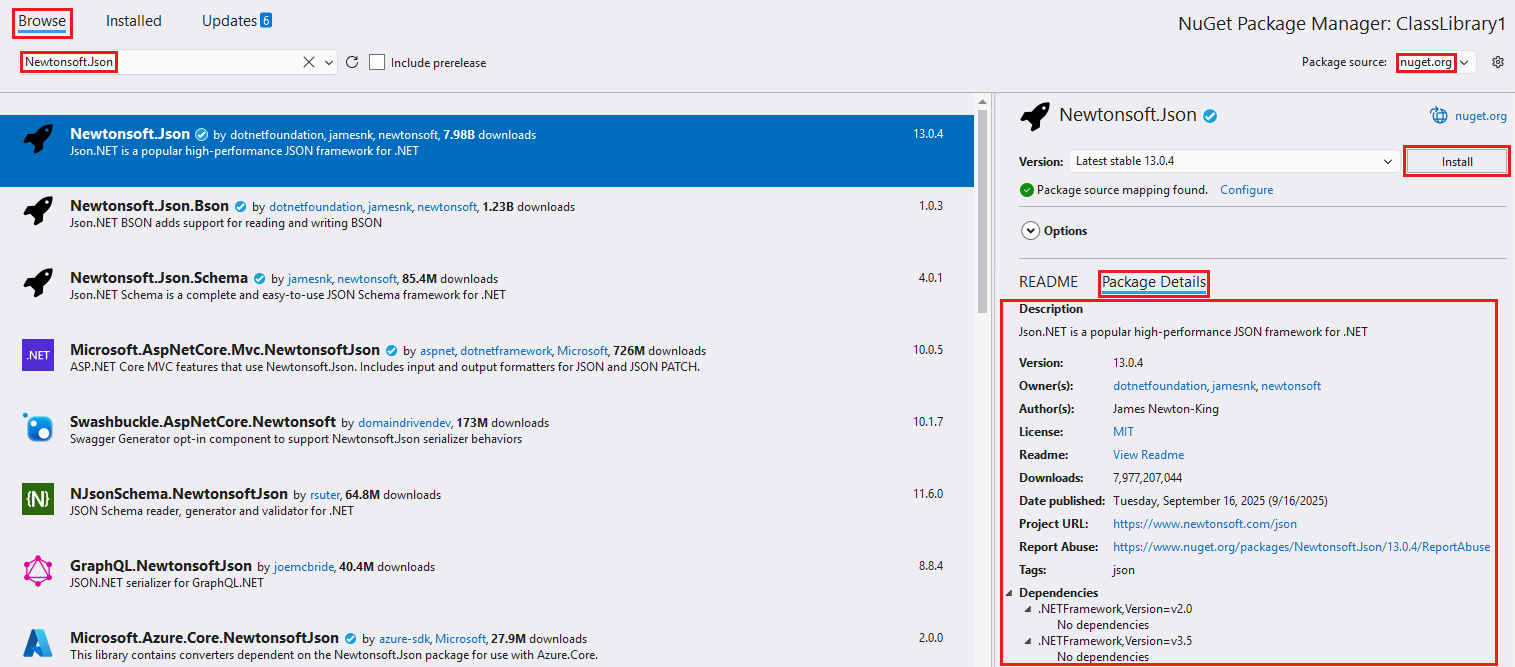
NuGet Package Manager
In Visual Studio, right-click your project in Solution Explorer and select Manage NuGet Packages.
On the Browse tab, search for Microsoft.Data.SqlClient, pick the version and select Install. The screenshot shows the same screen with another package.
.NET CLI
In a terminal, inside your project folder:
dotnet add package Microsoft.Data.SqlClientPackage Manager Console
In Visual Studio, under Tools, NuGet Package Manager:
Install-Package Microsoft.Data.SqlClientSigning in with Microsoft Entra ID? From version 7.0, the Active Directory sign-in modes need a second package: Microsoft.Data.SqlClient.Extensions.Azure. Install the same version as the main package.
Your First Connection in C#
This short example opens a connection, runs one query and prints the result. Swap in your own server and database names.
using Microsoft.Data.SqlClient;

var cs = "Server=myserver.database.windows.net;Database=mydb;Authentication=Active Directory Default;Encrypt=True;";

await using var conn = new SqlConnection(cs);
await conn.OpenAsync();

await using var cmd = new SqlCommand("SELECT @@VERSION", conn);
Console.WriteLine(await cmd.ExecuteScalarAsync());
The connection string above signs in with Microsoft Entra ID, so it needs the Extensions.Azure package. For a local SQL Server with Windows sign-in, use Integrated Security=True instead of the Authentication setting.
Never put a password in your code. Use Microsoft Entra ID, Windows sign-in or a managed identity where you can. Microsoft marks the Active Directory Password mode as obsolete from version 7.0.
Upgrading From an Old Version
Coming from 2.0 or another old release? Three changes cause most upgrade problems. Check each one your jump crosses.
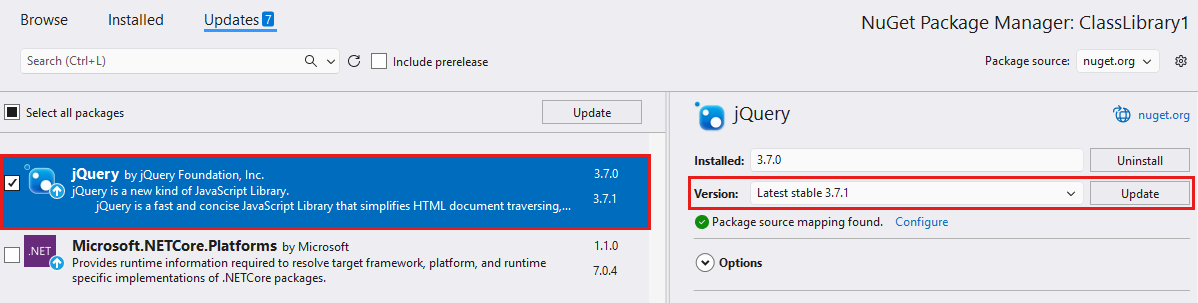
Update the package in Visual Studio
Open Manage NuGet Packages and select the Updates tab. Pick Microsoft.Data.SqlClient, choose the version and select Update.
Update any companion packages, such as Extensions.Azure, to the same version at the same time. Then test sign-in, encryption and anything that uses transactions.
From the command line, running the install command again moves the project to the latest stable version:
dotnet add package Microsoft.Data.SqlClientMoving From System.Data.SqlClient
Microsoft deprecated the System.Data.SqlClient package in August 2024. Its NuGet page now says to use Microsoft.Data.SqlClient instead.
1 Add the Microsoft.Data.SqlClient package to your project.
2 Remove the System.Data.SqlClient package, so the two are never mixed in one app. Their classes share names but are not interchangeable.
3 Change using System.Data.SqlClient to using Microsoft.Data.SqlClient in your code.
4 Test connections carefully. Encryption is on by default in the new provider, so servers without a trusted certificate will refuse to connect until you fix that.
Microsoft’s full checklist is in its migration guide. If you manage SQL Server from Windows, our guide to Azure Data Studio and its replacements covers SSMS and the VS Code MSSQL extension.
Open Source on GitHub
Built in the open
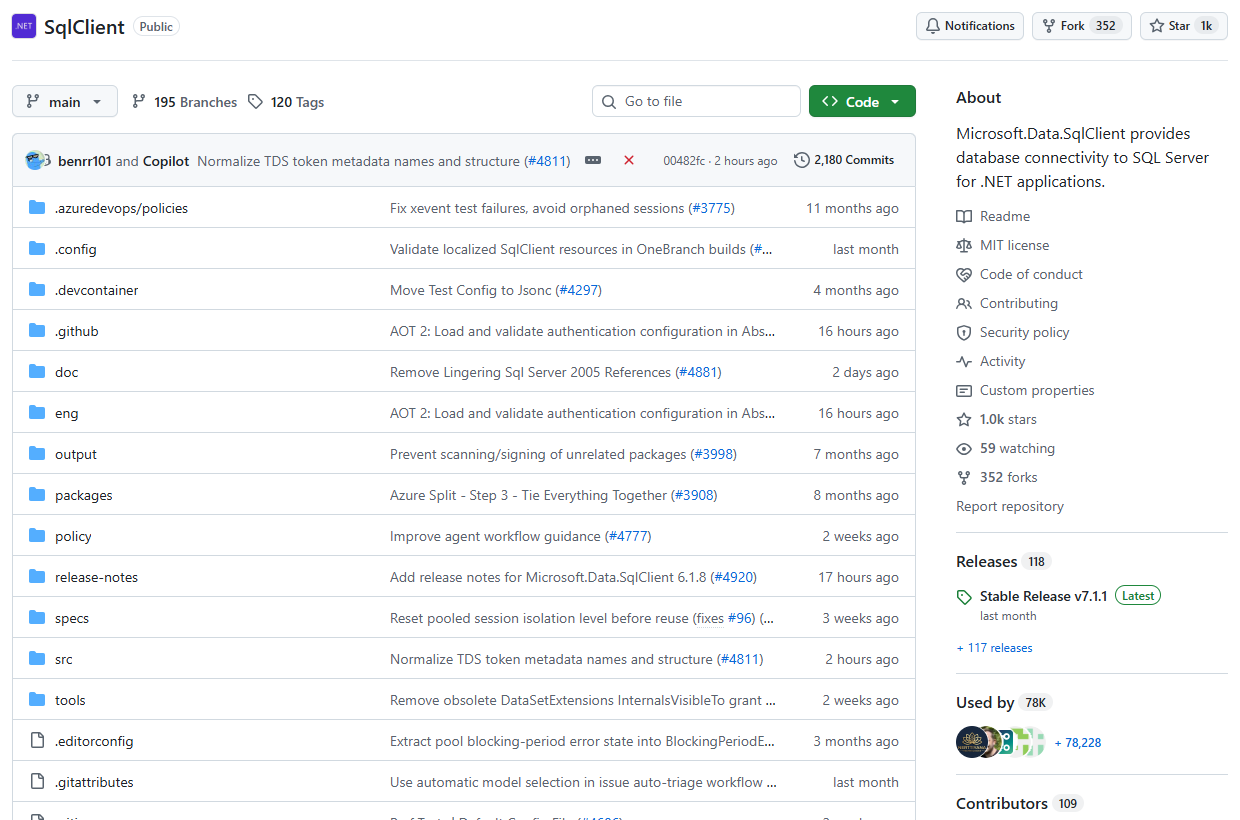
Microsoft.Data.SqlClient is open source under the MIT license. The code, release notes for every version and the issue tracker live in the dotnet/SqlClient repository.
Found a bug? Search the issues there first, since many upgrade problems already have an answer.
Frequently Asked Questions
Is Microsoft.Data.SqlClient free?
Does Microsoft.Data.SqlClient work on Linux and macOS?
Why do I get a certificate chain error after upgrading?
What does Cannot find an authentication provider for ActiveDirectoryDefault mean?
Do I need it if I use Entity Framework Core?
Support and Community
- dotnet/SqlClient on GitHub, the project’s home, with release notes and issues.
- Microsoft.Data.SqlClient documentation on Microsoft Learn.
- Microsoft Q&A for SQL Server, where Microsoft engineers and users answer questions.
- r/dotnet on Reddit, a large community for .NET developers.
More Windows software guides: Azure Data Studio Replacements · What Is Microsoft Azure? · Azure PowerShell · Azure Mandatory MFA
Discover more from Windows Mode
Subscribe to get the latest posts sent to your email.

















Add your first comment to this post