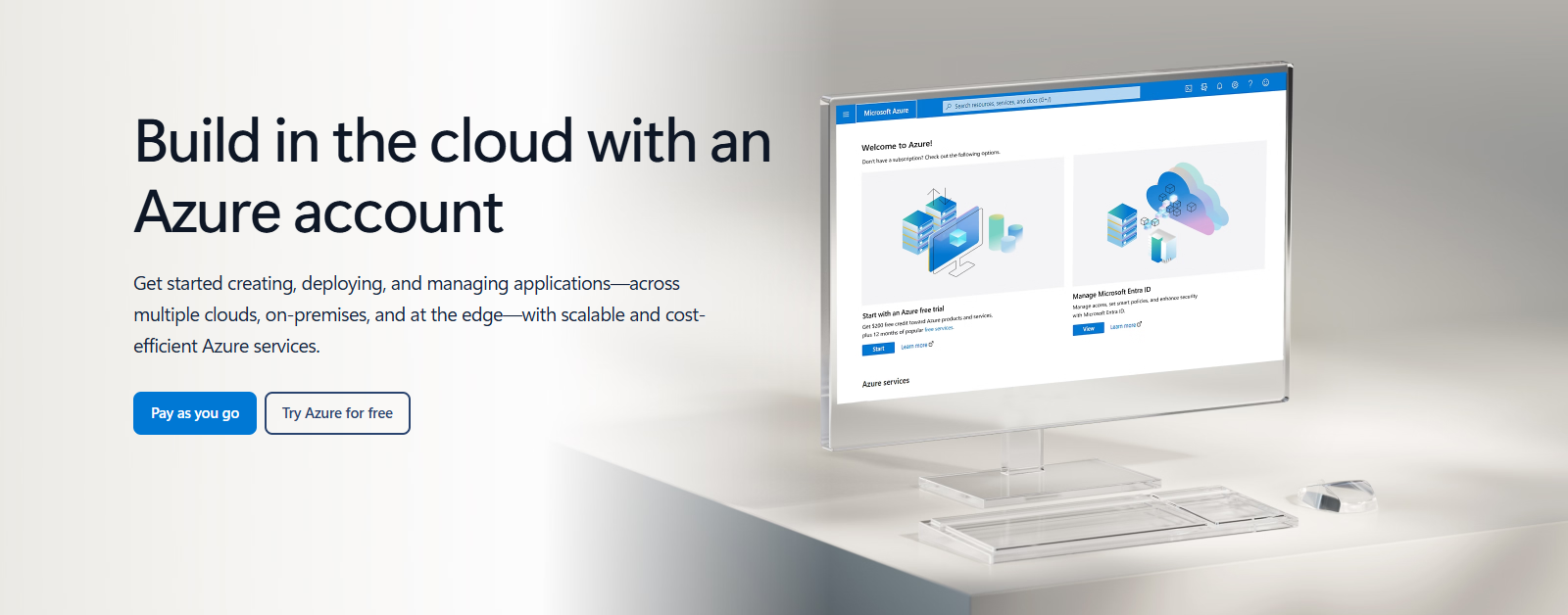
The Azure account page, where every new Azure user starts. Screenshot from azure.microsoft.com.
Microsoft Azure is Microsoft’s cloud: you rent computers, storage, databases and AI tools in Microsoft’s datacenters and pay only for what you use. You manage it all from a website called the Azure portal, from any Windows PC or browser.
Instead of buying a server, you create one in a few minutes. When you stop needing it, you delete it and the bill stops. That one idea is why businesses, developers and AI builders use Azure.
Azure has run since 2010 and now covers well over 200 services. It runs Linux as well as Windows, and it is the platform under Microsoft Foundry, Microsoft’s AI app and agent service.
Below: how Azure is organized, the services that matter, the portal, how pricing and the free account work, and how to start safely. Questions? Reach out to us directly.
What Is Microsoft Azure?
Azure is a cloud computing platform, which means Microsoft owns the hardware and you rent it over the internet. Microsoft runs datacenters in more than 60 regions around the world. You pick a region close to your users, choose what you need, and Azure sets it up.
Cloud services come in three broad types, and Azure sells all of them:
- Infrastructure (IaaS): raw building blocks like virtual machines (computers that run inside Microsoft’s hardware), disks and networks. You manage the operating system.
- Platform (PaaS): ready-made services like web hosting and managed databases. Microsoft handles the servers; you bring your app or data.
- Software (SaaS): finished apps you just use. Microsoft 365 is the best-known example, and much of it runs on the same Microsoft cloud.
Most people meet Azure through work. If you sign in to Microsoft 365 with a work account, that account already lives in Microsoft Entra ID, the identity service Azure uses.
Reading an old Azure guide? Anything that says “Windows Azure”, “Azure Active Directory” or “Cloud Services (classic)” is out of date. The names changed, and the classic Cloud Services model was retired on August 31, 2024.
How Azure Is Organized
Everything you create in Azure sits inside four layers. Learn these once and the portal starts to make sense.
Account and tenant
Your sign-in, stored in Microsoft Entra ID. A company usually has one tenant for all its people.
Subscription
The billing container. Everything inside one subscription lands on the same bill, with its own spending limits and access rules.
Resource group
A folder for things that belong together. Delete the group and everything in it goes too.
Resources
The actual services you pay for.
Tip: put each project in its own resource group. When the project ends, deleting one group cleans up every resource in it, so nothing keeps running on your bill.
Key Azure Services
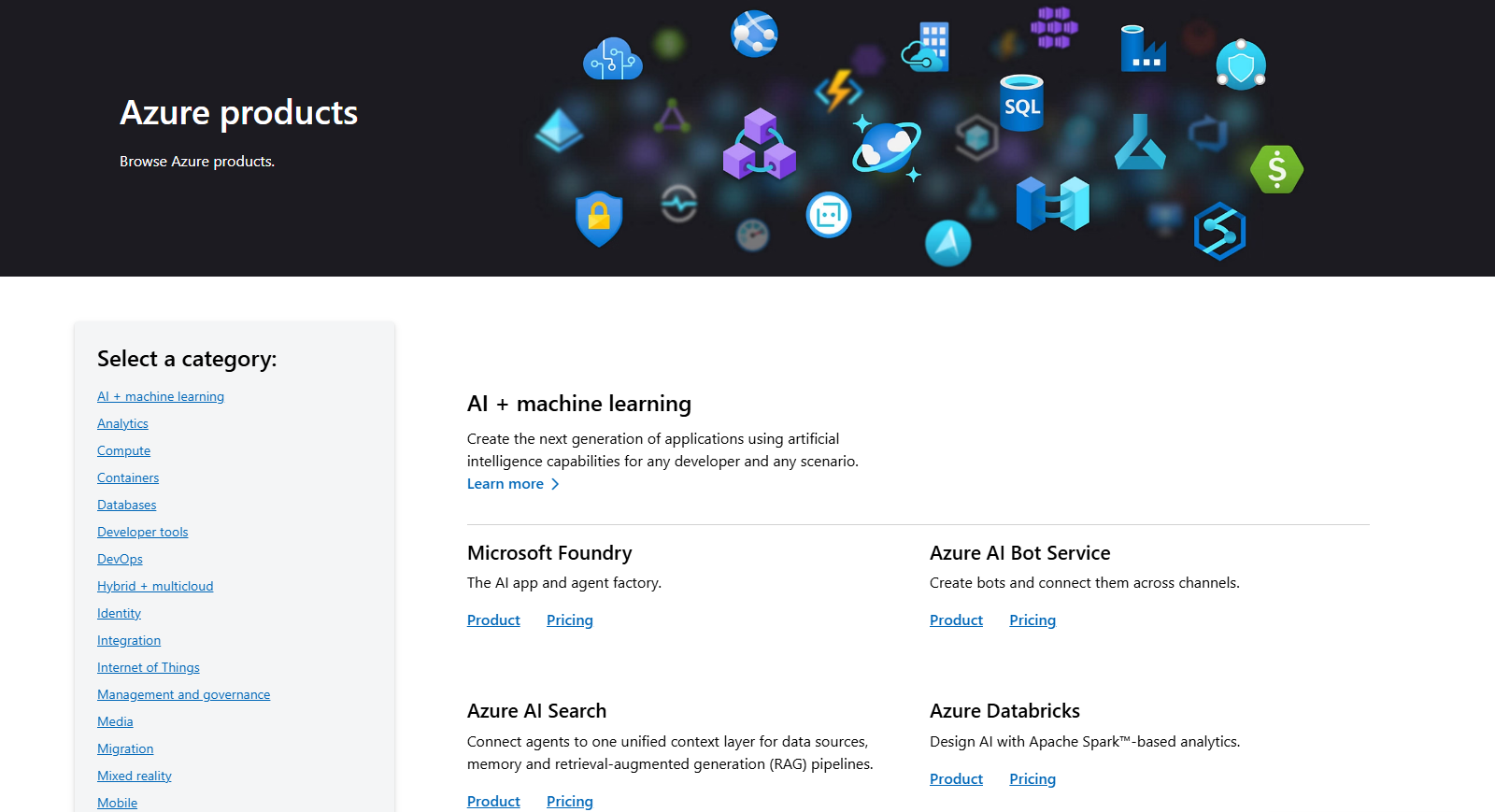
Azure lists its services by category on the products page. These are the ones most people start with.
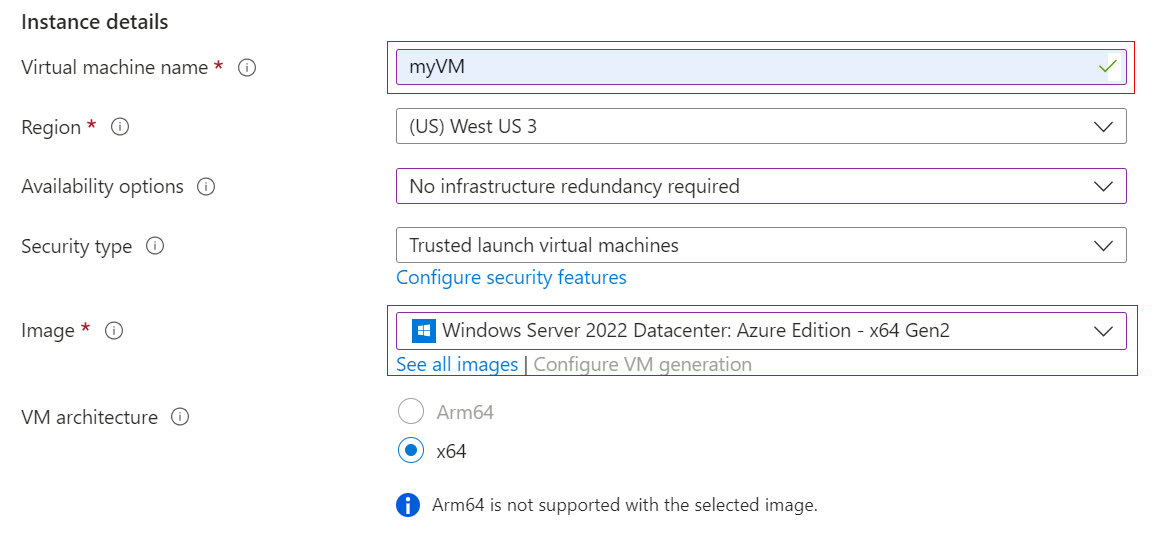
Virtual Machines
A virtual machine (VM) is a full Windows or Linux computer that runs in Azure. You pick the size, the region and the operating system, and it is ready in minutes.
Use one to host a website, run an old business app, or test software without touching your own PC. Stop it when you are done and you stop paying for the compute time.
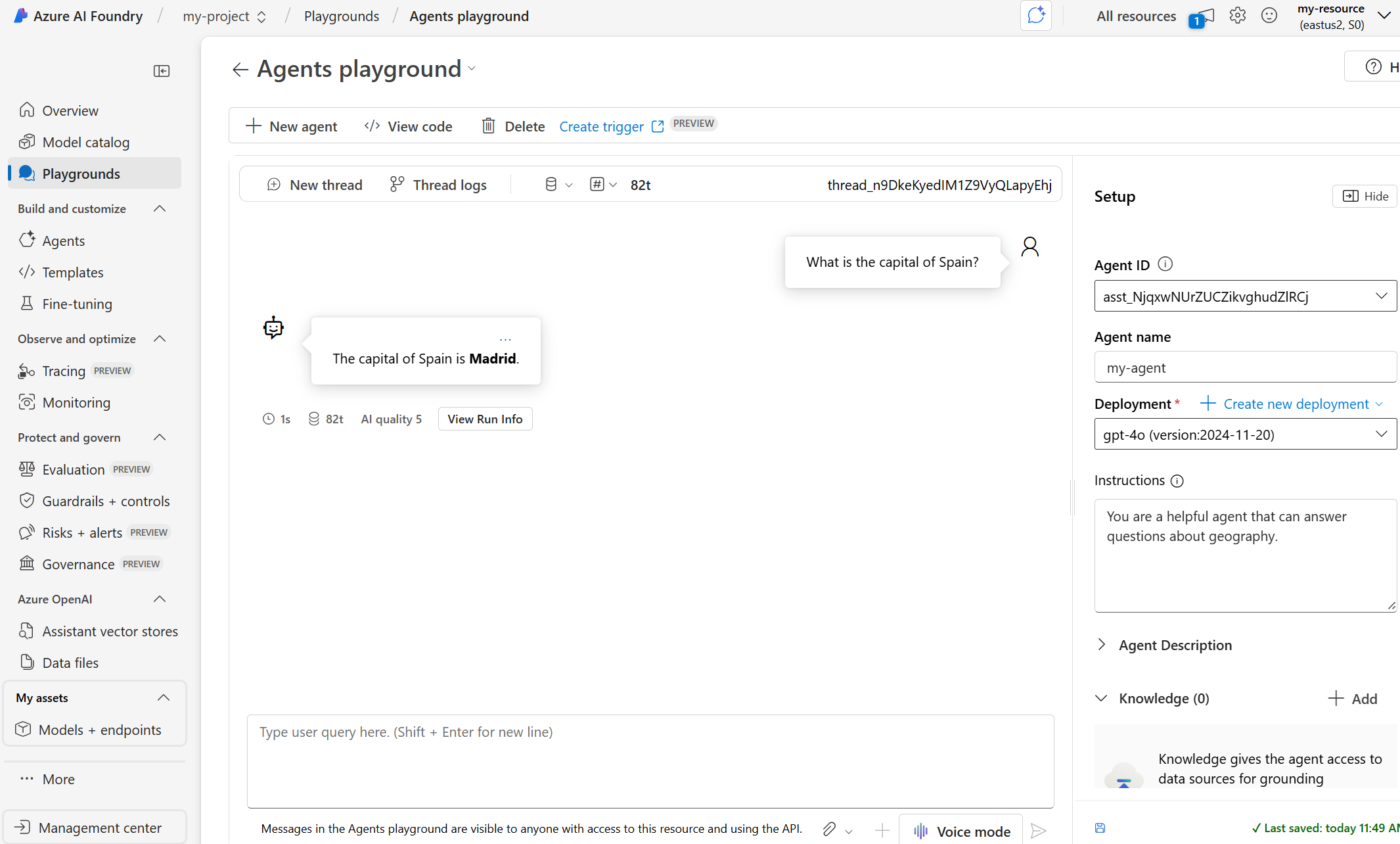
Microsoft Foundry
Foundry is where you build AI apps and agents on Azure. It has a catalog of models from Microsoft, OpenAI and other companies, plus a playground to test an agent before you ship it.
This is the service Microsoft used to call Azure AI Foundry, and Azure AI Studio before that.
To train your own models instead, see Azure Machine Learning. To let an AI search your own documents, see Azure AI Search.
Cost Management
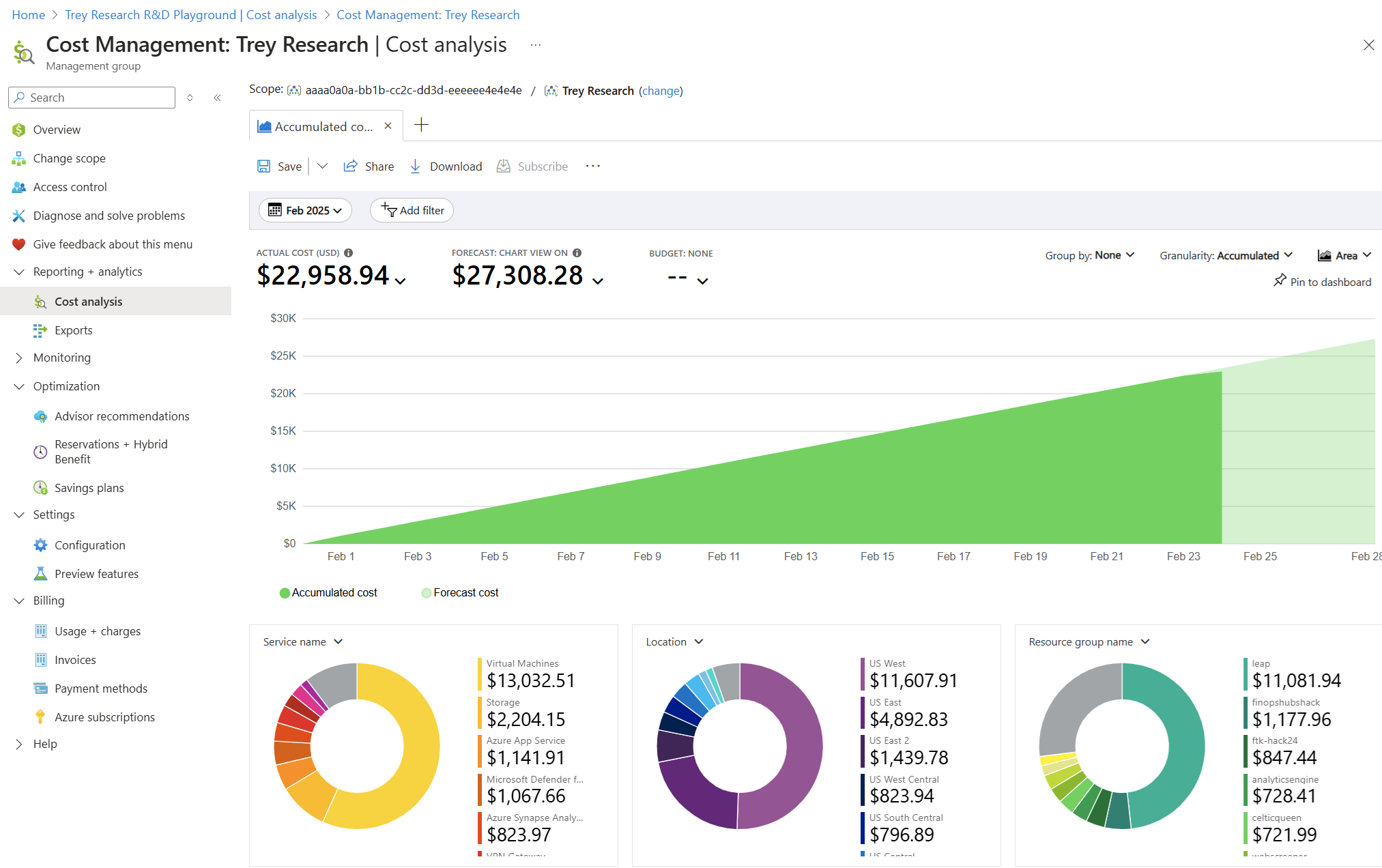
Cost Management shows what you have spent, what you are likely to spend by the end of the month, and which services cost the most.
Set a budget here and Azure emails you when spending crosses the line you choose.
Azure Advisor
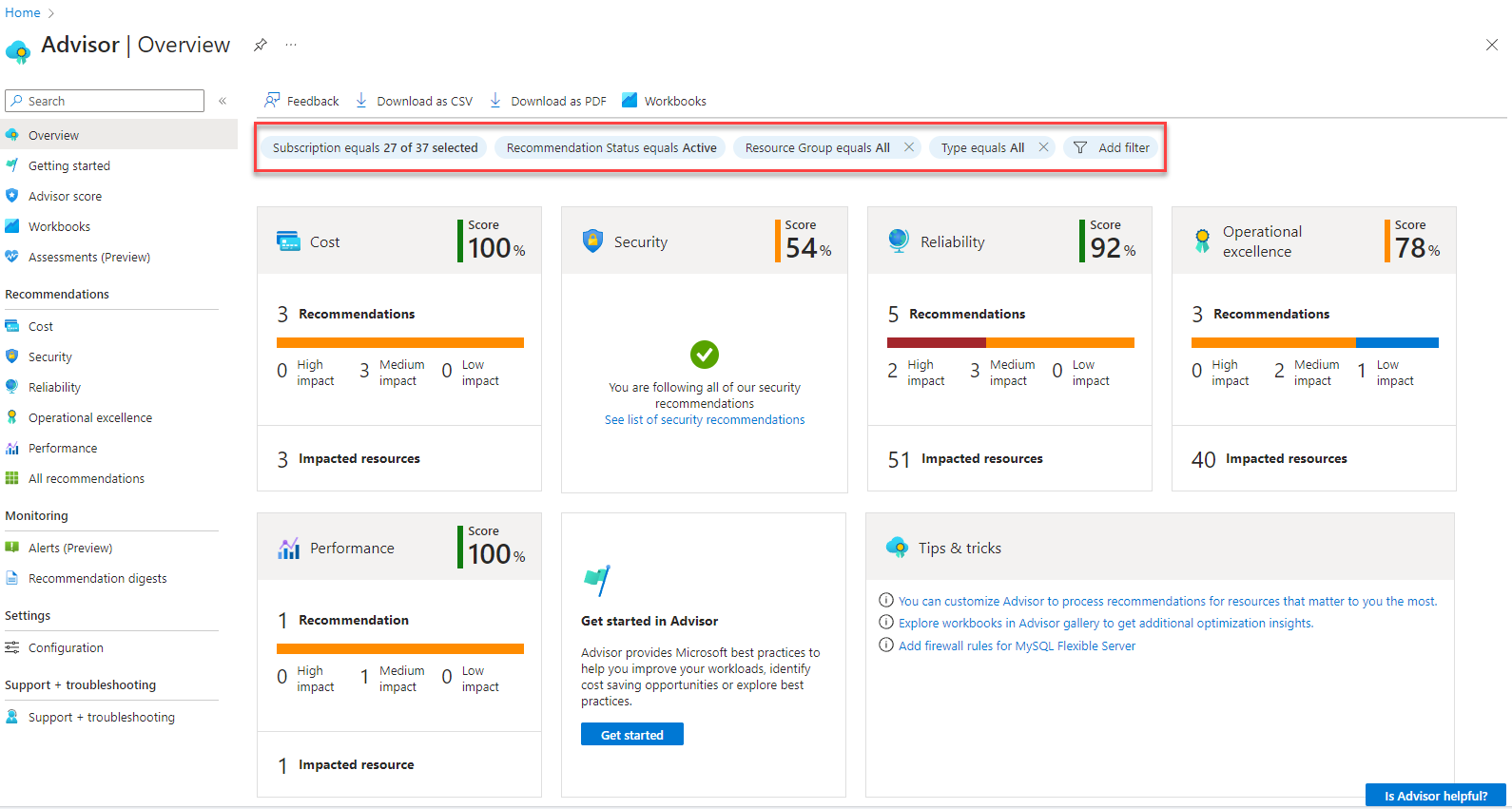
Advisor checks your setup and gives a score for cost, security, reliability, performance and day-to-day operations. Each score comes with a list of fixes, such as shutting down a VM nobody uses.
To watch performance and get alerts when something breaks, use Azure Monitor.
Storage
Blob Storage keeps files of any size, from backups to video. Azure Files gives you a network drive that Windows can map like any shared folder.
Databases
Azure SQL Database, Azure Database for PostgreSQL and Azure Cosmos DB are managed databases. Microsoft handles patches and backups for you. .NET apps connect with Microsoft.Data.SqlClient.
Web apps and serverless
App Service hosts websites and web apps. Azure Functions runs small pieces of code only when something triggers them, so you pay per run.
Containers
Azure Kubernetes Service (AKS) and Azure Container Apps run apps packed in containers (self-contained bundles of an app and everything it needs).
Identity and security
Microsoft Entra ID handles sign-in and access, and Azure requires multifactor sign-in to manage resources. Microsoft Defender for Cloud watches for threats, and Key Vault stores passwords and keys safely.
Virtual desktops
Azure Virtual Desktop streams full Windows desktops and apps to any device, so staff can work from home on a cheap laptop.
The Azure Portal and Other Ways to Manage Azure
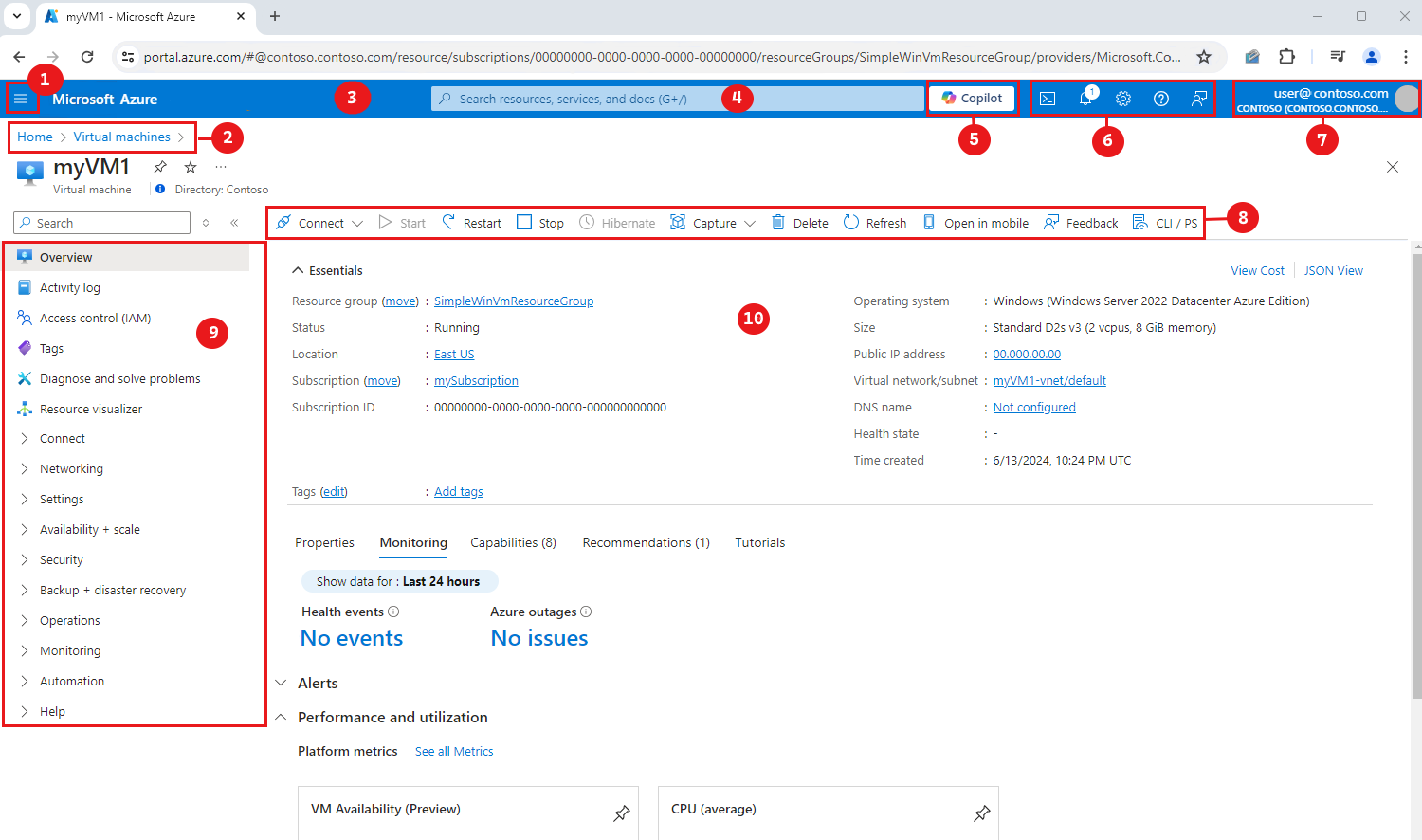
The Azure portal at portal.azure.com is where most people work. Every portal action is also available from PowerShell, the Azure CLI and code, so you can automate anything you first did by hand.
Azure portal
The website for everything: create resources, check costs and read alerts. The search bar at the top finds any service or resource by name.
Azure Cloud Shell
A command line inside the portal, with Bash and PowerShell already set up. Nothing to install, so it works from any PC.
Azure CLI
A command-line tool for Windows Terminal or Command Prompt. Install it with winget install –exact –id Microsoft.AzureCLI, then sign in with az login.
Azure PowerShell
The Az PowerShell module, popular with Windows admins. See our Azure PowerShell install guide and the commands worth knowing.
How Much Does Azure Cost?
There is no single price. Each service has its own rate, usually per hour, per gigabyte or per request, and the price changes by region. You get one bill per subscription for everything you used that month.
Pay-as-you-go is the default. If you know you will run something for a long time, Microsoft offers cheaper options:
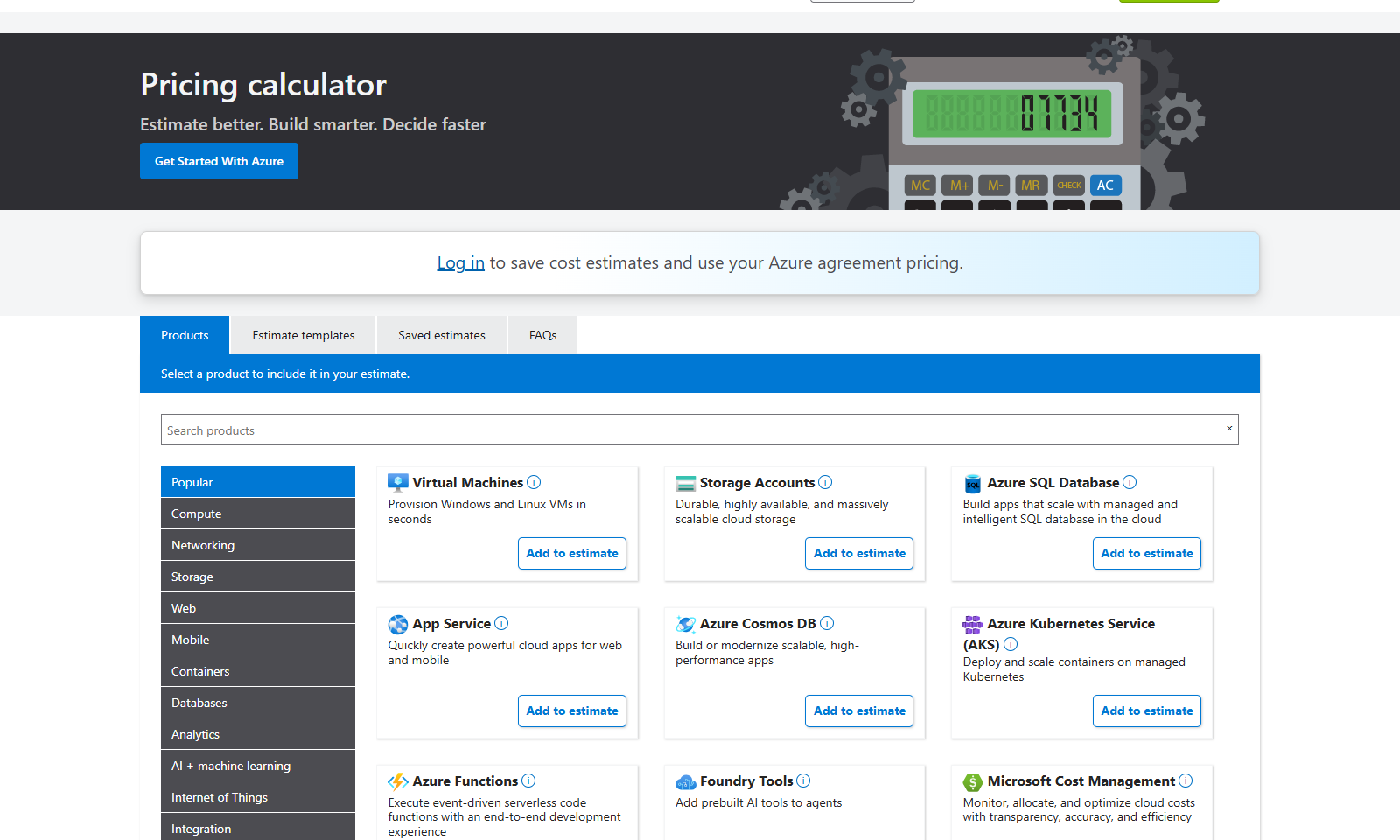
Estimate first, then set a budget. Price your idea in the Azure pricing calculator, then create a budget alert in Cost Management on day one. For more ways to cut a bill, read our guide to reducing Azure costs.
Is There a Free Azure Account?
Yes. New Azure customers can open a free account with a $200 credit to use within 30 days. On top of the credit, the account includes free monthly amounts of popular services for 12 months, and a set of services that stay free forever within limits.
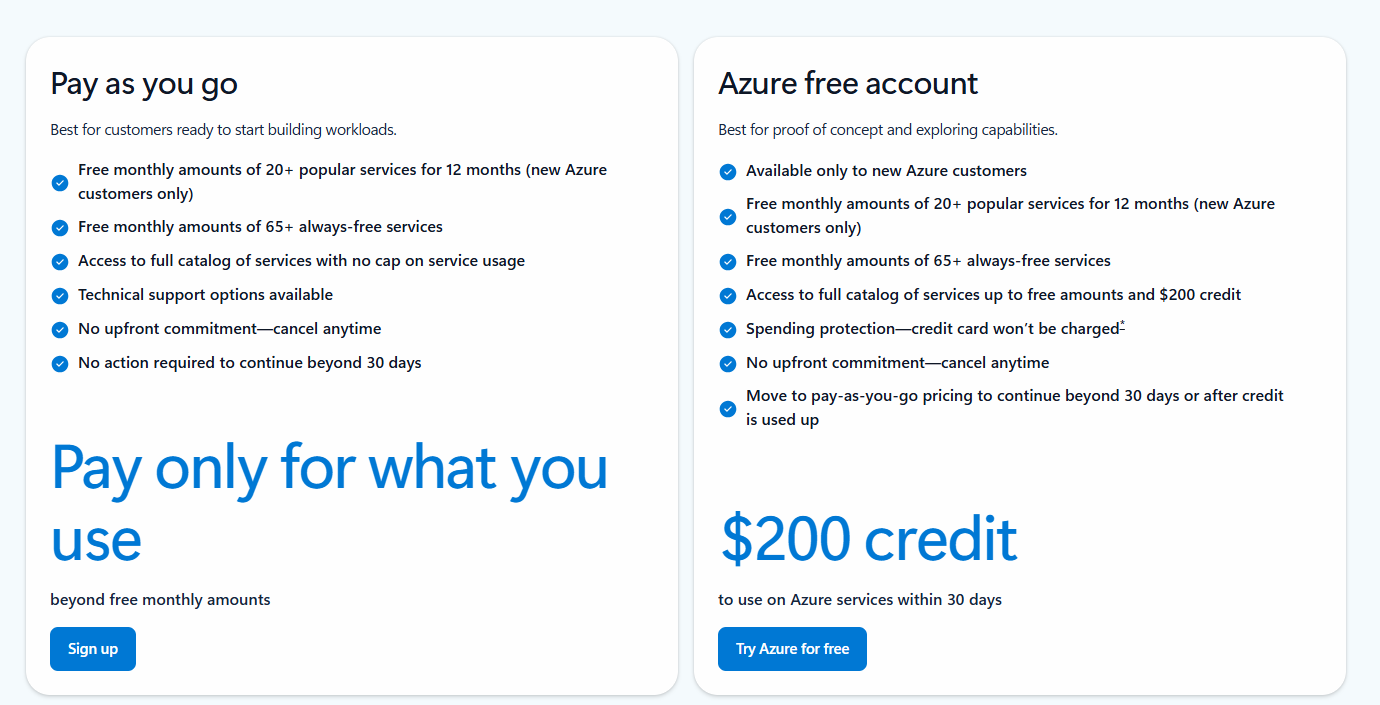
$200 credit for 30 days
Spend it on almost any Azure service. Whatever is left after 30 days expires.
12 months of popular services
Monthly free amounts of 20+ services, including 750 hours a month of small virtual machines and a small PostgreSQL database.
Always-free services
Services such as Azure Functions (1 million requests a month) and a free tier of Azure Cosmos DB stay free within their limits, even after the first year.
What you need
A Microsoft or GitHub account, a phone number, and a credit or debit card for identity checks. Microsoft may place a temporary $1 hold on the card, then removes it.
What happens after 30 days
The free account does not charge your card. When the 30 days end or the credit runs out, your services are switched off unless you move to pay-as-you-go. If you upgrade, the free amounts carry on, but anything above them is billed at normal rates, so delete what you no longer use first. Full terms are on the Azure account page.
How to Get Started with Azure on Windows
All you need is a browser. These steps get you from zero to a safe test setup with a spending alert.
1 Go to the Azure account page.
2 Choose Try Azure for free, or Pay as you go if you have used a free account before.
3 Sign in with a Microsoft or GitHub account, then verify your phone and card.
4 Open the Azure portal at portal.azure.com.
5 Create a resource group for your first project: search for Resource groups, then select Create.
6 Set a budget in Cost Management, under Budgets, so Azure emails you before costs surprise you.
7 Install the Azure CLI if you want the command line: run winget install –exact –id Microsoft.AzureCLI in Windows Terminal.
Azure vs AWS vs Google Cloud
Amazon Web Services (AWS) and Google Cloud are Azure’s two big rivals. All three sell the same basic building blocks, so the choice usually comes down to what you already use.
Our take
If your company signs in with Microsoft 365 and runs Windows servers, Azure is the natural pick: one identity system, license savings and admin tools your team already knows. If you are a solo developer with no Microsoft ties, try the free tier on two clouds and keep the one whose portal you find easier.
Is Azure Right for You?
Learn More About Azure on WindowsMode
Ready to go deeper? These guides pick up where this page stops, grouped by what you want to do.
Manage and secure Azure from Windows
Azure Mandatory MFA →Who has to use multifactor sign-in, and how to turn it on.Azure Migration Tools →Plan and move servers to Azure with Azure Migrate and free guidance.
Watch your costs and health
Data and AI
Explore and learn
Frequently Asked Questions
Do I need Azure to use Windows 11 or Microsoft 365?
What happened to Windows Azure?
What is Azure Active Directory called now?
Can I run Windows 11 in Azure?
What is the AZ-900 exam?
How do I cancel an Azure subscription?
Support and Community
- Microsoft Azure, Microsoft’s own Azure website, with product pages and pricing.
- Azure documentation on Microsoft Learn, with quickstarts, tutorials and free training.
- Azure Fundamentals certification, Microsoft’s page for the AZ-900 exam and its study guide.
- r/AZURE on Reddit, a large community for Azure questions, cost tips and certification help.
More Windows software guides: Azure PowerShell · Azure Monitor · Azure Machine Learning · Reducing Azure Costs · Best Azure Books · Azure AI Search · Azure Mandatory MFA · Azure Migration Tools
Discover more from Windows Mode
Subscribe to get the latest posts sent to your email.

















Installed at the office today, it’s great.